

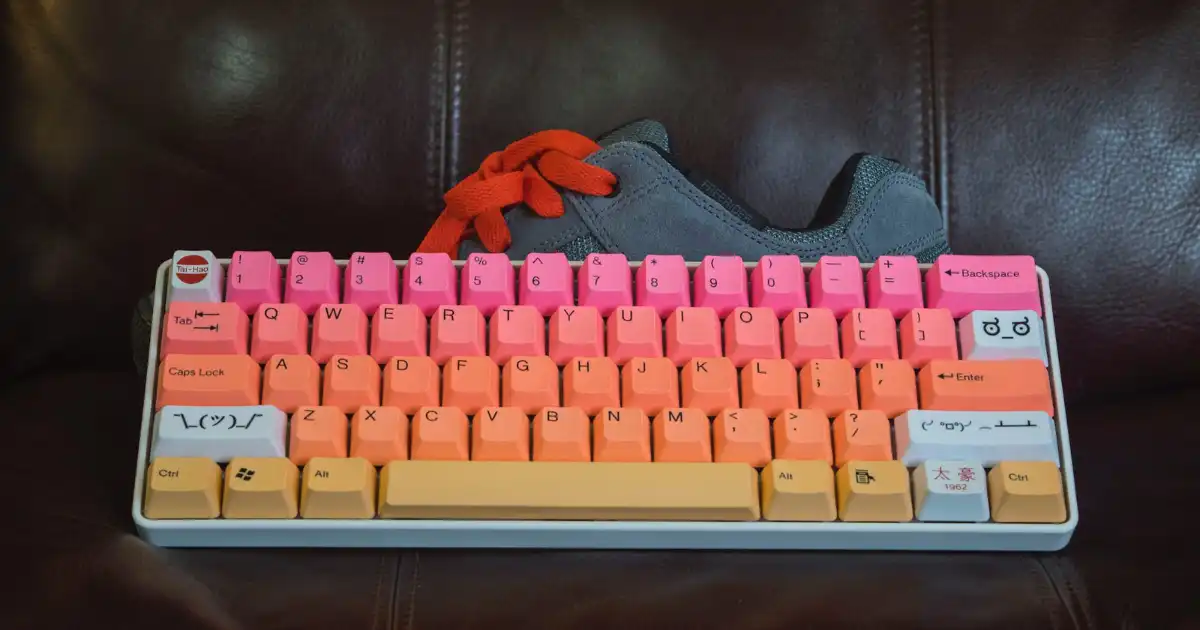
Mechanical keyboards have become extremely popular in recent years, not only among gamers but also among programmers, writers, office workers, and everyday computer users. Many people who switch from a normal keyboard often describe the experience as more comfortable, more enjoyable, and more satisfying.
So, why do people use a mechanical keyboard?
The simple answer is that mechanical keyboards provide a different typing experience. Instead of using a single rubber membrane under all keys, they use individual mechanical switches that give each key its own physical mechanism. This creates better feedback, more consistency, and a feeling that many users prefer during long hours of typing.
Gamers often choose them because of reliable key presses, faster response, anti-ghosting features, and better control during competitive games. Programmers and writers often appreciate the improved typing experience during long coding or writing sessions.
However, a mechanical keyboard is not automatically the perfect choice for everyone. They can be expensive, noisy, and larger than regular keyboards. The right choice depends on how you use your computer.
Understanding how they work and why people prefer them helps you decide whether the upgrade is actually worth it.
What Is a Mechanical Keyboard?
A mechanical keyboard is a type of keyboard where every key has its own individual mechanical switch underneath it. When you press a key, that switch moves physically and sends an electrical signal to the computer.
This is different from most traditional membrane keyboards, which use a rubber layer underneath all keys. When you press a membrane keyboard key, the rubber dome collapses and connects two electrical layers to register the input.
The difference may sound small, but it changes the entire typing experience.
With a mechanical keyboard, each key press feels more defined. You can feel when the key activates, how much force is required, and how the key returns after pressing. This physical feedback is one of the biggest reasons people become attached to mechanical keyboards.
Main Components of a Mechanical Keyboard
A mechanical keyboard is made of several important parts that work together.
Mechanical Switches
Mechanical switches are the most important part of the keyboard. They determine how each key feels and sounds.
Different switches provide different experiences:
- Smooth and fast movement
- Noticeable feedback when pressing
- Audible clicking sounds
- Different levels of resistance
This is why two mechanical keyboards can feel completely different even if they look similar.
Some users like light and fast switches for gaming, while others prefer stronger feedback for writing and programming.
Keycaps
Keycaps are the plastic covers you actually touch when typing.
Mechanical keyboard users often replace keycaps to improve appearance, texture, or typing feel. Many enthusiasts collect different keycap designs because customization is a major part of the hobby.
The material and shape of keycaps can affect comfort during long typing sessions.
PCB
The PCB is the electronic board inside the keyboard.
When a switch is pressed, the PCB detects the electrical signal and sends the information to the computer.
Higher-quality keyboards usually have better PCBs designed for reliability and additional features such as hot-swappable switches.
Stabilizers
Large keys such as:
- Spacebar
- Enter
- Shift
- Backspace
need extra support because they are wider than normal keys.
Stabilizers keep these keys balanced and prevent uneven movement.
Poor-quality stabilizers can make a keyboard feel cheap, while well-designed stabilizers create a smoother typing experience.
How Does a Mechanical Keyboard Work?
When you press a mechanical keyboard key, several things happen within milliseconds.
First, your finger pushes the keycap downward. The keycap moves the mechanical switch underneath it.
Inside the switch, physical parts move together. Once the switch reaches its activation point, it creates an electrical connection that tells the keyboard controller:
“This key has been pressed.”
The keyboard then sends that information to your computer.
The distance a key travels before registering is called the actuation point.
This is important because different switches have different actuation characteristics. Some require a very light touch, while others require more force.
This physical process is what creates the unique feeling of mechanical keyboards.
Unlike membrane keyboards, where every key generally feels similar, mechanical keyboards allow users to choose exactly how they want each key press to feel.
Mechanical Switches
The switch type is one of the biggest factors when choosing a mechanical keyboard.
The three main categories are:
- Linear switches
- Tactile switches
- Clicky switches
Each type is designed for different preferences.
Linear Switches
Linear switches provide a smooth key press from top to bottom.
There is no noticeable bump or clicking point. The key simply moves downward smoothly until it activates.
Many gamers prefer linear switches because they allow fast and repeated key presses.
For example, in competitive games where players frequently press movement keys like:
- W
- A
- S
- D
a smooth switch can feel quick and predictable.
Popular characteristics of linear switches include:
- Smooth movement
- Fast response
- Lower noise
- Easy repeated presses
However, some people find them less satisfying for typing because there is no physical confirmation that the key has activated.
A beginner who types heavily may accidentally press keys too often because the switch gives less feedback.
Tactile Switches
Tactile switches provide a noticeable bump during the key press.
This bump tells your finger that the key has reached its activation point.
Many programmers and writers prefer tactile switches because the feedback can make typing feel more controlled.
During long writing sessions, this small physical response can make each keystroke feel more intentional.
Benefits of tactile switches include:
- Better typing feedback
- More controlled typing
- Satisfying key presses
- Good balance between gaming and productivity
For many beginners, tactile switches are a comfortable starting point because they offer feedback without being too loud.
Clicky Switches
Clicky switches provide both tactile feedback and an audible clicking sound.
The classic example is the loud “click” sound associated with older mechanical keyboards.
Many enthusiasts enjoy clicky switches because they create a strong connection between typing and sound.
The advantages include:
- Clear feedback
- Fun typing experience
- Strong mechanical keyboard feeling
However, the biggest disadvantage is noise.
In a shared office, library, or quiet home environment, clicky switches can easily disturb other people.
This is why some users love them at home but avoid them at work.
Why Do People Use Mechanical Keyboards?
The reasons people choose mechanical keyboards are different depending on their daily activities.
A gamer, programmer, writer, and office worker may all buy the same type of keyboard but for completely different reasons.
The biggest attraction is not just one feature. It is the combination of feel, reliability, customization, and personal preference.
Better Typing Experience
The most noticeable advantage of a mechanical keyboard is the typing experience.
When people first switch from a standard keyboard, the difference they usually notice is the physical response of each key.
A mechanical keyboard feels more intentional.
Every press has:
- A clear movement
- A predictable response
- Consistent feedback
For people who type thousands of words every week, this difference becomes important.
Writers often spend several hours daily typing articles, books, reports, or documents. A keyboard that feels enjoyable can make those long sessions less frustrating.
Programmers experience something similar because coding involves constant typing, editing, and using keyboard shortcuts.
In my experience, many users do not switch because they need a mechanical keyboard. They switch because typing becomes something they actually enjoy.
A normal keyboard completes the task.
A mechanical keyboard can make the process more satisfying.
Improved Typing Accuracy and Comfort
One reason people mention mechanical keyboard benefits is improved typing control.
The feedback from mechanical switches can help users understand when a key has been pressed.
For example, with tactile switches, the small bump provides confirmation that the input has registered. Some people naturally adjust their typing technique and stop pressing keys unnecessarily hard.
This can reduce finger fatigue for certain users, especially those who type for many hours.
However, there is an important reality:
A mechanical keyboard does not automatically make everyone faster or more accurate.
Typing skill still depends mostly on practice, technique, and familiarity.
A person who types slowly on a regular keyboard will not suddenly become a professional typist after buying an expensive mechanical keyboard.
The benefit comes from comfort, consistency, and enjoyment rather than a magical performance boost.
Gaming Advantages
Gaming is one of the biggest reasons mechanical keyboards became popular.
Many gamers choose mechanical keyboards because they provide a more consistent and reliable experience compared to cheaper keyboards.
In fast-paced games, a small difference in how a key responds can affect performance.
For example, competitive players constantly press keys for:
- Movement
- Weapon switching
- Ability activation
- Quick commands
A mechanical keyboard gives each key its own switch, which helps provide consistent activation.
Faster Response and Consistent Key Activation
One common reason gamers prefer mechanical keyboards is keyboard response time.
Mechanical switches can register key presses quickly because the activation mechanism is more direct compared to many membrane keyboards.
However, the real-world difference is often smaller than marketing claims suggest.
For casual gamers, the difference may not be noticeable.
For competitive players who practice daily, consistency matters more than a few milliseconds.
A reliable keyboard means the player can trust that every press will register the same way every time.
Anti-Ghosting and Key Rollover
Another important feature in gaming keyboards is anti-ghosting.
Ghosting happens when a keyboard fails to register multiple keys pressed at the same time or accidentally registers the wrong input.
For example, in a game, a player might need to press:
- W for movement
- Shift for running
- Space for jumping
A keyboard with good anti-ghosting can handle these combinations correctly.
Key rollover refers to how many keys can be pressed and registered simultaneously.
Many gaming mechanical keyboards offer N-key rollover, meaning multiple key presses can be detected accurately.
For competitive gaming, these features are useful because they prevent input mistakes during important moments.
Where Gaming Benefits Actually Matter
What most people misunderstand is that buying a mechanical gaming keyboard will not instantly improve gaming ability.
A professional player with skill and practice will usually outperform a beginner using expensive equipment.
The real advantage comes from:
- Better consistency
- Comfortable repeated key presses
- Personal preference
- Reliable hardware
A mechanical keyboard supports performance, but it does not replace skill.
Better Durability and Longer Lifespan
One of the strongest mechanical keyboard benefits is durability.
A good mechanical keyboard can last many years because individual switches are designed for heavy use.
Many mechanical switches are rated for tens of millions of key presses.
Compared with cheaper membrane keyboards, mechanical keyboards usually handle:
- Heavy typing
- Frequent gaming
- Daily professional use
much better.
A person who types or games several hours every day may notice the difference over time.
A cheap keyboard often starts showing problems such as:
- Keys becoming less responsive
- Uneven key feel
- Worn-out buttons
- Inconsistent typing
A quality mechanical keyboard usually maintains its feel for much longer.
Replaceable Parts
Another advantage is repairability.
Many mechanical keyboards allow users to replace:
- Keycaps
- Switches
- Stabilizers
- Cables
Some models support hot-swappable switches, allowing users to remove and replace switches without soldering.
This means users can upgrade or repair parts instead of replacing the entire keyboard.
For enthusiasts, this long-term flexibility adds significant value.
Customization Options
Customization is one of the reasons mechanical keyboards have developed a strong enthusiast community.
A normal keyboard is usually bought and used exactly as it comes.
Mechanical keyboards are different.
Users can create a setup that matches their personal preferences.
Different Switch Choices
A user can choose between:
- Linear switches for smooth gaming
- Tactile switches for typing feedback
- Clicky switches for a classic mechanical feeling
This allows people to build a keyboard around their actual needs.
Keycap Customization
Keycaps come in different:
- Colors
- Shapes
- Materials
- Designs
Some users change keycaps simply because they enjoy creating a unique desk setup.
Others choose specific keycap profiles because they prefer the way they feel while typing.
RGB Lighting
RGB lighting is another popular feature, especially among gamers.
While lighting does not improve performance, many people enjoy the appearance and personalization options.
A keyboard can match a complete gaming setup or workspace style.
Hot-Swappable Keyboards
A hot-swappable keyboard allows users to change mechanical switches without opening the keyboard and soldering components.
This is especially useful for beginners.
Someone can start with one switch type and later experiment with different switches.
For people entering the mechanical keyboard hobby, this feature provides flexibility.
Mechanical Keyboard vs Membrane Keyboard
Both mechanical and membrane keyboards can perform basic tasks, but they are designed with different priorities.
| Feature | Mechanical Keyboard | Membrane Keyboard |
|---|---|---|
| Typing feel | More defined and customizable | Softer and simpler |
| Durability | Usually higher | Usually lower |
| Price | More expensive | Budget-friendly |
| Noise | Can be louder | Usually quieter |
| Gaming features | Often better | Depends on model |
| Customization | Extensive options | Limited |
| Maintenance | Easier to repair | Usually replaced |
Typing Feel
Mechanical keyboards usually provide a stronger typing experience because every key has its own switch.
Membrane keyboards often feel softer and less responsive.
Some users prefer membrane keyboards because they are quieter and familiar.
Durability
Mechanical keyboards generally have an advantage because switches can survive heavy use and some parts can be replaced.
For someone using a keyboard occasionally, this difference may not matter.
For daily heavy users, durability becomes more valuable.
Price
This is where membrane keyboards remain attractive.
A basic membrane keyboard can cost much less than a quality mechanical keyboard.
If someone only checks emails, browses websites, or types occasionally, a mechanical keyboard may not provide enough value.
Which One Is Better?
The answer depends on the user.
A mechanical keyboard makes sense for:
- Gamers
- Programmers
- Writers
- Heavy computer users
- People who enjoy customization
A membrane keyboard may be better for:
- Budget users
- Quiet environments
- Occasional computer use
Why Do Programmers and Writers Use Mechanical Keyboards?
Programmers and writers are among the biggest groups who appreciate mechanical keyboards.
Their work involves thousands of key presses every day.
For Programmers
Programming requires long periods of typing, editing, and using shortcuts.
Developers often spend hours writing:
- Code
- Commands
- Documentation
- Debugging notes
A comfortable keyboard can make these sessions more enjoyable.
Many programmers prefer tactile switches because the feedback helps them feel each key press.
However, some developers prefer linear switches because they enjoy the smooth movement.
There is no universal “programmer switch.”
It depends on personal preference.
For Writers
Writers often care about the feeling of typing.
When writing long articles, books, or reports, the relationship between the person and the keyboard becomes important.
A satisfying typing experience can make the process feel smoother.
Many writers enjoy:
- Clear feedback
- Comfortable key travel
- Consistent presses
The keyboard becomes a tool they interact with constantly.
Mechanical Keyboards Good for Office Work?
Mechanical keyboards can be excellent for office work, but there are some limitations.
Benefits for Office Users
Office workers who type frequently may appreciate:
- Better typing comfort
- Longer lifespan
- Improved typing experience
- More reliable keys
People who write emails, reports, spreadsheets, or documents all day may notice the difference.
Limitations in Offices
The biggest issue is noise.
A loud clicky keyboard can quickly become annoying in a shared workplace.
Fortunately, users have options.
Silent mechanical switches and quieter designs make mechanical keyboards more office-friendly.
Compact keyboards can also help because they take less desk space.
Are Mechanical Keyboards Noisy?
The answer depends on the switch type.
Clicky Switches
These are the loudest.
They produce a noticeable clicking sound with every press.
Many enthusiasts love the sound, but they are usually not ideal for shared spaces.
Tactile Switches
These are quieter than clicky switches but still provide feedback.
They are often a good balance between typing feel and noise.
Linear Switches
These are usually the quietest standard mechanical switches.
They produce less sound because there is no clicking mechanism.
Reducing Keyboard Noise
Users can reduce noise through:
- Silent switches
- O-rings
- Desk mats
- Keyboard dampening materials
A mechanical keyboard does not always have to be loud.
Downsides of Mechanical Keyboards
Mechanical keyboards have many advantages, but they are not perfect.
Higher Price
A good mechanical keyboard costs more than a basic keyboard.
The extra cost comes from:
- Better switches
- Stronger materials
- More features
- Customization options
For someone who rarely types, the investment may not make sense.
Noise
Even quieter mechanical keyboards can produce more sound than many membrane keyboards.
This matters in:
- Libraries
- Shared offices
- Quiet homes
Weight and Size
Many mechanical keyboards use metal plates and stronger construction.
This improves durability but also makes them heavier.
Some compact models solve this issue.
Maintenance
Mechanical keyboards require occasional cleaning because dust can collect between switches.
Enthusiasts often enjoy maintaining them, but casual users may see it as extra work.
How to Choose the Right Mechanical Keyboard
Choosing the right keyboard depends on how you use your computer.
Choosing Switch Type
Red Switches
Usually linear switches.
Good for:
- Gaming
- Fast repeated presses
- Users who prefer smooth keys
Brown Switches
Usually tactile switches.
Good for:
- Beginners
- Programming
- General typing
They provide feedback without being extremely loud.
Blue Switches
Usually clicky switches.
Good for:
- People who love audible feedback
- Typing enthusiasts
Not ideal for shared environments.
Choosing Keyboard Size
Full-Size Keyboard
Includes:
- Number pad
- Function keys
- Navigation keys
Good for office workers who use spreadsheets.
Tenkeyless (TKL)
Removes the number pad.
Good balance between space and functionality.
75% Keyboard
Compact but keeps important keys.
Popular among programmers and enthusiasts.
60% Keyboard
Very small and portable.
Great for minimal desk setups but requires learning shortcuts.
Important Features to Consider
Hot-Swappable Switches
Useful for people who want to experiment with different switches.
Wireless Connectivity
Helpful for clean desk setups and portability.
Build Quality
A stronger keyboard usually feels better and lasts longer.
RGB Lighting
Useful for appearance but not essential.
Key Rollover
Important for gamers who press multiple keys simultaneously.
Are Mechanical Keyboards Worth It?
The answer depends on your usage.
For gamers, programmers, writers, and people who spend many hours typing, a mechanical keyboard can be a worthwhile upgrade.
The biggest value is not just speed.
It is:
- Comfort
- Enjoyment
- Reliability
- Personal preference
However, casual users who only type occasionally may not notice enough difference to justify the price.
A mechanical keyboard is a tool that becomes more valuable the more you use it.
You Might Be Interested In
- How Does Python Development Help Beginners?
- How Stargate Fosters Public-private Partnerships?
- Implementing Zero-trust Architectures With Ai Tools
- How To Make a Custom Chat GPT For Free?
- How Can Startups Participate In Opportunities Linked To The Uae Stargate Project?
Conclusion
Mechanical keyboards became popular because they offer something many regular keyboards do not: a more personal and enjoyable typing experience.
The biggest reason why people use a mechanical keyboard is not simply because it is newer or more expensive. People choose them because they spend hours interacting with their keyboards and want something that feels better, lasts longer, and matches their preferences.
Gamers appreciate reliability and fast response. Programmers enjoy comfortable long coding sessions. Writers like the satisfying connection between thought and typing. Office workers benefit from durability and improved comfort when choosing the right model.
However, mechanical keyboards are not necessary for everyone. They cost more, can be noisy, and may offer little benefit to someone who rarely types.
If your keyboard is something you use every day for work, gaming, studying, or creativity, a mechanical keyboard can become one of the most noticeable upgrades to your computer setup.
FAQs
Do 96% keyboards save desk space?
Yes, 96% keyboards are designed to save valuable desk space while keeping almost all the keys found on a full-size keyboard. Unlike traditional 100% layouts, a 96% keyboard compresses the navigation cluster and numpad into a more compact arrangement, reducing the overall width without sacrificing essential functionality. This makes it an excellent option for users who frequently work with numbers but also want a cleaner and more efficient desk setup.
The smaller footprint provides additional room for mouse movement, which is especially beneficial for gamers, designers, and professionals who spend long hours at their desks. By bringing the mouse closer to the keyboard, a 96% layout can also promote a more ergonomic posture, helping reduce shoulder strain during extended use. It’s an ideal compromise between full-size productivity and compact convenience.
Why do people like 75% keyboards?
People like 75% keyboards because they offer an excellent balance between compact size and everyday functionality. A 75% layout retains dedicated arrow keys and a function row while removing unnecessary gaps between key clusters, making the keyboard significantly smaller than a traditional full-size model. This design is perfect for users who want to maximize desk space without giving up important keys.
Another reason for their popularity is portability and aesthetics. A 75% keyboard is easy to carry between home, work, and travel, making it a favorite among students, programmers, and remote professionals. Many enthusiasts also appreciate the modern appearance, customizable switches, RGB lighting, and premium build quality commonly available in 75% mechanical keyboards, making them both practical and visually appealing.
Why do programmers like mechanical keyboards?
Programmers often prefer mechanical keyboards because they provide a more precise and satisfying typing experience. Mechanical switches offer consistent tactile or linear feedback, allowing developers to type for long periods with greater accuracy and fewer accidental keystrokes. Since coding involves thousands of key presses every day, the responsive feel of mechanical switches can improve comfort and productivity.
Another major advantage is durability and customization. Most mechanical keyboards are built to withstand tens of millions of keystrokes, making them a reliable long-term investment for professional use. Programmers can also choose switch types based on their preferences, remap keys, create custom macros, and personalize their keyboard layout to streamline coding workflows and enhance efficiency.
Are mechanical keyboards actually better?
Mechanical keyboards are generally considered better than standard membrane keyboards for users who value performance, durability, and typing comfort. Each key has its own individual mechanical switch, providing faster response times, consistent actuation, and a more reliable typing experience. These qualities make mechanical keyboards popular among gamers, writers, programmers, and professionals who spend many hours at the keyboard.
However, whether a mechanical keyboard is better ultimately depends on your needs and preferences. While they typically cost more than membrane keyboards, they often last much longer and offer greater customization options, including replaceable keycaps, hot-swappable switches, programmable keys, and customizable lighting. For users who prioritize long-term quality and a premium typing experience, a mechanical keyboard is usually worth the investment.
What are the disadvantages of a mechanical keyboard?
Despite their many benefits, mechanical keyboards do have some disadvantages. They are generally more expensive than membrane keyboards due to their higher-quality components and construction. Depending on the switch type, they can also produce noticeable typing noise, which may not be suitable for shared offices, classrooms, or quiet work environments. Additionally, mechanical keyboards are often heavier and less compact than basic keyboards, making them less convenient for frequent travel.
Another consideration is the learning curve and maintenance. Users switching from membrane keyboards may need some time to adjust to the feel and sensitivity of mechanical switches. Mechanical keyboards can also accumulate dust and debris more easily between the keycaps, requiring occasional cleaning to maintain their appearance and performance. While these drawbacks are relatively minor for many users, they are worth considering before making a purchase
