

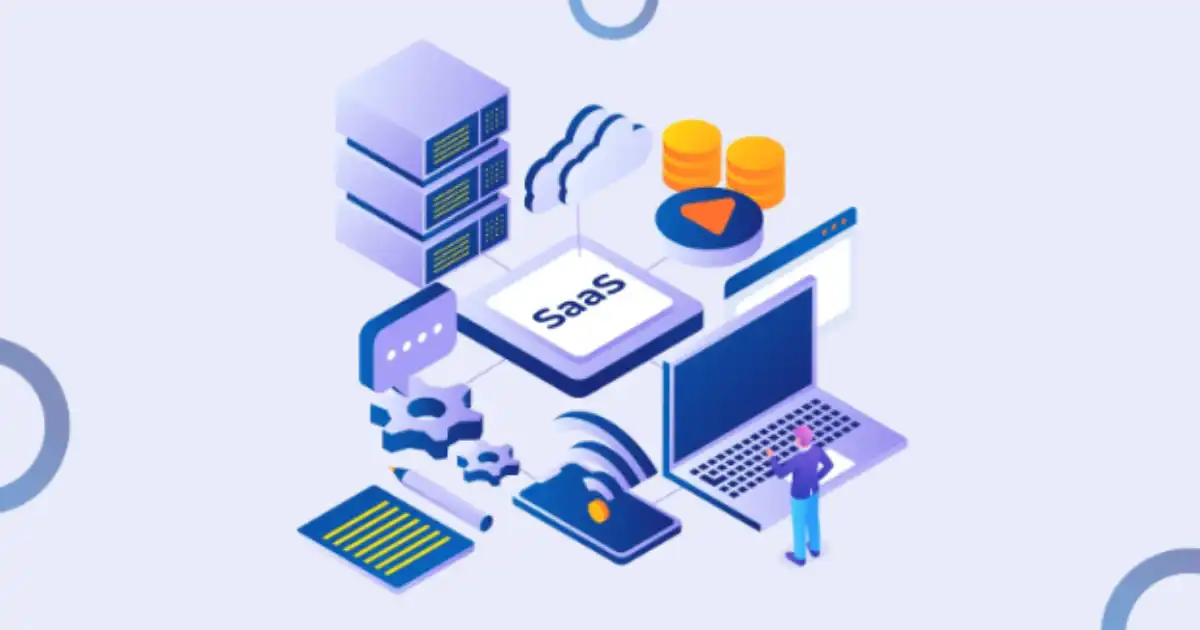
In most companies I’ve seen working with SaaS tools at scale, the problem is not lack of software. It’s the opposite. Teams end up with too many tools that don’t talk to each other.
Marketing uses one platform for email campaigns. Sales lives inside a CRM. Finance tracks things in spreadsheets pulled from a billing tool. Support sits in a ticketing system. HR uses a separate onboarding platform. Everyone thinks their tool is “the source of truth,” but in reality, data is scattered everywhere.
What happens next is predictable. People start copying and pasting data between systems. Reports don’t match. Leads fall through cracks. A customer updates their email in one system, but another system still sends messages to the old address. Someone forgets to update a status field, and suddenly a workflow breaks silently.
I’ve seen teams spend hours every week just reconciling information that should have already been synced automatically. That’s usually the moment someone says, “We need integration.” But what they really mean is, “We need our tools to stop acting like isolated islands.”
SaaS platform integration is not just a technical upgrade. In practice, it’s about removing invisible friction that slows down daily work. When done properly, it feels like the business suddenly stops fighting its own tools.
What SaaS Platform Integration Actually Means
On paper, SaaS integration sounds abstract. In real life, it’s very simple: when something happens in one tool, another tool automatically reacts.
For example, when a new lead is created in a CRM, it automatically gets added to an email marketing platform. When a customer pays an invoice, the accounting system updates their subscription status. When a support ticket is marked “resolved,” the CRM updates the customer record.
This happens through a few core mechanisms that you’ll hear constantly in real projects:
APIs are the most important. In simple terms, an API is just a structured way for one software system to request or send data to another system. Think of it as a controlled conversation between tools.
Webhooks are like real-time notifications. Instead of asking a system for updates, it pushes information automatically when something changes. For example, “payment succeeded” can trigger an event instantly.
Then you have iPaaS tools, which stands for integration platform as a service. These are middleware platforms like Zapier-style systems that sit in the middle and connect apps without needing heavy engineering work. In real companies, they are often used to quickly stitch together workflows without writing full backend systems.
So SaaS integration is not one thing. It is a mix of APIs, automation layers, and event triggers working together so that systems stop operating in isolation.
How SaaS Integration Improves Efficiency in Real Workflows
Automation of repetitive work
One of the most immediate benefits I’ve seen is the removal of repetitive manual tasks.
Take a simple example from operations teams. Without integration, someone receives a form submission, opens a CRM, creates a record, then copies details into a spreadsheet, then sends a Slack message to notify sales. This might take five minutes per lead. Multiply that by hundreds of leads per week, and suddenly you have a full-time job just doing data movement.
With integration, that entire chain becomes automatic. A form submission triggers a workflow that creates the CRM record, updates the spreadsheet, and sends the notification instantly.
Marketing teams see similar gains. Instead of manually exporting email lists every day, integrations sync audience segments automatically based on behavior. If someone clicks a pricing page, they can instantly enter a targeted campaign without anyone touching the data.
The efficiency gain here is not just speed. It’s consistency. Humans get tired, skip steps, or forget fields. Automation does not.
Removing manual data transfer problems
The most painful inefficiency in SaaS-heavy companies is still copy-paste work.
I’ve seen sales teams literally exporting CSV files from a CRM just to upload them into an email tool. Then someone notices missing fields, fixes them in Excel, and repeats the process. It’s fragile work that breaks easily.
Integration removes this entire category of problems by syncing data directly between systems. Instead of moving data, systems reference the same source or update each other in real time.
A practical example is customer billing. Without integration, finance might update subscription status in one system while support still sees the old status. With integration between billing and support tools, status changes propagate automatically, so everyone sees the same truth.
This reduces not only workload but also errors that are hard to detect until they become customer-facing issues.
Faster decision-making through synced data
One of the less obvious benefits is how integration improves decision-making speed.
When systems are connected, dashboards and reports become more reliable and up to date. Leaders don’t wait for weekly exports or manual reports. They can see live performance data.
For example, if sales and product usage data are synced, a company can immediately see which customer segments are engaging and which are dropping off. That allows faster action, like adjusting onboarding flows or launching targeted retention campaigns.
In disconnected systems, decision-making always lags behind reality. Integration reduces that delay. Teams stop reacting to old information and start working with current data.
Reducing operational chaos between teams
In most companies, inefficiency is not just technical. It is organizational.
When systems are disconnected, teams start building their own versions of truth. Sales believes one thing about a customer, support sees another, and marketing operates with a third dataset.
Integration reduces this friction by forcing systems to align. When CRM, support, and billing platforms are connected, they all reflect the same customer lifecycle state.
This reduces miscommunication dramatically. Instead of asking, “Did someone update this record?” teams can trust that updates flow automatically.
The real win here is not just efficiency. It is clarity. People stop arguing about data and start acting on it.
What Most People Get Wrong About SaaS Integration
The biggest misconception is that integration is plug-and-play.
In reality, most integrations work fine in simple demos but become messy in production. The moment data volume increases or workflows become complex, things start breaking in unexpected ways.
Another mistake is assuming integration automatically saves time. I’ve seen teams over-automate everything, only to spend more time fixing broken workflows than they saved in manual effort.
There is also a tendency to ignore maintenance. Integrations are not set-and-forget systems. APIs change, authentication expires, data formats evolve. Without monitoring, integrations slowly degrade until someone notices missing or incorrect data.
And finally, many people underestimate edge cases. It’s easy to design a workflow for “happy path” scenarios, but real business data is messy. Duplicate records, partial updates, and unexpected user behavior can break assumptions quickly.
Integration is powerful, but it is not magic. It still requires oversight.
Behind the Scenes: How It Actually Works
At a technical level, SaaS integration is just systems exchanging structured data.
APIs are the foundation. Instead of logging into another system, software sends a request like “create customer” or “update status,” and the receiving system responds with confirmation. This happens through secure endpoints.
iPaaS tools sit on top of this and simplify the process. Instead of writing code, you configure workflows visually. For example, “when a new row appears in a spreadsheet, create a contact in CRM.” Behind the scenes, the platform is calling APIs for you.
Webhooks are what make things feel real-time. Instead of constantly checking for changes, a system sends an instant message when something happens. It’s like a notification system between apps.
In practice, what looks like a simple button click in an automation tool triggers a chain of events. One event fires, another system receives it, transforms the data, and passes it forward. By the end, multiple systems are updated without human involvement.
When it works well, it feels invisible. When it fails, you suddenly realize how many systems depend on each other.
Real-World Use Cases
CRM and email marketing integration is probably the most common. When a lead enters the CRM, it automatically enters an email sequence. If they respond or take action, the CRM updates their status.
E-commerce systems are another strong example. When someone places an order, payment, inventory, and shipping systems all update simultaneously. Without integration, these would require manual coordination, which does not scale.
HR onboarding is another area where integration shines. When a new employee is added in HR software, accounts are automatically created in email, project management tools, and payroll systems. This removes a lot of repetitive setup work.
Customer support workflows also benefit heavily. When a ticket is created, the system can pull customer history from CRM, check billing status, and assign priority automatically. Agents get full context without switching tools.
In all these cases, the goal is the same: reduce human coordination between systems and let data move automatically.
Challenges You Only Learn in Practice
The first real challenge is broken integrations. APIs change without warning or deprecate features. Suddenly a workflow that worked for months stops working.
Security is another concern. When systems are connected, you are essentially extending trust across platforms. Poorly managed permissions can expose sensitive data unintentionally.
There are also tool limitations. Many SaaS platforms have rate limits or restricted API access, which becomes a bottleneck at scale.
Hidden costs show up later. What starts as a simple automation can turn into a complex dependency network that is expensive to maintain and troubleshoot.
And then there is scaling. An integration that works for 100 events per day might fail at 10,000 events per day if not designed properly.
These are the kinds of issues you only learn after real deployment, not during setup.
Best Practices That Actually Work
Keep integrations simple. The more steps you add, the harder it becomes to debug and maintain.
- Avoid over-automation. Not every process needs to be automated. Some steps still benefit from human review.
- Monitor workflows actively. If an integration silently fails, it can cause bigger problems than if it never existed.
- Choose stable tools over trendy ones. Reliability matters more than features when systems are interconnected.
Document everything. When multiple systems depend on each other, undocumented workflows become operational risks.
Future of SaaS Integration
Integration is slowly moving toward AI-assisted automation. Instead of manually defining workflows, systems will increasingly suggest or build them based on behavior patterns.
No-code and low-code platforms will continue to grow, making integration more accessible to non-technical teams. But that also increases the risk of poorly designed automation spreading across organizations.
We are also moving toward smarter orchestration layers where systems don’t just connect, but actively coordinate workflows based on business logic.
Still, the core idea will not change. Businesses will always need systems to communicate with each other in real time.
You Might Be Interested In
- Using Ai To Predict And Maintain City Infrastructure
- How Do Hbm Ai Chips Improve Ai Learning?
- How Does Cloud Cost Optimization Work finops In 2025?
- AI in 2023: Our Greatest Ally or Our Greatest Threat?
- AI Supercomputing 2023: Fueling Optimism to the Future of Technology
Conclusion
SaaS integration is not about connecting tools for the sake of it. It is about removing the friction that builds up when every department uses different systems that don’t naturally align.
In real environments, the biggest efficiency gains come from eliminating manual coordination, not from flashy automation features. But the real lesson is that integration is not a one-time project. It is an ongoing system that needs attention, monitoring, and realistic expectations.
When done properly, it quietly changes how a company operates. Work becomes less about moving data between tools and more about actually using it.
FAQs
What is SaaS platform integration?
SaaS platform integration is essentially the process of connecting different cloud-based software tools so they can share data and trigger actions automatically. In real companies, this usually means linking systems like CRM, email marketing, billing, support, and HR tools so they don’t operate in isolation. Instead of each platform holding its own separate version of information, integration allows them to stay synchronized in real time or near real time.
What makes this practical rather than theoretical is how it removes repetitive coordination work. For example, when a new customer is added in one system, that information can automatically flow into multiple others without someone manually copying it. In everyday operations, this is what turns scattered software tools into a connected system that behaves more like one unified workflow.
How does SaaS integration improve business efficiency?
SaaS integration improves efficiency mainly by reducing manual work, minimizing errors, and speeding up how information moves across a company. In many organizations, employees spend a surprising amount of time transferring data between tools or fixing inconsistencies between systems. Integration removes much of this friction by automating those transfers so the data moves instantly and consistently.
The second major efficiency gain comes from better decision-making. When systems are connected, reporting becomes more accurate and up to date because all tools reflect the same underlying data. Teams no longer wait for manual reports or risk acting on outdated information, which helps businesses respond faster and with more confidence.
What tools are commonly used for SaaS integration?
In practice, SaaS integration is usually built using APIs, iPaaS platforms, and webhook-based systems. APIs are the foundation because they allow one application to request or send data to another in a structured and secure way. Most modern SaaS tools expose APIs so they can be connected to external systems without needing deep internal access.
On top of APIs, many companies use iPaaS tools like Zapier-style platforms to visually build workflows without heavy coding. These tools are popular because they let non-engineers connect apps quickly. Webhooks also play an important role by enabling real-time communication between systems, where one tool automatically notifies another when something changes, instead of waiting for manual updates or scheduled syncing.
What are the biggest challenges in SaaS integration?
One of the biggest challenges is that integrations are not as stable as people expect. APIs change, tools update their systems, or authentication methods expire, and suddenly a workflow that used to work silently breaks. In real environments, this often leads to missing data or failed automations that are not immediately noticed.
Another challenge is scaling and complexity. An integration that works perfectly for a small workflow can become fragile when data volume increases or when multiple systems depend on each other. Security is also a serious concern because connecting multiple SaaS tools expands the number of access points where sensitive data flows, which needs careful control and monitoring.
Is SaaS integration always worth implementing?
SaaS integration is not always automatically worth it, even though it sounds like an obvious improvement. In some cases, the cost of building and maintaining integrations can outweigh the time saved, especially if the workflows are simple or rarely used. I’ve seen teams over-engineer automation for processes that didn’t actually need it, which created more maintenance burden than value.
It becomes truly worth it when there is repetitive work, frequent data movement between systems, or high risk of human error. The real value shows up when integration reduces ongoing operational friction rather than just saving a few clicks. If a process happens often, involves multiple teams, or affects customer experience, integration usually pays off
