

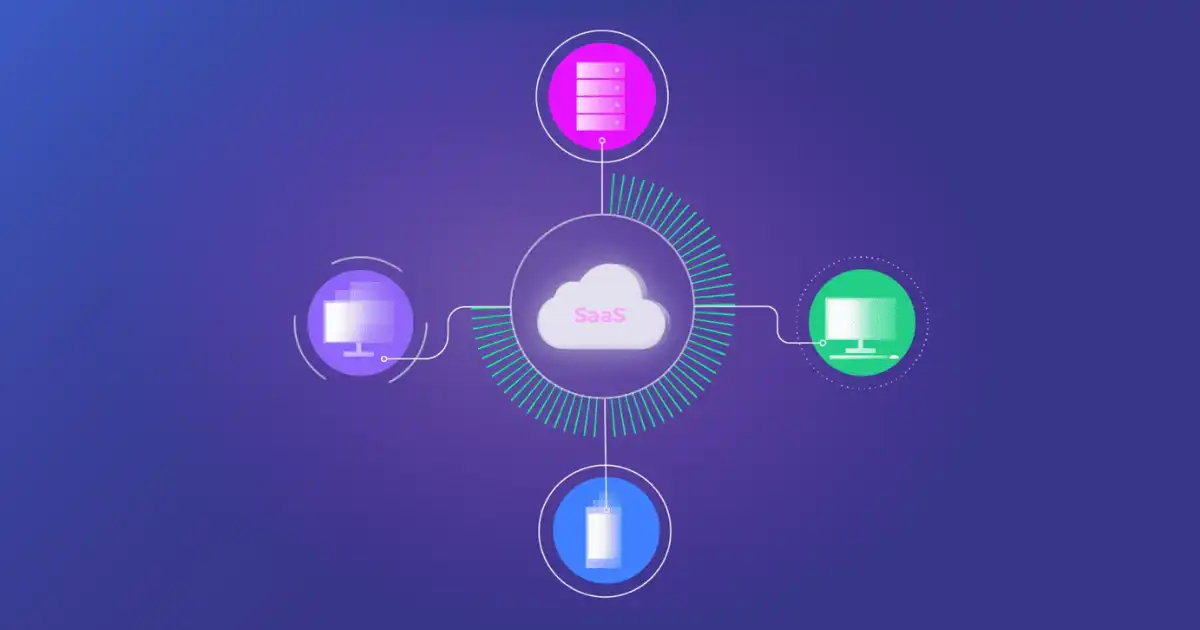
Most companies today do not run their entire business on one software platform. A sales team may use a CRM to manage leads, the marketing department may use an email automation tool, finance may rely on accounting software, and customer support may work inside a helpdesk system.
Each SaaS application solves a specific problem, and using specialized tools often makes teams more efficient. The problem starts when these tools operate separately. How Does Saas Integration Work?
Without proper connections, employees spend time copying information between systems, updating records manually, and checking multiple platforms to understand what is happening. A customer’s information might exist in three or four different places, but those systems may not know about each other. This is where SaaS integration becomes important.
SaaS integration connects different cloud-based software applications so they can communicate, exchange data, and automate tasks without constant human involvement. Instead of treating every application as an isolated system, integration creates a connected workflow where information moves automatically.
For example, when a customer fills out a website form, an integrated system can automatically send that information to a CRM, add the customer to an email campaign, notify a sales representative, and create a billing record.
What happens behind the scenes involves APIs, authentication systems, data mapping, webhooks, and synchronization processes. Understanding these technical parts helps businesses make better decisions when connecting their software tools.
What Is SaaS Integration?
SaaS integration is the process of connecting two or more cloud-based software applications so they can share information and work together automatically.
A SaaS application (Software as a Service application) is software hosted online and accessed through the internet instead of being installed on individual computers. Examples include customer relationship management systems, accounting platforms, project management tools, communication apps, and marketing platforms.
Normally, each SaaS application works independently.
For example:
- A CRM stores customer details.
- An email marketing platform manages campaigns.
- An accounting system tracks invoices.
- A customer support tool stores tickets.
Without integration, these systems do not automatically understand what is happening in other applications.
A sales employee might enter a new customer into the CRM, then manually copy the same information into an email platform and accounting system. This approach may work for a small number of customers, but it becomes inefficient as the business grows.
SaaS integration creates a connection between these systems.
The connected applications can:
- Share customer information
- Update records automatically
- Trigger actions based on events
- Reduce repetitive manual work
- Keep business data consistent
For example, when a customer purchases a product from an online store:
- The ecommerce platform records the order.
- The CRM receives customer information.
- The email system sends an order confirmation.
- The accounting system creates an invoice.
- The inventory system updates stock levels.
All of this can happen automatically because the applications are integrated.
What many people misunderstand about SaaS integration is that it is not simply “connecting two buttons together.” A reliable integration requires careful planning around data flow, security, permissions, and error handling.
Why Is SaaS Integration Important?
In my experience, many companies underestimate how much time they lose because their software tools do not communicate properly.
A company may invest in excellent SaaS applications, but if those systems remain disconnected, employees still perform manual tasks that software should handle automatically.
SaaS integration solves this problem by creating smoother workflows between applications.
Less Manual Data Entry
One of the biggest advantages of SaaS integration is reducing repetitive data entry.
Imagine a sales representative receives a new customer inquiry. Without integration, they may need to:
- Copy customer details from a website form
- Add them to a CRM
- Enter the same details into an email tool
- Inform another department manually
This wastes time and creates opportunities for mistakes.
With SaaS application integration, customer information can automatically move between systems.
Employees spend less time transferring data and more time working on tasks that require human decisions.
Fewer Human Errors
Manual data entry creates a common problem: inconsistency.
A person may accidentally:
- Enter the wrong email address
- Miss important customer details
- Duplicate a record
- Forget to update another system
When systems exchange information automatically, these errors are reduced.
For example, if a customer changes their billing address, an integrated system can update the information across connected platforms instead of relying on someone to manually change every record.
Better Data Accuracy
Businesses often struggle because different departments have different versions of the same information.
The sales team may have one customer address while accounting has another. Customer support may not know about a recent purchase.
Integration creates better data synchronization between platforms.
When systems share updated information, teams can make decisions based on more accurate data.
Automated Workflows
SaaS integration enables workflow automation.
A workflow is simply a series of actions that happen automatically based on a trigger.
Examples:
- A new lead enters the CRM → sales team receives notification
- A customer completes payment → invoice is created automatically
- A support ticket is opened → customer receives confirmation email
- An employee joins the company → HR systems create required accounts
Automation saves time and ensures important processes happen consistently.
Improved Team Productivity
Employees often waste valuable hours switching between applications and manually searching for information.
Connected software reduces this friction.
A salesperson can view customer activity, purchase history, and communication records from one place instead of checking multiple platforms.
A support agent can see customer details without asking other departments for information.
Better Customer Experience
Customers usually do not care which software systems a company uses. They only care whether the experience is smooth.
Poorly connected systems can create problems such as:
- Delayed responses
- Incorrect information
- Repeated questions
- Billing mistakes
SaaS integration helps companies provide faster and more consistent service.
Easier Business Scaling
As companies grow, the number of tools and amount of data usually increase.
A workflow that works manually for 50 customers may become impossible with 50,000 customers.
Integration creates a foundation that allows businesses to scale operations without adding unnecessary manual work.
How Does SaaS Integration Work?
This is where many explanations become too technical. The basic idea is simple:
Two applications need a way to communicate, verify access, understand each other’s data, and exchange information safely.
Behind the scenes, SaaS integration usually involves several steps.
Applications Create a Connection
The first step is creating a communication channel between two SaaS platforms.
Applications cannot simply send information to each other automatically. They need a structured method for communication.
This connection usually happens through:
- APIs
- Pre-built connectors
- Integration platforms
- Middleware systems
An API (Application Programming Interface) acts like a communication bridge between software systems.
Think of an API as a waiter in a restaurant.
The customer does not enter the kitchen and prepare food directly. Instead, they give an order to the waiter, who communicates with the kitchen and returns the result.
Similarly, one application sends a request through an API, and the other application processes that request and sends back information.
For example:
A CRM system may request customer order information from an ecommerce platform.
The ecommerce platform receives the API request, finds the required data, and sends it back.
This allows two different systems to work together without knowing how each other is built internally.
Authentication Verifies Access
Before one application can access another application’s data, permission must be verified.
This process is called authentication.
Authentication answers a simple question:
“Does this application have permission to access this information?”
Common authentication methods include:
API Keys
An API key is a unique code that identifies an application.
It works like a password that allows one system to communicate with another.
For example, an integration tool may use an API key to connect a marketing platform with a CRM.
The key tells the system who is making the request.
OAuth
OAuth is a more advanced authentication method commonly used by modern SaaS platforms.
Instead of sharing passwords, OAuth allows users to grant limited access.
For example, when connecting a calendar application to a project management tool, you may approve access without giving your password to the project tool.
OAuth creates a secure permission system where access can be controlled and removed when needed.
Access Tokens
After authentication, systems often use access tokens.
An access token is a temporary permission certificate that allows an application to perform specific actions.
For example:
- Read customer information
- Create new records
- Update existing data
Good SaaS integration depends heavily on proper authentication because poor access control can create security risks.
APIs Transfer Information Between Applications
APIs are one of the most important technologies behind SaaS integration.
They allow applications to request and exchange information in a structured way.
A typical API communication works like this:
- Application A sends a request.
- The API receives the request.
- Application B processes the request.
- Application B sends a response.
- Application A uses the returned information.
For example:
A customer support system may ask a CRM:
“Give me the customer details for this email address.”
The CRM responds with:
- Customer name
- Company name
- Previous interactions
- Purchase history
Two common API approaches are REST APIs and GraphQL APIs.
REST APIs
REST (Representational State Transfer) is one of the most widely used API styles.
REST APIs usually work with standard web requests such as:
- GET (retrieve information)
- POST (create information)
- PUT (update information)
- DELETE (remove information)
Most SaaS platforms provide REST APIs because they are simple, flexible, and widely supported.
GraphQL APIs
GraphQL is another approach that allows applications to request exactly the information they need.
Instead of receiving a large amount of unnecessary data, the application can specify exactly which fields it requires.
This can improve efficiency, especially when working with complex systems.
Data Mapping and Transformation
Connecting applications is not only about moving data. The systems also need to understand each other’s information.
Different software platforms often store information differently.
For example:
One system may use:
- Customer Name
Another system may use:
- Client Name
A CRM might store a phone number as:
+92 300 1234567
Another system may expect:
0300-1234567
The integration must understand that these fields represent the same information.
This process is called data mapping.
Data mapping matches information from one application to the correct location in another application.
Sometimes data transformation is also required.
Transformation converts information into a format the receiving system understands.
Without proper mapping, integrations can create messy databases, duplicate records, and incorrect reports.
How Does SaaS Integration Work? (Continued)
Data Synchronization Happens
After applications connect, authenticate, and understand each other’s data, the next challenge is keeping information updated.
This process is called data synchronization.
Data synchronization ensures that changes made in one application appear correctly in another connected application.
For example, if a customer updates their email address in a CRM, the marketing automation platform may also need that updated email address. Without synchronization, different departments may work with outdated information.
There are several common synchronization methods.
Real-Time Synchronization
Real-time synchronization means data moves between applications immediately after an event happens.
Example:
A customer places an online order. Within seconds:
- The ecommerce system sends order details to the CRM.
- The inventory system updates stock levels.
- The customer receives a confirmation email.
Real-time data exchange is useful when businesses need immediate updates, such as ecommerce, customer support, and financial systems.
However, real-time integration can require more technical planning because systems must handle constant communication.
Scheduled Synchronization
Some businesses do not need instant updates.
Instead, they synchronize data at specific intervals.
Example:
A company may transfer accounting data from a sales system every night at midnight.
Scheduled synchronization is often simpler and cheaper because systems do not need to communicate continuously.
One-Way Synchronization
One-way sync means information moves in only one direction.
Example:
A website form sends new customer leads to a CRM.
The CRM receives information, but changes made inside the CRM do not go back to the website system.
One-way synchronization is useful when one system is considered the main source of information.
Two-Way Synchronization
Two-way synchronization allows both systems to update each other.
Example:
A customer updates contact information in a CRM, and the email marketing platform automatically receives the change.
Two-way synchronization is more convenient but also more complicated because conflicts can occur.
For example, if two systems update the same customer record at the same time, the integration must decide which version is correct.
Errors Are Managed
A common misunderstanding is that once an integration is built, everything works perfectly forever.
In reality, integrations require monitoring and maintenance.
Software systems fail sometimes.
Common problems include:
- API connection failures
- Incorrect data formatting
- Expired authentication tokens
- Software updates
- Missing required information
- API rate limits
A reliable SaaS integration needs error-handling systems.
Retry Systems
If an application fails to send information, the integration may automatically try again.
For example:
A payment notification fails because the accounting system is temporarily unavailable.
Instead of losing the transaction, the integration stores the request and retries later.
Monitoring
Businesses should monitor integrations to identify problems early.
Monitoring tools can detect:
- Failed transactions
- Slow responses
- Security issues
- Unusual activity
I have seen companies discover major workflow problems only after employees complain that data is missing. Proper monitoring prevents these issues from becoming bigger problems.
API Limits
Many SaaS providers limit how many requests an application can make within a specific period.
For example, a CRM may allow only a certain number of API calls per hour.
If an integration sends too many requests, the connection may slow down or temporarily stop working.
Good integration design considers these limitations from the beginning.
Technologies Behind SaaS Integration
SaaS integration depends on several technologies working together. Understanding these technologies helps explain why some integrations are simple while others require significant development work.
APIs
APIs are the foundation of most modern SaaS integrations.
They allow different applications to communicate without exposing their internal systems.
REST APIs
REST APIs are the most common type used in cloud software.
They are popular because they are:
- Simple to understand
- Widely supported
- Flexible
- Easy to implement
Most business applications provide REST API access for connecting with third-party applications.
GraphQL APIs
GraphQL allows applications to request specific information instead of receiving large amounts of unnecessary data.
For example, instead of requesting an entire customer profile, an application can request only:
- Customer name
- Email address
- Purchase history
This makes data exchange more efficient.
SOAP APIs
SOAP (Simple Object Access Protocol) is an older API technology.
Many modern SaaS applications use REST or GraphQL, but SOAP still exists in industries such as:
- Banking
- Healthcare
- Enterprise systems
SOAP is known for strict rules and strong security features.
Webhooks
Webhooks are another important part of SaaS integration.
While APIs usually involve one application asking another application for information, webhooks allow an application to automatically send information when something happens.
This is called event-based communication.
Example:
A customer completes payment.
Instead of another system constantly asking:
“Has payment happened?”
The payment system sends a webhook notification:
“Payment completed.”
The connected system immediately reacts.
Common webhook examples include:
- New customer registration
- Completed payment
- New support ticket
- Updated order status
- New subscription
Webhooks are valuable because they reduce unnecessary requests and enable faster workflows.
Middleware and iPaaS Platforms
As businesses use more SaaS applications, direct connections between every system become difficult to manage.
This is where middleware becomes useful.
Middleware acts as a middle layer between applications.
Instead of connecting every application individually, systems communicate through the middleware platform.
For example:
CRM → Middleware → Accounting Software
Marketing Platform → Middleware → Customer Support System
Middleware handles:
- Data transformation
- Authentication
- Workflow logic
- Error handling
- Communication between systems
iPaaS Platforms
iPaaS (Integration Platform as a Service) is a cloud-based integration solution.
These platforms allow companies to connect SaaS applications without building every integration from scratch.
Popular iPaaS use cases include:
- Connecting CRM and marketing tools
- Automating business workflows
- Moving data between cloud applications
iPaaS is especially useful for companies that have many SaaS tools but limited development resources.
However, iPaaS is not magic. Poor planning can still create messy workflows even with a powerful integration platform.
Connectors
Connectors are pre-built integrations that allow applications to connect quickly.
Many SaaS providers offer ready-made connectors for popular platforms.
For example:
A project management tool may already have a connector for a communication application.
Advantages of connectors:
- Faster setup
- Less technical work
- Lower initial cost
Limitations:
- Limited customization
- May not support complex workflows
- Dependence on the connector provider
For simple business needs, connectors are often enough. For complex processes, custom integration may be necessary.
Different Types of SaaS Integration
Different businesses require different integration approaches. The right option depends on the complexity of the workflow, budget, and technical requirements.
Native Integrations
Native integrations are built directly into SaaS applications.
The software companies themselves create the connection.
Example:
A CRM offering a built-in connection with an email marketing platform.
Advantages:
- Easy setup
- Reliable support
- Minimal technical knowledge required
Limitations:
- Limited customization
- Only available for supported applications
Native integrations work best when businesses use common software combinations.
API-Based Integrations
API-based integration uses APIs to create direct communication between applications.
This approach provides more flexibility.
Businesses can create custom workflows that match their exact requirements.
Example:
A company connects its custom customer portal with its CRM using APIs.
Advantages:
- Highly customizable
- Full control over data exchange
- Suitable for complex workflows
Limitations:
- Requires technical expertise
- Requires ongoing maintenance
iPaaS Integrations
iPaaS integrations use cloud-based platforms to connect multiple applications.
They are useful when companies need many integrations but do not want to build everything manually.
Example:
A business connects:
- CRM
- Accounting software
- Email platform
- Customer support system
through one integration platform.
Embedded Integrations
Embedded integrations are built directly into another application.
The integration experience becomes part of the software itself.
For example, a business platform may include payment processing or communication features directly inside its interface.
This approach is common in software products that want to provide additional features without forcing users to leave the platform.
Custom Integrations
Custom integrations are built specifically for unique business requirements.
They are usually used by larger companies with complex workflows.
Examples:
- Connecting internal systems with SaaS platforms
- Building industry-specific automation
- Creating advanced data processing workflows
Custom integrations provide maximum control but require more investment.
Real-World Example of SaaS Integration
Imagine a company that sells products online.
A customer visits the website and submits a contact form.
Without integration, employees may manually copy the customer information into different systems.
With SaaS integration, the workflow happens automatically.
Step 1: Website Captures Customer Information
The website collects:
- Name
- Email address
- Phone number
- Product interest
The website sends this information to the CRM.
Step 2: CRM Creates a Customer Record
The CRM automatically creates a new lead.
The sales team receives the information and can follow up.
Step 3: Email Marketing System Activates
The CRM sends customer details to the email platform.
The customer is added to a relevant email campaign.
Step 4: Sales Notification Is Created
A notification is sent to the sales representative.
The salesperson knows a new potential customer is ready for contact.
Step 5: Accounting System Receives Purchase Information
When the customer buys, the accounting platform automatically creates billing records.
This entire process happens because different SaaS applications communicate through APIs, connectors, and automation workflows.
Common SaaS Integration Use Cases
Businesses use SaaS integration in many areas.
CRM Integration
CRM integration connects customer relationship systems with other platforms.
Examples:
- Website forms
- Email marketing tools
- Sales automation systems
This creates a complete customer view.
Marketing Automation Integration
Marketing teams connect:
- Email platforms
- Advertising tools
- Analytics systems
This helps track customer journeys.
Accounting Software Integration
Accounting integration connects financial systems with:
- Sales platforms
- Ecommerce stores
- Payment processors
This reduces manual financial work.
HR Software Integration
HR systems can connect with:
- Payroll software
- Employee management tools
- Recruitment platforms
This improves employee data management.
Customer Support Integration
Support systems can connect with:
- CRM platforms
- Communication tools
- Knowledge bases
Agents receive better customer information.
Ecommerce Integration
Online stores often integrate:
- Payment systems
- Inventory tools
- Shipping platforms
- Customer databases
This improves order processing.
Project Management Integration
Project tools connect with:
- Communication apps
- Time tracking systems
- File storage platforms
Teams collaborate more effectively.
Benefits of SaaS Integration
SaaS integration provides practical advantages when implemented correctly.
Automation
Automation removes repetitive tasks and allows employees to focus on higher-value work.
Faster Workflows
Information moves instantly between systems instead of waiting for manual updates.
Better Collaboration
Departments work from shared information instead of isolated databases.
Reduced Costs
Less manual work means fewer resources are spent on repetitive processes.
Accurate Reporting
Integrated data creates more reliable reports and business insights.
Improved Customer Experience
Customers receive faster responses and more consistent service.
Common SaaS Integration Challenges
Although SaaS integration provides major benefits, it also creates challenges.
API Limitations
Some software providers restrict API access or limit available features.
This can prevent businesses from building the workflows they want.
Security Risks
Every connected system creates another access point that must be protected.
Poorly configured integrations can expose sensitive data.
Data Mismatch
Different systems may store information differently.
Without proper mapping, companies can create duplicate or inaccurate records.
Integration Maintenance
Software changes over time.
An update from one SaaS provider can break an existing integration.
Vendor Dependency
Companies may become dependent on specific integration platforms or vendors.
If a provider changes pricing or removes features, businesses may need to adjust.
SaaS Integration Security Best Practices
Security should be considered from the beginning of any integration project.
Secure Authentication
Use modern authentication methods such as OAuth instead of sharing passwords.
Encryption
Data should be encrypted while moving between applications.
Access Control
Only give integrations the permissions they actually need.
API Monitoring
Monitor API activity to detect unusual behavior.
Permission Management
Regularly review connected applications and remove unnecessary access.
Audit Logs
Maintain records of integration activity for troubleshooting and security reviews.
SaaS Integration vs API Integration vs iPaaS
People often use the terms SaaS integration, API integration, and iPaaS as if they mean the same thing. They are related, but they describe different parts of the connection process.
Understanding the difference helps businesses choose the right approach.
| Concept | Meaning | Best Used For |
|---|---|---|
| SaaS Integration | Connecting cloud software applications so they can share data and automate workflows | Connecting business tools like CRM, accounting, marketing, and support platforms |
| API Integration | Using APIs to create communication between software systems | Custom connections where applications need to exchange specific data |
| iPaaS | A cloud platform that manages multiple integrations between applications | Companies that need many integrations without building everything manually |
SaaS Integration
SaaS integration is the broader concept.
It focuses on the business goal: making different cloud applications work together.
For example:
A company may integrate its CRM, email marketing system, accounting platform, and customer support software.
The goal is not simply connecting systems. The goal is creating a smoother business process.
API Integration
API integration is one technical method used to achieve SaaS integration.
APIs provide the communication channel between applications.
For example:
A company may use a CRM API to automatically send customer information to another application.
API integration gives developers more control, but it usually requires technical knowledge.
iPaaS
iPaaS provides a ready-made environment for building and managing integrations.
Instead of developers manually creating every connection, businesses can use visual tools, pre-built connectors, and automation features.
iPaaS is useful when a company has many SaaS applications that need to communicate.
The right choice depends on complexity.
A small company connecting two simple tools may only need a native integration.
A growing company with dozens of applications may benefit from iPaaS.
A company with unique requirements may need custom API integration.
SaaS Integration Best Practices
A successful integration is not just about connecting two applications. Good planning determines whether the integration remains reliable over time.
I have seen teams focus too much on getting an integration working quickly and ignore long-term maintenance. A connection that works today but creates data problems later is not a successful integration.
Define Goals Before Integration
Before connecting systems, clearly define what problem the integration should solve.
Ask:
- What information needs to move?
- Which applications need to communicate?
- What tasks should become automated?
- Who will use the information?
For example, instead of saying:
“We need CRM integration.”
A better goal is:
“When a customer submits a website form, automatically create a sales lead and notify the sales team.”
A clear goal prevents unnecessary complexity.
Understand Data Flow
Before building an integration, understand how information moves.
Important questions include:
- Which system is the main source of data?
- Which system receives updates?
- How often should synchronization happen?
- What happens if data changes?
Without a clear data flow plan, companies often create duplicate records and inconsistent information.
Choose the Right Tools
Not every business needs a complex custom integration.
Consider:
- Native integrations for simple requirements
- Connectors for common workflows
- iPaaS platforms for multiple applications
- Custom APIs for advanced needs
Choosing the simplest suitable solution usually creates fewer problems.
Test Workflows
Testing is one of the most overlooked parts of SaaS integration.
Before launching, test different situations:
- New customer creation
- Data updates
- Failed transactions
- Missing information
- Large amounts of data
A workflow that works with five records may fail with thousands.
Monitor Performance
Integration maintenance does not end after launch.
Companies should monitor:
- Failed data transfers
- Slow API responses
- Authentication problems
- System errors
Early detection prevents bigger operational issues.
Maintain Documentation
Every integration should have documentation explaining:
- Connected systems
- Data fields
- Authentication methods
- Workflow rules
- Error handling process
Documentation becomes extremely valuable when team members change or problems occur.
Future of SaaS Integration
SaaS integration is becoming more intelligent, but the future is not about replacing good system design with automation magic.
The companies that benefit most will be those that combine smart technology with clear processes.
AI-Powered Integrations
Artificial intelligence is beginning to improve how integrations are built and managed.
AI can help with:
- Suggesting workflow improvements
- Detecting unusual data patterns
- Predicting integration failures
- Automatically categorizing information
For example, an AI-powered system may notice that customer records are frequently duplicated and suggest a data cleanup process.
However, AI does not remove the need for proper planning. Poor data and unclear processes will still create poor results.
No-Code Automation
No-code and low-code integration platforms allow non-developers to create workflows.
A business employee can build automation such as:
“When a customer completes a form, add them to the CRM and send a notification.”
This makes automation available to smaller businesses that may not have dedicated development teams.
Smarter Workflows
Future integrations will focus more on decision-making, not just moving data.
Instead of simply transferring information, systems will increasingly analyze situations and trigger intelligent actions.
Example:
A customer support system may detect a high-risk customer complaint and automatically alert a manager.
Real-Time Data Processing
Businesses increasingly need immediate information.
Real-time data exchange will become more important in areas such as:
- Ecommerce
- Finance
- Customer support
- Logistics
Companies want systems that react instantly instead of waiting for scheduled updates.
Unified APIs
Unified APIs simplify integration by providing one connection point for multiple platforms.
Instead of building separate integrations for many software providers, developers can connect through a unified API system.
This can reduce development time and simplify maintenance.
You Might Be Interested In
- What Is Ai-assisted Clinical Decision Support And How Does It Work?
- What Is A Data Centre And How Does It Work?
- What Is Meant By Machine Learning?
- Using Ai For Smart Home Security Systems
- The Role Of Quantum Computing In Stargate Project
Conclusion
SaaS integration is the process that allows different cloud applications to communicate, share information, and automate business workflows.
Behind a simple connection between two software platforms, several technical processes happen:
- Applications establish communication through APIs or connectors.
- Authentication systems verify permissions.
- APIs transfer information between platforms.
- Data mapping ensures systems understand each other’s information.
- Synchronization keeps records updated.
- Monitoring systems handle errors and failures.
The biggest value of SaaS integration is not the technology itself. The real value is creating smoother business operations.
A well-designed integration reduces manual work, improves accuracy, helps teams collaborate, and creates better customer experiences.
However, integration should not be treated as a quick plug-and-play solution. Poor planning, weak security, and unclear data processes can create new problems instead of solving old ones.
The practical takeaway is simple:
Choose integrations based on business needs, understand how your data moves, protect access carefully, and maintain your connections over time.
When done correctly, SaaS integration turns separate software tools into a connected business system that works more efficiently.
FAQs
What is SaaS integration in simple terms?
SaaS integration means connecting different cloud-based software applications so they can communicate, exchange information, and perform tasks together automatically. Instead of each application working separately, integration allows them to share data and create connected workflows. For example, when a customer fills out a contact form on a website, SaaS integration can automatically send that information to a CRM, add the customer to an email marketing campaign, and notify the sales team without anyone manually entering the data.
In simple terms, SaaS integration removes the need for people to constantly copy information from one system to another. It helps different tools work like a single connected system. Businesses use it to improve efficiency, reduce errors, and make sure teams always have access to accurate and updated information. Whether a company uses a few cloud applications or dozens of them, SaaS integration helps create smoother operations and better automation.
How does SaaS integration work technically?
Technically, SaaS integration works by creating a communication link between different software applications using technologies such as APIs, webhooks, connectors, and integration platforms. When one application needs information from another application, it sends a request through an API. The receiving application verifies the request using authentication methods such as API keys, OAuth, or access tokens before allowing data access.
After authentication, the systems exchange information and transform the data into a format that both applications can understand. Data mapping ensures that similar fields match correctly, such as connecting “Customer Name” in one system with “Client Name” in another. Once the connection is established, synchronization processes keep information updated through real-time updates, scheduled transfers, or event-based communication using webhooks. Behind the scenes, monitoring and error-handling systems help detect failed connections, missing data, or API limitations.
Is SaaS integration secure?
SaaS integration can be secure when it is designed and managed properly. Security depends on using strong authentication methods, limiting access permissions, encrypting data transfers, and monitoring communication between connected applications. Modern integrations usually avoid sharing passwords directly and instead use secure methods such as OAuth, where applications receive limited permissions without exposing user credentials.
However, security risks can appear if integrations are poorly configured. Giving an application unnecessary access, ignoring expired credentials, or failing to monitor API activity can create vulnerabilities. Businesses should regularly review connected applications, maintain proper access controls, and use audit logs to track integration activity. A secure SaaS integration strategy ensures that companies gain the benefits of automation without compromising sensitive business information.
What is the difference between SaaS integration and API integration?
SaaS integration and API integration are closely related, but they describe different things. SaaS integration refers to the overall process of connecting cloud software applications so they can work together. It focuses on the business outcome, such as connecting a CRM with an email marketing platform to automate customer communication.
API integration is one technical method used to achieve SaaS integration. APIs act as communication bridges that allow applications to send and receive information. For example, a business may use a CRM’s API to send customer data to an accounting system automatically. In simple terms, SaaS integration is the complete connection between applications, while API integration is the technology that helps create that connection.
Can small businesses benefit from SaaS integration?
Yes, small businesses can benefit greatly from SaaS integration because it helps them automate tasks that would otherwise require manual effort. Even a small company may use several tools for customer management, invoicing, email marketing, project tracking, and communication. When these systems are disconnected, employees spend time entering the same information multiple times and fixing mistakes.
SaaS integration allows small businesses to create efficient workflows without needing large technical teams. For example, a small online store can connect its ecommerce platform with accounting software, inventory management tools, and customer email systems so orders, payments, and customer updates move automatically. This saves time, improves accuracy, and allows small teams to handle more work as the business grows.
