

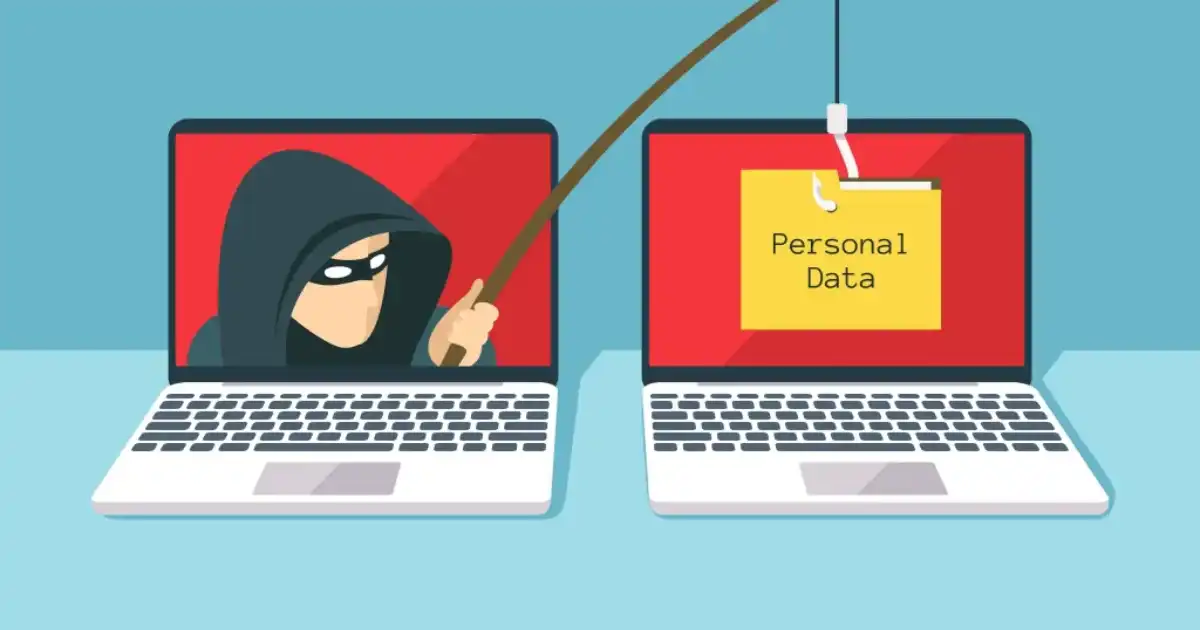
Many people imagine hacking as someone breaking into a computer system using advanced technical skills. In reality, many successful cyber attacks start with something much simpler: a convincing message that tricks a person into opening the door.
A fake email from a bank, a message pretending to be from a company manager, or a phone call asking for a verification code can cause serious damage within minutes. Attackers often do not need to break through complicated security systems because they target something much more accessible: human trust.
Understanding how do phishing attacks work is important because phishing remains one of the most common ways attackers steal passwords, access accounts, spread malware, and compromise businesses.
In my experience studying real security incidents, one thing becomes clear: phishing attacks are rarely successful because victims are careless. They succeed because attackers carefully design messages that look normal, create emotional pressure, and appear to come from trusted sources.
This guide explains how phishing attacks happen step by step, why people fall for them, what attackers do after gaining access, and how individuals and organizations can protect themselves.
What Is a Phishing Attack?
A phishing attack is a type of social engineering attack where criminals trick people into revealing sensitive information, clicking harmful links, opening infected files, or performing actions that benefit the attacker.
The goal is usually to steal something valuable, such as:
- Passwords
- Banking information
- Business data
- Identity details
- Security codes
- Access to company systems
Unlike traditional hacking, where attackers may try to exploit a technical vulnerability in software or hardware, phishing attacks focus on manipulating human decisions.
For example, instead of breaking into an employee’s email account through a security flaw, an attacker may send an email that looks like it came from the company’s IT department and asks the employee to “verify” their password.
The employee is not technically hacked. They are manipulated into giving access.
This is why phishing is considered a social engineering technique. Attackers understand human behavior and use emotions such as fear, curiosity, urgency, and trust to influence decisions.
A simple example is an email saying:
“Your account will be suspended within 24 hours. Click here to confirm your identity.”
The message creates panic. The victim reacts quickly instead of carefully checking whether the request is legitimate.
How Do Phishing Attacks Work Step by Step?
Understanding the phishing attack lifecycle helps explain why these scams are so effective. Most phishing campaigns follow a similar process, although the techniques and tools may change.
Step 1: Attackers Choose Their Target
The first stage of a phishing attack is research.
Attackers usually do not randomly send messages without preparation. Many criminals collect information about their targets before launching an attack.
They may gather information from:
- Company websites
- Social media profiles
- Public employee information
- Previous data breaches
- Professional networking platforms
For example, an attacker targeting a business may discover that a company has a finance manager named Sarah who handles payments. They may then create a fake email pretending to be a supplier requesting an invoice payment.
This type of research makes the attack more believable.
Businesses are especially attractive targets because one successful phishing attempt can provide access to valuable information, financial accounts, or internal systems.
Employees who manage payments, customer information, or administrative systems are often targeted because their accounts provide greater opportunities for attackers.
Step 2: Attackers Create a Fake Message
After choosing a target, attackers create a message designed to look legitimate.
This can include:
- Fake emails
- Fake login pages
- Text messages
- Phone calls
- Social media messages
The quality of phishing attempts has improved significantly. Modern phishing emails often copy real company branding, logos, writing styles, and website designs.
Attackers usually rely on psychological manipulation rather than complicated technical tricks.
Fear
Attackers create fear to make people act quickly.
Example:
“Your account has been compromised. Verify immediately to avoid suspension.”
The victim focuses on solving the problem instead of questioning whether the message itself is fake.
Urgency
Many phishing messages create a false deadline.
Examples:
- “Payment required today”
- “Your password expires soon”
- “Your account will be locked”
Urgency reduces careful thinking.
Authority
People naturally trust authority figures.
Attackers may pretend to be:
- Company executives
- Bank representatives
- Government agencies
- IT departments
A message from someone who appears important is more likely to receive a quick response.
Curiosity and Rewards
Some phishing attempts use attractive offers:
- “You won a prize”
- “See who viewed your profile”
- “Download your free reward”
Curiosity can override caution.
One mistake people often make is assuming they would never fall for phishing because they are careful. In reality, attackers design campaigns for normal human reactions.
Step 3: Attackers Deliver the Phishing Attempt
Once the fake message is created, attackers deliver it through different channels.
Email Phishing
Email phishing is the most common method.
Attackers send messages pretending to come from:
- Banks
- Online services
- Employers
- Delivery companies
- Software providers
The email usually contains a malicious link, attachment, or request for information.
SMS Phishing
Smishing uses text messages instead of emails.
Example:
“Your delivery failed. Confirm your address here.”
Because people often trust mobile messages and check them quickly, smishing can be highly effective.
Social Media Phishing
Attackers may send messages through platforms where people communicate casually.
They may create fake profiles or compromise existing accounts to send malicious links.
Voice Phishing
An attacker may pretend to be:
- A bank employee
- Technical support staff
- A government representative
The goal is often to convince victims to reveal passwords, verification codes, or financial information.
Step 4: Victims Take Action
The next stage happens when a victim interacts with the phishing attempt.
Common actions include:
- Clicking a malicious link
- Entering login details on a fake website
- Downloading an attachment
- Sharing verification codes
- Approving suspicious login requests
The attacker’s goal is not always immediate theft. Sometimes they only need one small mistake to begin a larger attack.
For example, entering a company email password into a fake login page may allow attackers to access internal emails. They can then study conversations, find financial information, and launch more targeted attacks.
Step 5: Attackers Use the Stolen Information
After obtaining information, attackers decide how to use it.
Common outcomes include:
Credential Theft
Stolen usernames and passwords may be sold online or used directly by attackers.
Account Takeover
Attackers may access:
- Email accounts
- Social media accounts
- Banking accounts
- Business systems
Financial Fraud
Criminals may transfer money, create fake invoices, or manipulate payment requests.
Malware Installation
Some phishing emails contain attachments that install malicious software.
Data Breaches
Business accounts can provide access to confidential customer or company information.
What I have seen repeatedly is that phishing is often the starting point, not the final attack. A single stolen password can become the entry point for a much larger security incident.
Why Do Phishing Attacks Work So Well?
The biggest reason phishing works is simple: attackers understand people.
Most victims are not tricked because they lack intelligence. They are tricked because the situation feels normal and the message creates a strong emotional response.
Phishing attacks succeed because of:
Trust
People naturally trust familiar brands, coworkers, and organizations.
Habits
Many employees receive hundreds of messages daily. They often respond quickly without analyzing every detail.
Stress
Busy people are more likely to make quick decisions.
Time Pressure
Attackers intentionally create situations where victims feel they cannot wait.
Lack of Awareness
Many people understand that phishing exists but do not know how modern attacks actually look.
What most people misunderstand about phishing is that attackers are not always looking for careless people. They are looking for moments when anyone can make a normal human mistake.
What Are the Different Types of Phishing Attacks?
Email Phishing
Email phishing involves sending fraudulent emails that appear to come from trusted organizations.
A common example is an email pretending to be from a bank asking users to “confirm account details.”
Attackers use email phishing because email remains one of the main communication methods for individuals and businesses.
Spear Phishing
Spear phishing is a targeted phishing attack aimed at a specific person or organization.
Instead of sending thousands of generic emails, attackers create personalized messages.
Example:
An attacker researches a company employee and sends a message pretending to be their manager requesting confidential documents.
Because the message contains real details, it becomes harder to recognize.
Whaling Attacks
Whaling targets high-level individuals such as executives, company owners, or senior managers.
Attackers often target executives because they may have access to sensitive information or authority to approve payments.
A fake email from a CEO requesting an urgent transfer is a common example.
Smishing
Smishing is phishing through SMS messages.
Attackers often use delivery scams, banking alerts, or account verification messages.
Because mobile messages feel personal, victims may trust them more than emails.
Vishing
Vishing uses voice communication.
Attackers may use social engineering techniques over the phone to convince victims to share information.
Some criminals even use voice cloning technology to make scams more convincing.
Clone Phishing
Clone phishing involves copying a legitimate email and replacing links or attachments with malicious versions.
For example, an attacker may copy a real invoice email and modify the payment details.
What Happens After a Successful Phishing Attack?
The consequences depend on what information the attacker obtains.
For individuals, phishing can lead to:
- Stolen passwords
- Identity theft
- Financial losses
- Privacy problems
- Unauthorized account access
For businesses, the impact can be much larger:
- Data breaches
- Ransomware attacks
- Customer information exposure
- Financial damage
- Reputation problems
After gaining access, attackers often spend time exploring systems quietly. They may search emails, steal documents, create new accounts, or move deeper into company networks.
How Can You Identify a Phishing Attack?
Some common warning signs include:
Suspicious Sender Addresses
Attackers often use email addresses that look similar to legitimate ones but contain small differences.
Fake Domains
A website may look real but use a slightly changed domain name.
Urgent Language
Messages demanding immediate action should be treated carefully.
Suspicious Links
Before clicking, check where the link actually leads.
Unknown Attachments
Unexpected files can contain malware.
Requests for Passwords or Codes
Legitimate organizations rarely ask users to provide passwords or security codes through email.
A useful habit is asking:
“Would this organization normally request this information this way?”
How Can You Prevent Phishing Attacks?
Enable Multi-Factor Authentication
Multi-factor authentication adds another security layer.
Even if attackers steal your password, they may still be unable to access your account without the second verification step.
Verify Before Clicking
Always check:
- Sender details
- Website addresses
- Unexpected requests
- Attachments
A few seconds of verification can prevent serious damage.
Use Strong Password Practices
Avoid using the same password across multiple accounts.
Use:
- Unique passwords
- Password managers
- Long passphrases
Keep Software Updated
Security updates fix vulnerabilities that attackers may exploit.
Keeping operating systems, browsers, and applications updated reduces risk.
Use Security Tools
Organizations and individuals can benefit from:
- Email filtering systems
- Antivirus software
- Endpoint protection tools
These tools help detect suspicious activity before damage occurs.
Build Security Awareness
Technology alone cannot completely stop phishing.
People remain a critical part of cybersecurity.
Regular awareness training helps employees recognize suspicious behavior and respond correctly.
How Do Organizations Protect Against Phishing Attacks?
Businesses need multiple layers of protection.
Important security measures include:
Email Security Systems
Organizations use filtering systems to detect suspicious messages before they reach employees.
Employee Training
Regular training helps staff recognize modern phishing techniques.
Identity Management
Strong access controls limit what users can access.
Zero-Trust Security Approach
Zero trust assumes that every request should be verified, even from inside the organization.
Incident Response Planning
Companies should have clear procedures for responding when phishing incidents happen.
The reality is that no technology can completely eliminate phishing. Attackers continuously change their methods, so organizations must combine technology, policies, and human awareness.
What Should You Do If You Click a Phishing Link?
If you accidentally click a phishing link:
- Do not enter any information.
- Close the website.
- Change your password if you entered credentials.
- Enable multi-factor authentication.
- Scan your device for malware.
- Report the incident.
- Monitor your accounts for unusual activity.
Quick action can significantly reduce damage.
Phishing Attack vs Malware Attack: What Is the Difference?
Phishing and malware are related but different.
Phishing focuses on deception. The attacker tries to trick a person into taking an action.
Malware focuses on malicious software. It involves programs designed to damage systems, steal information, or provide unauthorized access.
However, they often work together.
A phishing email may trick someone into downloading malware. A malware infection may then allow attackers to steal information.
Understanding both threats helps users recognize how modern cyber attacks happen.
You Might Be Interested In
- Why Government Policies On Ai Development Matter?
- Why Is Agile Software Development Popular?
- Top 7 Open-source Ai Models Beating Proprietary Tech
- How Does UEBA Spot Risky Insider Behavior Patterns?
- How Does Hosting Performance Optimization Improve Speed?
Conclusion
Phishing attacks continue to be one of the most successful cyber threats because they do not rely only on breaking technology. They rely on understanding people, their habits, emotions, and everyday decisions. A carefully crafted message can sometimes bypass strong security systems simply because someone trusts what they see.
Understanding how do phishing attacks work helps people recognize the warning signs before becoming victims. Whether it is a suspicious email, a fake login page, a phone call requesting sensitive information, or a message creating unnecessary urgency, the most important defense is awareness.
From my experience, the strongest protection against phishing comes from combining smart technology with careful human behavior. Multi-factor authentication, security tools, software updates, and email protection systems all reduce risk, but they work best when people know how attackers think.
Phishing attacks will continue to evolve, especially as attackers use more advanced techniques and artificial intelligence to create convincing scams. However, users who slow down, verify unexpected requests, and develop good security habits can significantly reduce their chances of being targeted.
FAQs
How does a phishing attack happen?
A phishing attack happens when cybercriminals impersonate a trusted person, company, or organization to trick individuals into revealing sensitive information such as usernames, passwords, credit card numbers, banking details, or one-time verification codes. Attackers typically use emails, text messages, phone calls, social media messages, or fake websites that closely resemble legitimate ones. These messages often create a sense of urgency by claiming there is a security issue, an unpaid invoice, or an account problem that requires immediate action.
Once the victim clicks a malicious link, downloads an infected attachment, or enters personal information on a fake website, attackers can steal credentials, install malware, or gain unauthorized access to systems. Modern phishing attacks are becoming increasingly sophisticated by using personalized information and convincing branding, making it essential to verify the sender, inspect links carefully, and avoid responding to unexpected requests for confidential information.
What are the 4 types of phishing?
The four common types of phishing are email phishing, spear phishing, whaling, and smishing. Email phishing is the most widespread method, where attackers send mass emails pretending to be legitimate organizations in an attempt to steal sensitive information. Spear phishing is a more targeted attack that focuses on a specific individual or organization using personalized details to make the message appear more credible.
Whaling targets high-level executives, business owners, or senior decision-makers because they often have access to valuable financial or confidential information. Smishing, short for SMS phishing, uses fraudulent text messages that encourage recipients to click malicious links, verify accounts, or provide personal details. While these are among the most recognized phishing techniques, attackers also use variants such as vishing (voice phishing), clone phishing, and social media phishing to exploit victims across different communication channels.
Do 90% of cyber attacks start with phishing?
The statement that 90% of cyber attacks start with phishing has been widely quoted for years, but it should not be treated as a universally accepted or current statistic. Different cybersecurity reports provide varying figures depending on their research methods, industries studied, and the types of attacks analyzed. While the exact percentage changes over time, phishing consistently remains one of the most common initial attack vectors used by cybercriminals.
Organizations continue to experience ransomware infections, business email compromise (BEC), credential theft, and data breaches that begin with deceptive emails or messages. Because phishing exploits human behavior rather than technical vulnerabilities, security awareness training, email filtering, multi-factor authentication (MFA), and regular employee education remain some of the most effective defenses against these attacks.
What are the 4 P’s of phishing?
The “4 P’s of phishing” is a framework used to explain the common psychological tactics that attackers rely on to manipulate victims. Although different organizations may define the four P’s slightly differently, they generally refer to Pretending, Pressure, Persuasion, and Personalization. Attackers pretend to be trusted individuals or well-known companies, apply pressure by creating urgency or fear, use persuasive language to convince victims to act, and personalize messages using names, job roles, or other publicly available information.
Understanding these tactics helps individuals recognize suspicious communications before responding. When a message unexpectedly requests sensitive information, urges immediate action, or offers rewards that seem too good to be true, it should always be verified through official communication channels instead of relying solely on the message itself.
What are 7 signs of phishing?
Seven common signs of phishing include unexpected requests for personal information, urgent or threatening language, suspicious sender email addresses, links that point to unfamiliar websites, poor grammar or spelling mistakes, unexpected attachments, and offers or prizes that seem too good to be true. While modern phishing campaigns have become more polished, many still contain subtle inconsistencies that reveal their fraudulent nature.
Before clicking any link or downloading an attachment, users should carefully inspect the sender’s address, hover over links to preview the destination, verify requests through official websites or phone numbers, and be cautious of messages that create panic or demand immediate action. Developing these habits significantly reduces the risk of falling victim to phishing scams, whether they arrive through email, text message, phone call, or social media.
