

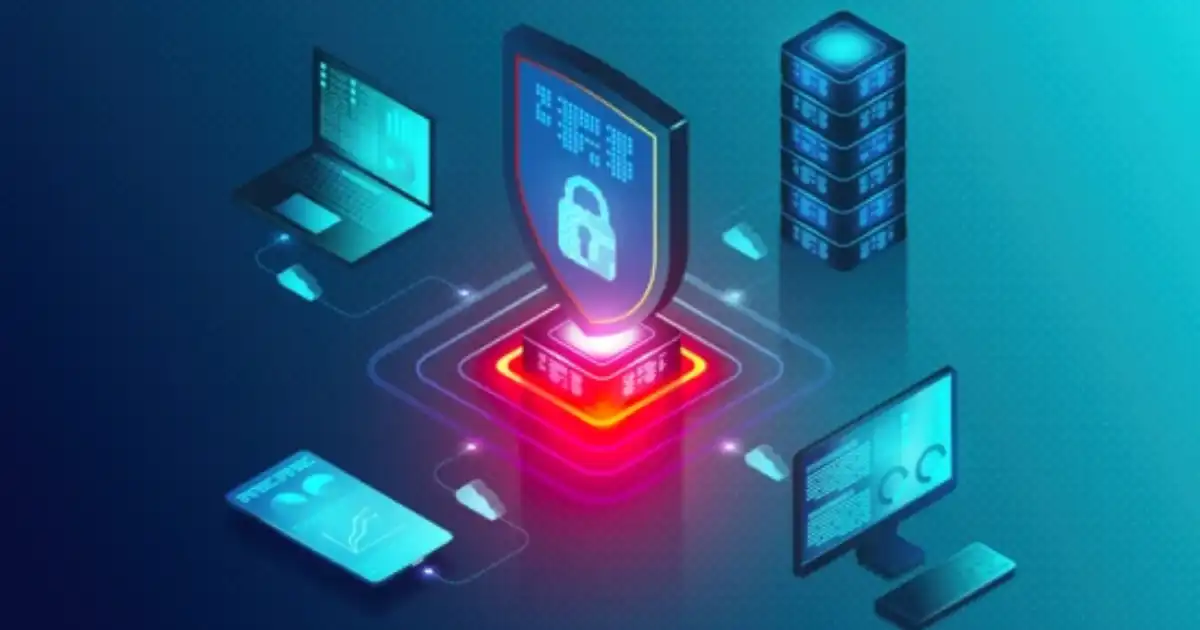
Most people think cybersecurity is about protecting servers, websites, or large company networks. In reality, many successful attacks start somewhere much closer to the user: a laptop, smartphone, desktop computer, or another connected device.
These devices are called endpoints, and they are often the first entry point attackers try to exploit. A single infected laptop can give criminals access to company files, employee accounts, customer information, and critical business systems.
Endpoint security is the practice of protecting these connected devices from cyber threats by monitoring activity, detecting suspicious behavior, preventing attacks, and responding quickly when something goes wrong.
In my experience, one of the biggest misunderstandings about cybersecurity is that people believe installing antivirus software means a device is protected. Antivirus is useful, but modern attacks are more advanced. Attackers now use stolen passwords, phishing emails, malicious documents, fileless attacks, and unknown vulnerabilities to bypass traditional protection.
Modern endpoint security focuses on the complete lifecycle of protection:
- Understanding what is happening on devices
- Detecting suspicious behavior
- Blocking threats before damage occurs
- Investigating security incidents
- Recovering quickly after an attack
Whether you are protecting a personal laptop or managing thousands of business devices, endpoint security has become a critical part of cybersecurity.
What Is Endpoint Security?
Endpoint security is a cybersecurity approach that protects individual devices connected to a network. These devices can include computers, smartphones, servers, tablets, and other systems that communicate with company resources.
In simple terms, endpoint security acts like a security guard for every device that connects to your digital environment.
For example, imagine a company employee receives an email containing a malicious attachment. The employee opens the file, unknowingly allowing malware to run on their laptop.
Without proper endpoint protection, the malware may:
- Steal sensitive files
- Capture login credentials
- Spread to other devices
- Encrypt company data through ransomware
- Create a hidden connection for attackers
An endpoint security solution can detect unusual activity, block the malicious program, alert security teams, and sometimes isolate the affected device before the threat spreads.
What most people misunderstand is that endpoint security is not just about blocking viruses. It is about understanding device activity and controlling risks.
A modern endpoint security system looks at questions such as:
- Is this application behaving normally?
- Is this user accessing unusual files?
- Is a device communicating with a suspicious server?
- Has a system been compromised?
This approach provides much deeper protection than traditional antivirus.
How Endpoint Security Protects Devices
Endpoint security works by placing security controls directly on devices or managing them through centralized security platforms.
Most business endpoint security solutions use a small software component called an endpoint agent. This agent runs on devices and collects security information, such as:
- Running applications
- File activity
- Network connections
- User behavior
- System changes
This information is analyzed to identify possible threats.
For example, if a user suddenly downloads a suspicious file and that file starts encrypting hundreds of documents, endpoint security software can recognize this abnormal behavior and stop the process.
The goal is not only to identify known threats but also to recognize suspicious actions that may indicate a new attack.
Why Endpoints Are Attractive Targets for Attackers
Attackers target endpoints because they are often easier to compromise than highly protected servers.
A company may spend thousands of dollars securing its main infrastructure, but an employee might accidentally:
- Click a phishing link
- Install unsafe software
- Use weak passwords
- Connect an infected USB drive
- Ignore security updates
The attacker does not always need to break through advanced network defenses. Sometimes they only need one vulnerable device.
I have seen organizations focus heavily on network security while ignoring employee laptops and personal devices. This creates a weak point because modern businesses are highly dependent on endpoints.
Endpoint Security vs Overall Cybersecurity
Endpoint security is a part of cybersecurity, but it is not the entire picture.
Cybersecurity covers the broader protection of:
- Networks
- Applications
- Cloud systems
- Data
- User identities
- Devices
- Physical infrastructure
Endpoint security specifically focuses on protecting devices that access these resources.
Think of cybersecurity as protecting an entire building.
Endpoint security is like securing every door and window in that building. Even if the main entrance has strong locks, an unsecured side door can still allow attackers inside.
A complete cybersecurity strategy usually combines endpoint protection with:
- Network security
- Identity management
- Cloud security
- Data protection
- Security awareness training
- Incident response planning
What Is Considered an Endpoint?
An endpoint is any device that connects to a network or accesses digital resources.
As businesses use more technology, the number of endpoints continues to grow.
Laptops and Desktop Computers
Traditional computers remain the most common endpoints.
Employees use laptops and desktops for:
- Accessing company applications
- Handling customer information
- Managing financial data
- Communicating through email
Because these devices store and access valuable information, they are frequent targets for attackers.
A stolen employee laptop, for example, could expose confidential documents if proper device security controls are missing.
Smartphones and Tablets
Mobile devices have become important business endpoints.
Employees use smartphones for:
- Email communication
- Cloud applications
- Two-factor authentication
- Accessing company systems
A lost phone without encryption or remote management could become a serious security problem.
Mobile endpoint security helps organizations control access and protect business information stored on mobile devices.
Servers
Servers are also endpoints because they communicate with networks and provide access to important services.
Examples include:
- File servers
- Application servers
- Database servers
A compromised server can have a much larger impact because many users and applications may depend on it.
Virtual Machines
Many organizations now run applications inside virtual environments.
Virtual machines may not be physical devices, but they still need protection because attackers can target:
- Virtual servers
- Cloud workloads
- Development environments
Cloud security strategies increasingly include protecting virtual endpoints.
IoT Devices
Internet of Things (IoT) devices include:
- Smart cameras
- Sensors
- Smart office equipment
- Industrial devices
These devices often create security challenges because many have limited security features and are rarely updated.
An unsecured IoT device can become an entry point into a larger network.
Business Devices and BYOD Devices
Many companies allow employees to use personal devices for work. This approach is called BYOD (Bring Your Own Device).
BYOD improves flexibility, especially for remote teams, but it also creates security challenges.
A personal laptop or smartphone may contain:
- Outdated software
- Unapproved applications
- Weak security settings
This is why BYOD security policies are important.
Organizations need clear rules about:
- Which devices can access company data
- How devices should be protected
- What happens if a device is lost
Every connected device increases the attack surface. The more devices an organization manages, the more opportunities attackers have to find weaknesses.
Why Is Endpoint Security Important?
The modern workplace has changed significantly. Employees now work from offices, homes, coffee shops, and different locations around the world.
This flexibility creates new security challenges.
A traditional office network allowed companies to control many security conditions. Remote work makes that much harder.
A laptop connecting from a home network does not have the same protections as a device inside a company office.
This is where endpoint security becomes essential.
Increasing Cyberattacks
Cyberattacks have become more targeted and automated.
Attackers use techniques such as:
- Phishing campaigns
- Malware delivery
- Credential theft
- Automated scanning tools
They constantly search for vulnerable devices.
Endpoint security helps organizations identify and stop suspicious activity before it becomes a major incident.
Remote Work Risks
Remote employees often access company systems from different locations.
Common risks include:
- Unsecured Wi-Fi networks
- Personal devices
- Lost laptops
- Shared computers
- Weak home security practices
Remote workforce security depends heavily on protecting the devices employees use every day.
Cloud Applications
Many businesses now rely on cloud platforms for:
- File storage
- Communication
- Customer management
- Business applications
Cloud services improve productivity, but every connected device accessing these platforms becomes a potential attack route.
Endpoint protection helps ensure that only trusted and secure devices connect to cloud resources.
Data Theft
Data is one of the most valuable assets a company owns.
Attackers may target endpoints to steal:
- Customer records
- Financial documents
- Intellectual property
- Employee information
Endpoint security reduces the chances of unauthorized access and helps detect suspicious data activity.
Ransomware Protection
Ransomware remains one of the biggest threats facing organizations.
A ransomware attack often begins with a single infected endpoint.
The attacker may then:
- Gain access through a device
- Move through the network
- Encrypt important files
- Demand payment
Modern endpoint security includes ransomware protection techniques that monitor unusual file behavior and stop encryption attempts.
Business Downtime
A security incident does not only create technical problems.
It can cause:
- Lost productivity
- Customer trust issues
- Financial losses
- Operational delays
Fast detection and response help reduce the impact of attacks.
Compliance Requirements
Many industries have rules requiring organizations to protect sensitive information.
Endpoint security supports compliance by helping companies:
- Control access
- Monitor devices
- Protect confidential data
- Maintain security records
For businesses handling customer, healthcare, or financial information, proper endpoint protection is often a necessity rather than an option.
How Does Endpoint Security Work?
Many people imagine endpoint security as a simple program that scans files and removes viruses. Modern endpoint security is much more advanced.
A complete endpoint security system continuously observes device activity, analyzes risks, prevents suspicious actions, and helps security teams investigate incidents.
The process usually involves several stages.
Device Monitoring
The first step in endpoint security is understanding what is happening on devices.
Endpoint security software usually installs a lightweight agent on each protected device. This endpoint agent collects security information and sends it to a centralized security platform.
The system monitors activities such as:
- Applications being opened
- Files being created or modified
- Network connections
- Login activity
- System changes
- User behavior
For example, if an employee normally uses accounting software and email applications, but suddenly a strange program starts accessing thousands of files, the endpoint security system can recognize that behavior as suspicious.
This monitoring does not mean watching employees personally. The purpose is to identify security risks and unusual technical activity.
Threat Detection
After collecting activity data, the endpoint security platform analyzes it to determine whether something dangerous is happening.
Modern threat detection uses multiple techniques.
Signature-Based Detection
Traditional antivirus relies heavily on signatures.
A signature is like a digital fingerprint of a known threat.
If security researchers identify a malware file, they create a signature that allows security tools to recognize and block that specific malware.
This method is effective against known threats but has limitations.
Attackers constantly create new malware variants, meaning a threat may not have a known signature yet.
Behavioral Analysis
Behavioral analysis focuses on what a program does rather than what it looks like.
For example:
A normal document application usually opens files and allows editing.
A suspicious application that suddenly:
- Encrypts hundreds of documents
- Attempts to disable security tools
- Connects to unknown servers
may be identified as malicious behavior.
This approach helps detect newer attacks that traditional antivirus might miss.
AI-Powered Detection
Many modern endpoint security solutions use artificial intelligence and machine learning to identify patterns.
AI systems analyze large amounts of security data and look for unusual activity.
For example:
A user logging in from a normal location is expected.
A user account suddenly downloading large amounts of sensitive data at an unusual time may trigger an alert.
AI does not replace human security teams, but it helps them find threats faster.
Threat Prevention
Detection alone is not enough.
A security system must also prevent damage.
Endpoint protection can prevent threats by:
- Blocking malicious files
- Stopping dangerous applications
- Preventing unauthorized access
- Blocking suspicious network communication
- Restricting risky activities
For example, if a user downloads a malicious file from an email attachment, the endpoint security system can analyze it before execution and prevent it from running.
Automated Response
One major advantage of modern endpoint security is automated response.
When a threat is detected, the system can immediately take action.
Examples include:
Device Isolation
If a laptop becomes infected, endpoint security can disconnect it from the network while keeping it available for investigation.
This prevents malware from spreading to other devices.
Blocking Malicious Files
Security tools can automatically quarantine dangerous files so they cannot run.
Security Alerts
The system can notify security teams about:
- What happened
- Which device was affected
- What actions were taken
- How serious the threat is
Investigation and Recovery
After stopping an attack, security teams analyze what happened.
They may investigate:
- How the attacker entered
- What systems were affected
- Whether data was stolen
- How similar attacks can be prevented
This process is called incident response.
Good endpoint security is not only about stopping attacks. It is also about learning from them.
Key Components of Endpoint Security
Modern endpoint security combines multiple technologies because no single tool can stop every threat.
Antivirus and Anti-Malware Protection
Antivirus remains an important part of endpoint protection.
It detects and removes malicious software such as:
- Viruses
- Trojans
- Spyware
- Worms
However, antivirus is only one layer.
Modern threats often avoid traditional detection methods, which is why organizations combine antivirus with advanced technologies like EDR.
Endpoint Protection Platform
An Endpoint Protection Platform (EPP) provides preventive security controls.
It focuses mainly on stopping threats before they execute.
An EPP usually includes:
- Malware protection
- Application control
- Firewall features
- Device security controls
- File scanning
EPP is like the first line of defense.
It prevents many common attacks from reaching users.
Endpoint Detection and Response
Endpoint Detection and Response (EDR) focuses on finding and investigating threats after suspicious activity occurs.
Unlike traditional antivirus, EDR collects detailed information about device behavior.
Security teams can use EDR to answer questions like:
- What happened on this device?
- Which files were accessed?
- How did malware enter?
- Did the attacker move to other systems?
EDR is especially valuable for businesses because it provides visibility after an attack begins.
Firewall Protection
Endpoint firewalls control network communication.
They help block unauthorized connections between devices and external systems.
For example, if malware attempts to communicate with a malicious server, firewall controls may prevent that connection.
Patch Management
Many cyberattacks exploit outdated software.
Patch management ensures devices receive security updates regularly.
Attackers often search for known vulnerabilities because outdated systems are easier to compromise.
A strong endpoint security strategy always includes vulnerability management and regular patching.
Device Encryption
Encryption protects data if a device is lost or stolen.
For example, if an employee loses a laptop containing customer information, encryption prevents unauthorized people from easily reading the stored data.
Application Control
Application control allows organizations to decide which programs can run on devices.
This helps prevent users from installing unsafe software.
For example, a company may block unknown applications downloaded from the internet while allowing approved business tools.
Threat Intelligence
Threat intelligence provides information about current cyber threats.
Security platforms use threat intelligence to understand:
- New malware campaigns
- Attacker techniques
- Suspicious domains
- Known vulnerabilities
This improves threat detection accuracy.
EPP vs EDR vs XDR: Understanding the Difference
These technologies are related but serve different purposes.
| Technology | Main Purpose | Best Used For |
|---|---|---|
| EPP | Preventing threats | Blocking malware and suspicious programs |
| EDR | Detecting and investigating threats | Finding advanced attacks and responding quickly |
| XDR | Connecting security data across multiple systems | Coordinated threat detection across endpoints, networks, email, and cloud |
An EPP mainly asks:
“Can we stop this threat?”
EDR asks:
“What happened, and how do we respond?”
XDR expands visibility by connecting information from multiple security areas.
Modern organizations often use all three because attackers rarely target only one area.
Common Threats Endpoint Security Protects Against
Malware
Malware is malicious software designed to damage systems, steal information, or gain unauthorized access.
Endpoint security helps detect and remove different malware types.
Viruses
Viruses attach themselves to legitimate files and spread when users interact with infected content.
Modern endpoint protection helps prevent these infections.
Ransomware
Ransomware locks files or systems and demands payment.
Endpoint security detects unusual encryption activity and can stop ransomware before it spreads.
Phishing Attacks
Phishing tricks users into revealing passwords or installing malware.
Endpoint security adds protection even when users make mistakes.
Credential Theft
Attackers often steal usernames and passwords to access company systems.
Endpoint tools can detect suspicious login behavior and protect compromised devices.
Fileless Malware
Some attacks avoid traditional files and run through legitimate system tools.
These attacks are difficult for basic antivirus to detect, making behavioral monitoring important.
Zero-Day Attacks
Zero-day attacks exploit unknown vulnerabilities.
Although no security tool can guarantee complete protection, advanced threat detection can identify suspicious behavior even when a specific attack is unknown.
Insider Threats
Not all threats come from outside attackers.
Employees or compromised accounts may misuse access.
Endpoint monitoring helps identify unusual activities.
USB-Based Attacks
Infected USB devices can introduce malware into company systems.
Endpoint security can control and monitor removable devices.
Endpoint Security vs Antivirus: What Is the Difference?
Antivirus is one part of endpoint security.
Traditional antivirus mainly focuses on detecting and removing known malware.
Endpoint security provides a broader approach by including:
- Continuous monitoring
- Behavioral analysis
- Threat detection
- Incident response
- Device management
- Data protection
Think of antivirus as a lock on a door.
Endpoint security is the complete security system, including cameras, alarms, access controls, and monitoring.
For individuals, antivirus may provide reasonable protection.
For businesses handling sensitive information, endpoint security is usually necessary.
Benefits of Endpoint Security
A good endpoint security strategy provides more than just malware protection. It gives organizations better visibility, faster response, and stronger control over their devices.
In real environments, the biggest advantage is not simply stopping one attack. It is reducing the damage when something goes wrong.
Better Threat Visibility
One of the biggest challenges in cybersecurity is not always preventing attacks. Sometimes the challenge is knowing that an attack is happening.
Endpoint security provides visibility into device activity.
Security teams can see:
- Which devices are active
- What applications are running
- Which files are being accessed
- Where suspicious behavior is occurring
- How an attack started
Without this visibility, organizations are often operating blindly.
I have seen companies discover security problems weeks or months after they happened because they had no proper monitoring system in place.
Faster Incident Response
Speed matters during a cyberattack.
The longer an attacker stays inside a system, the more damage they can cause.
Endpoint Detection and Response (EDR) tools help security teams quickly answer:
- Which device was affected?
- What actions did the attacker take?
- Did the threat spread?
- What needs to be removed?
Fast incident response can turn a major security disaster into a controlled security event.
Data Protection
Businesses store valuable information on endpoints every day.
Examples include:
- Customer information
- Financial documents
- Internal communication
- Business plans
- Employee records
Endpoint security helps protect this data through:
- Encryption
- Access controls
- Malware protection
- Activity monitoring
Protecting devices is directly connected to protecting business information.
Reduced Downtime
Cyberattacks can interrupt normal business operations.
A ransomware infection, compromised laptop, or stolen credentials can stop employees from working.
Endpoint security reduces downtime by:
- Detecting threats earlier
- Automatically stopping suspicious actions
- Helping teams recover faster
For many businesses, avoiding hours or days of downtime is one of the biggest practical benefits.
Remote Work Security
Remote work has changed how companies think about cybersecurity.
Employees now connect from:
- Homes
- Public networks
- Shared workspaces
- Personal devices
Traditional office security controls are no longer enough.
Endpoint security helps create remote workforce security by protecting devices wherever employees work.
Centralized Management
Managing hundreds or thousands of devices manually is almost impossible.
Endpoint security platforms allow administrators to manage security from a central dashboard.
They can:
- Monitor device health
- Apply security policies
- Investigate alerts
- Deploy updates
- Manage threats remotely
This saves time and improves consistency.
Compliance Support
Many industries have strict requirements for protecting sensitive information.
Endpoint security helps organizations demonstrate that they are following security practices related to:
- Data protection
- Access control
- Monitoring
- Device management
It does not automatically guarantee compliance, but it supports the controls organizations need.
Endpoint Security Best Practices
Technology alone does not create strong security. How organizations use that technology matters just as much.
The following practices improve endpoint security in real-world environments.
Keep Systems Updated
One of the simplest security improvements is also one of the most ignored: updating software.
Operating system and application updates often include security patches that fix vulnerabilities.
Attackers frequently target outdated systems because they know many organizations delay updates.
A good patch management process should include:
- Regular update schedules
- Tracking missing patches
- Prioritizing critical vulnerabilities
Use Multi-Factor Authentication
Passwords are no longer enough.
Even strong passwords can be stolen through:
- Phishing attacks
- Data breaches
- Malware
Multi-factor authentication adds another security layer by requiring additional verification.
For example:
- Password + mobile approval
- Password + security key
- Password + biometric verification
MFA is one of the most effective ways to reduce account compromise.
Apply Least Privilege Access
Many security problems happen because users have more access than they need.
Least privilege means giving users only the permissions required for their work.
For example:
A marketing employee usually does not need administrator access to company systems.
Limiting privileges reduces the damage if an account is compromised.
Train Employees
Technology cannot solve every security problem.
Employees are often targeted because attackers know humans can make mistakes.
Security awareness training should teach employees how to recognize:
- Phishing emails
- Suspicious attachments
- Fake login pages
- Social engineering attempts
A trained employee becomes another layer of defense.
Monitor Devices Continuously
Threats do not follow business hours.
An attack can happen:
- During weekends
- At night
- During holidays
Continuous monitoring helps organizations detect unusual behavior quickly.
Encrypt Sensitive Data
Encryption protects information even if attackers gain physical access to a device.
Businesses should encrypt:
- Laptops
- Mobile devices
- External storage
- Sensitive files
Maintain Backups
Backups are essential for ransomware protection.
A good backup strategy includes:
- Regular backups
- Testing recovery processes
- Keeping protected copies separate from main systems
A backup is only useful if the organization can actually restore data when needed.
Control Applications
Allowing employees to install any software creates risk.
Application control helps organizations prevent:
- Unauthorized programs
- Suspicious tools
- Unsafe downloads
Only approved applications should be allowed in sensitive environments.
Common Endpoint Security Mistakes
Even organizations with security tools can make mistakes that weaken protection.
Thinking Antivirus Is Enough
This is one of the most common mistakes.
Antivirus is useful, but modern attacks often involve:
- Stolen credentials
- Social engineering
- Advanced malware
- Unknown vulnerabilities
Organizations need broader endpoint protection that includes detection and response.
Ignoring Software Updates
Many businesses delay updates because they fear disruption.
However, outdated systems create known security weaknesses.
Attackers often exploit vulnerabilities that already have available fixes.
Poor Password Habits
Weak passwords remain a major security problem.
Common mistakes include:
- Reusing passwords
- Sharing passwords
- Using simple passwords
- Not enabling MFA
Strong identity security is a critical part of endpoint protection.
Unmanaged Employee Devices
BYOD creates flexibility but also risk.
A personal device accessing company information should still meet security requirements.
Organizations should define:
- Minimum security settings
- Approved devices
- Access limitations
Giving Everyone Administrator Access
Administrator accounts have powerful permissions.
If an attacker compromises an admin account, the damage can be significant.
Organizations should limit administrator access and monitor privileged accounts.
Lack of Monitoring
Installing endpoint security software but ignoring alerts is another common mistake.
Security tools only provide value when organizations:
- Review alerts
- Investigate incidents
- Respond quickly
How to Choose an Endpoint Security Solution
Choosing an endpoint security solution depends on the organization’s needs.
There is no single product that works perfectly for every company.
Company Size
A small business may need simple protection with easy management.
A large organization may require:
- Advanced EDR features
- Security automation
- Integration with other tools
- Dedicated monitoring
Number of Devices
The number of endpoints affects management requirements.
A company with thousands of devices needs centralized control and automation.
Cloud Support
Modern businesses rely heavily on cloud services.
A good endpoint security solution should support cloud environments and remote devices.
EDR Features
Businesses should evaluate whether the solution provides:
- Threat investigation
- Behavior monitoring
- Automated response
- Detailed activity records
Automation
Security teams often manage many alerts.
Automation helps by:
- Blocking threats quickly
- Isolating infected devices
- Reducing manual work
Reporting and Integration
Security tools should work with existing systems.
Useful integrations include:
- Security information and event management (SIEM)
- Identity platforms
- Cloud security tools
Budget
Security investments should match business risk.
The cheapest option is not always the best choice.
A solution should provide meaningful protection without creating unnecessary complexity.
Vendor Support
Good support matters during security incidents.
Organizations should evaluate:
- Documentation quality
- Response time
- Technical assistance
Future of Endpoint Security
Endpoint security continues to evolve because attackers continue changing their methods.
Several trends are shaping the future.
AI-Powered Security
Artificial intelligence will continue improving threat detection.
AI can help security teams analyze large amounts of data and identify suspicious patterns faster.
However, human expertise will remain necessary because security decisions often require context.
Zero Trust Security
Zero Trust security follows the principle:
“Never trust automatically; always verify.”
Instead of assuming devices or users are safe, organizations continuously verify:
- Identity
- Device health
- Access permissions
Endpoint security plays an important role in Zero Trust strategies.
XDR Adoption
Extended Detection and Response (XDR) connects security information from multiple areas:
- Endpoints
- Networks
- Email systems
- Cloud platforms
This creates a broader view of attacks.
Cloud-Native Protection
As businesses move more systems to the cloud, endpoint security platforms are becoming more cloud-focused.
Organizations need protection that works across:
- Remote devices
- Cloud workloads
- Hybrid environments
Automated Response
Future security platforms will continue improving automated actions.
Examples include:
- Automatically isolating threats
- Blocking suspicious accounts
- Applying security policies instantly
IoT Security
The number of connected devices will continue increasing.
Protecting IoT devices will become a bigger challenge because many devices have limited security capabilities.
You Might Be Interested In
- Why Does Ai Data Storage Matter In Learning?
- Are LLMS Generative Ai?
- What Is Computer Vision Tool?
- How has AI changed the pharmaceutical industry?
- How To Search On Poe Ai?
Conclusion
Endpoint security has become a core part of modern cybersecurity because every connected device can become a possible entry point for attackers.
A laptop, smartphone, server, or IoT device may look like a simple tool, but it can provide access to valuable business systems and sensitive information.
Effective endpoint security is not just about installing antivirus software. It requires a combination of:
- Prevention
- Threat detection
- Monitoring
- Incident response
- Device management
- Security awareness
From my experience, organizations often improve security significantly when they stop thinking only about protecting networks and start protecting the devices people actually use every day.
The practical takeaway is simple: every device connected to your business environment should be treated as a potential security boundary. Protecting endpoints means reducing opportunities for attackers and building a stronger overall cybersecurity foundation.
