

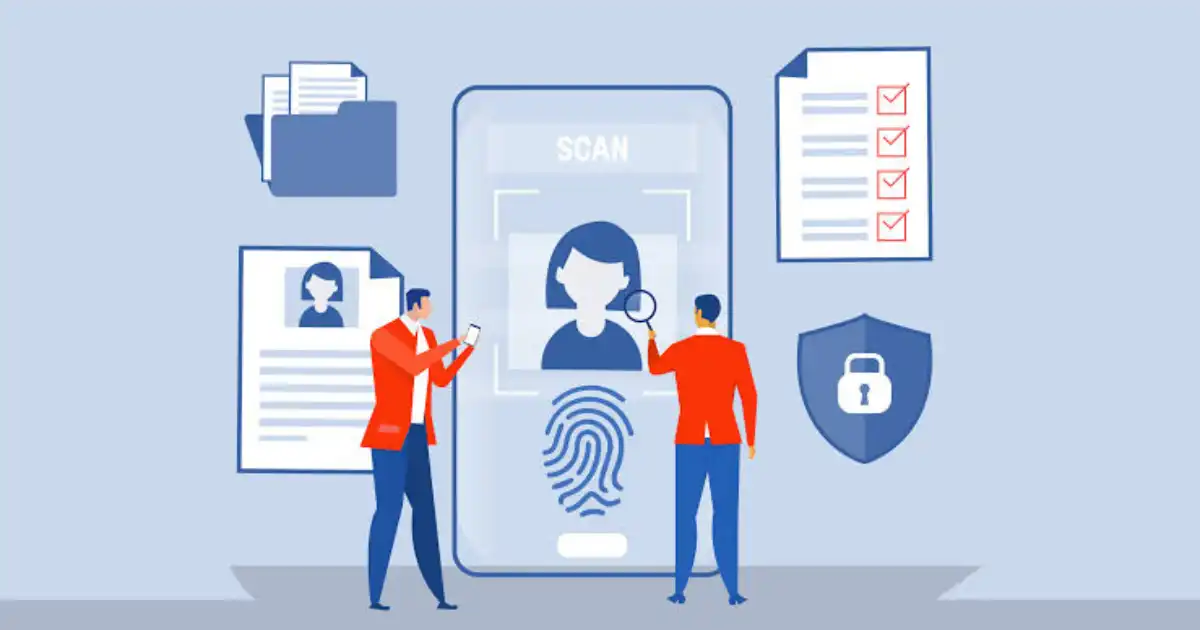
Managing access inside a modern organization is not as simple as giving employees a username and password. A company may have hundreds or thousands of employees, contractors, customers, applications, cloud services, devices, APIs, and automated workloads that all need access to different resources. The real challenge is making sure each identity gets the right level of access, for the right reason, and only for as long as it is actually needed.
This is where Identity and Access Management, commonly called IAM, becomes important. When people ask how Identity Access Management works, they are often thinking about the login screen. In reality, the login is only one small part of the process.
IAM starts with creating and managing a digital identity, verifies that identity through authentication, decides what it is allowed to access through authorization, enforces those permissions, monitors activity, reviews access, and eventually removes access when it is no longer required.
How Does Identity and Access Management Work?
At its core, Identity and Access Management works as a continuous process that connects identity with access decisions. A simplified IAM workflow looks like this:
Identity → Authentication → Authorization → Access Control → Monitoring → Access Review → Revocation
The process begins when a person or another digital entity, such as an application or service, needs access to a resource. The IAM system identifies the entity and determines whether it can prove that it is genuinely who or what it claims to be.
This is the authentication stage. A user may authenticate with a password, Multi-Factor Authentication, a passkey, a security key, a biometric factor, or another approved method. However, successfully proving an identity does not automatically mean the user can access everything.
The next step is authorization. This determines what the authenticated identity is allowed to access and what actions it can perform. The decision may depend on the user’s role, department, device, location, resource, time, or risk level.
Access control then enforces that decision. If the request meets the required policies, access is granted. If it does not, the request is denied or additional verification may be required.
The process does not end when access is granted. IAM systems can record authentication attempts, access activity, failed logins, and other security events. Organizations can review these records and periodically check whether users still have appropriate permissions.
Finally, access must be updated or revoked. When an employee changes departments, a contractor finishes a project, or an employee leaves the company, their access should change or disappear accordingly. This is why IAM is better understood as an ongoing lifecycle rather than a simple login mechanism.
What Is Identity and Access Management?
Identity and Access Management is the combination of technologies, policies, and processes used to manage digital identities and control access to systems, applications, data, devices, and other resources.
The word identity refers to the digital representation of a person or entity. For an employee, this might include a username, employee record, authentication methods, group memberships, roles, and other identity attributes. The same basic concept can apply to customers, contractors, applications, service accounts, devices, and automated workloads.
Access refers to what that identity is permitted to use or do. One employee may be allowed to read financial reports but not modify them. Another employee may need permission to approve transactions. A software application may be allowed to access a database through an API but have no permission to view unrelated systems.
Identity management focuses primarily on managing who or what an identity is. It includes activities such as creating identities, maintaining identity information, changing attributes, and disabling accounts when they are no longer required.
Access management focuses on deciding and enforcing what those identities can access. It deals with authentication, authorization, permissions, access policies, and controls that determine whether a request should be allowed.
The two areas work together. An organization cannot make reliable access decisions if it does not know which identity is requesting access. At the same time, simply knowing who someone is does not tell the organization what that person should be allowed to access.
In my experience, this distinction is important because many IAM problems are caused by treating identity and access as the same thing. A user can have a valid identity and successfully authenticate while still being denied access to a particular application. That is not a failure of authentication. It is an authorization decision.
How Does IAM Work Step by Step?
A User or Entity Requests Access
The IAM process begins when an identity attempts to access something. This could be an employee opening a company application, a contractor connecting to a project system, a customer signing into an online service, or an application requesting data from another system.
The resource might be a SaaS application, cloud database, internal server, financial system, file repository, or API. IAM exists to help determine whether that particular request should be allowed.
IAM Identifies the Entity
Before access can be evaluated, the system needs to understand who or what is making the request. This is where the concept of a digital identity becomes important.
An identity may belong to a human user, but it can also represent a device, application, service account, workload, or automated process. The IAM system uses available identity information to associate the request with a known entity.
For example, when a new employee joins a company, an identity may be created for that person. The identity can then be connected to their department, job role, manager, and required applications.
The Identity Is Authenticated
Authentication is the process of verifying that an identity is genuine. In simple terms, authentication answers the question, “Who are you?”
A password is one common authentication method, but modern IAM authentication can involve several other methods. Multi-Factor Authentication requires additional evidence, such as a code, security key, or biometric factor. Passkeys can provide a passwordless approach, while digital certificates can help authenticate devices or systems.
What most people misunderstand is that authentication does not decide everything. Successfully logging in only proves that the identity has passed the required authentication process. It does not automatically give that identity permission to access every resource in the organization.
IAM Authorizes the Request
After authentication, the IAM system or an associated access control mechanism evaluates authorization.
Authorization answers a different question: “What are you allowed to access or do?”
Imagine an employee successfully signs into the company’s systems. The employee may be authenticated, but that does not mean they should have access to payroll records, administrator consoles, or sensitive customer databases.
Authorization determines which resources the identity can access and which actions it can perform. The user might be allowed to view a document but not edit it. They might be able to create a support ticket but not change system configuration.
This distinction between authentication and authorization is one of the foundations of IAM security.
Access Policies Are Evaluated
Modern IAM decisions are often more complicated than checking a username and password.
The IAM system may evaluate the user’s role, department, device, location, requested resource, time of access, and current security risk. An employee accessing a sensitive system from a managed company device may receive a different decision from the same employee attempting access from an unknown device in an unusual location.
This is where access policies become important. Policies define the conditions under which access should be allowed, restricted, or denied.
For example, a company may allow a finance employee to access accounting software during normal working conditions. If the same account suddenly attempts to access the system from a suspicious device, the organization may require additional authentication or block the request.
This approach supports modern security models such as Zero Trust, where access is not automatically trusted simply because a user is inside a corporate network.
Access Is Granted or Denied
Once the relevant policies have been evaluated, the access decision is enforced.
Suppose an employee requests access to a financial application. The IAM system confirms the employee’s identity, verifies authentication, checks the user’s role and permissions, evaluates the access policy, and then determines whether the request meets the required conditions.
If everything is acceptable, access is granted. If the user does not have the necessary permission, the request is denied. In some situations, the system may require additional verification before allowing access.
The important point is that IAM access control is not simply about saying yes or no. Good IAM systems help organizations make access decisions based on context and risk.
Activity Is Monitored and Logged
After access is granted, organizations still need visibility into what happens next.
IAM systems and related security platforms can record authentication events, successful and failed login attempts, access requests, permission changes, and other relevant activity. These records create an audit trail that can help security teams investigate suspicious behavior and understand how accounts are being used.
For example, repeated failed login attempts may indicate an attempted account takeover. An unusual access request from a compromised account may reveal that an attacker has obtained valid credentials.
Monitoring does not prevent every attack, but it gives security teams information they can use to detect and investigate problems.
Access Is Updated or Revoked
The final stage of the IAM process is often overlooked, even though it is one of the most important.
Access should change when a user’s circumstances change. If an employee moves from sales to finance, their old permissions may no longer be appropriate. If a contractor finishes a project, temporary access should be removed. If an employee leaves the company, their accounts should be disabled and access revoked promptly.
The same principle applies when a device becomes compromised or when a user no longer needs access to a particular resource.
I’ve seen access management go wrong when organizations focus heavily on granting access but pay less attention to removing it. Over time, users accumulate permissions they no longer need. This creates what is sometimes called permission or access sprawl.
A mature IAM program treats access revocation as seriously as access granting. The goal is simple: provide appropriate access when it is needed and remove it when it is no longer justified.
What Are the Main Components of IAM?
Identity and Access Management is not a single product that performs one specific job. A complete IAM system usually brings together several capabilities that work together to manage identities and control access.
The exact architecture differs between organizations, but the basic components are usually connected around identity management, authentication, authorization, access control, governance, and monitoring.
Identity Management
Identity management is concerned with creating and maintaining digital identities throughout their lifecycle.
When a new employee joins an organization, an identity record may be created with information such as their name, department, job position, manager, and employment status. That identity can then be connected to the applications and resources the employee needs.
Identity management also includes maintaining identity information as circumstances change. If an employee changes departments, their identity attributes and access requirements may need to be updated.
This sounds straightforward, but it can become complicated in large organizations where identity information is spread across HR systems, directories, applications, cloud platforms, and third-party services.
Authentication
Authentication verifies that an identity is genuine.
A traditional example is a username and password, but modern authentication can involve Multi-Factor Authentication, passkeys, biometrics, security keys, and digital certificates.
Strong authentication is an important part of IAM security because stolen credentials are frequently used in account takeover attempts. However, authentication is only one part of the overall IAM process. A user can successfully authenticate and still be denied access to a resource because they do not have the required permissions.
Authorization
Authorization determines what an authenticated identity is allowed to access or do.
For example, two employees may successfully sign in to the same corporate system, but their permissions may be completely different. A regular employee might be able to view information, while a manager can approve requests. A system administrator may have much broader privileges.
Authorization is therefore closely connected to access policies and permission management. The goal is to ensure that access matches the user’s legitimate responsibilities.
Access Control
Access control is where permissions are enforced.
An IAM system may determine that a user is allowed to access a particular application, but the application or another security layer must enforce that decision.
Access control can determine whether a person can view, create, modify, delete, or administer a resource. The specific controls depend on the system being protected.
Good access control should also consider the principle of least privilege. Users should generally receive enough access to perform their responsibilities without automatically receiving unnecessary privileges.
Identity Governance
Identity governance focuses on understanding and managing access from a broader organizational perspective.
It can include access reviews, approval processes, policy enforcement, compliance requirements, and identifying excessive or inappropriate permissions.
For example, a company might periodically ask managers to review the access assigned to employees on their teams. If an employee still has access to an application they stopped using months ago, that access can be removed.
This helps address a common real-world problem: access tends to accumulate over time unless someone actively reviews it.
Identity Provider
An identity provider, often called an IdP, is a service that manages identities and helps authenticate users.
When a user signs into a company application through a centralized login system, the identity provider may handle the authentication process and provide trusted information to the application.
This is one of the foundations of Single Sign-On. Instead of every application maintaining a completely separate login system, organizations can centralize identity and authentication.
Directory Services
Directory services store and organize information about identities and related attributes.
A directory may contain information about users, groups, devices, and other entities. Applications and systems can use this information when making identity or access decisions.
Directories are particularly useful in enterprise environments because they provide a structured way to manage identities at scale. However, modern organizations often have multiple directories and cloud services, which can make synchronization and identity consistency a significant challenge.
Monitoring and Auditing
Monitoring and auditing provide visibility into identity and access activity.
Organizations may track successful logins, failed authentication attempts, permission changes, access requests, and other events. These records can help security teams investigate suspicious behavior and support compliance requirements.
For example, if an account suddenly begins accessing sensitive resources at unusual times, security teams can investigate whether the activity is legitimate or potentially malicious.
What Are the Different Types of IAM Access Control?
Access control models define how organizations decide who gets access to what. Different environments use different approaches, and many organizations combine multiple models.
The right approach depends on the organization’s size, systems, regulatory requirements, and how complex its access decisions need to be.
Role-Based Access Control
Role-Based Access Control assigns permissions according to predefined roles.
Imagine a company where employees work in departments such as finance, sales, human resources, and IT. Instead of assigning every permission individually, the organization can create roles that represent common job responsibilities.
A finance employee might receive a finance role that provides access to accounting applications. A sales employee may receive a sales role with access to customer relationship systems.
RBAC can simplify access management because permissions are attached to roles rather than manually assigned to every individual. It works particularly well when job responsibilities are relatively predictable.
The problem is that real organizations are rarely as tidy as the organizational chart suggests. Employees may have multiple responsibilities, temporary assignments, or unusual access requirements. Poorly designed roles can become too broad and create excessive permissions.
Attribute-Based Access Control
Attribute-Based Access Control uses attributes and conditions to make access decisions.
Instead of looking only at a user’s role, an ABAC policy might consider the user’s department, device security status, location, the sensitivity of the requested resource, and the time of the request.
For example, an employee may be allowed to access a sensitive application from a managed company device but blocked when attempting the same action from an unmanaged device.
ABAC can provide more flexible and context-aware access decisions. It is particularly useful in complex environments where simple job roles cannot describe every access requirement.
The tradeoff is complexity. The more attributes and policies an organization introduces, the harder it becomes to understand and maintain the complete access model.
Rule-Based Access Control
Rule-Based Access Control uses predefined rules to determine whether access should be allowed.
A rule might require a user to be connected through an approved network, use a compliant device, or access a resource during an approved period.
Rule-based controls are often combined with other IAM models. They can add additional conditions around an existing role or identity-based permission.
Mandatory and Discretionary Access Control
Mandatory Access Control, or MAC, uses centrally defined security policies to control access. Users generally cannot change permissions simply because they own a resource. This model is commonly associated with highly controlled environments where security classifications are important.
Discretionary Access Control, or DAC, gives resource owners more control over who can access their resources. While flexible, it can become difficult to manage consistently in large environments.
For most modern organizations, RBAC and ABAC are particularly relevant because they provide practical ways to manage access across large and changing environments.
What Technologies Are Used in IAM?
IAM depends on a collection of technologies and standards rather than one single mechanism. These technologies help organizations authenticate users, exchange identity information, provide access, and manage permissions.
Single Sign-On
Single Sign-On allows users to authenticate through a centralized identity system and then access multiple supported applications without repeatedly entering separate credentials.
From a user’s perspective, SSO can make work much easier. Instead of remembering different passwords for every application, the user signs in through the organization’s identity provider.
From a security perspective, SSO can also centralize authentication controls. For example, an organization can apply stronger authentication policies to the central identity system.
However, SSO also creates an important dependency. If an identity account is compromised, the attacker may gain access to multiple connected applications. This is why strong authentication and careful access policies are essential.
Multi-Factor Authentication
Multi-Factor Authentication requires more than one type of authentication evidence.
A password alone is something the user knows. A security key or phone may represent something the user possesses. A biometric factor can represent something about the user.
MFA helps reduce the impact of stolen passwords because an attacker may still need an additional authentication factor.
MFA is not a magic shield against every attack. Social engineering, session theft, and other techniques can still create risks. Even so, properly implemented MFA is one of the most valuable controls in modern identity security.
Identity Federation
Identity federation allows trusted identity information to be used across different systems or organizations.
For example, a company employee may use their corporate identity to access a third-party SaaS application without the SaaS provider maintaining a completely separate password for that employee.
Federation can improve user experience and simplify identity management, but it requires trust relationships and careful configuration.
SAML
Security Assertion Markup Language, commonly known as SAML, is widely used for exchanging authentication and identity information between an identity provider and an application.
It has been especially common in enterprise Single Sign-On environments.
The practical idea is simple: the identity provider authenticates the user, and the application receives trusted information that allows it to establish the user’s identity and provide appropriate access.
OAuth
OAuth is primarily associated with delegated authorization.
A simple example is allowing one application to access specific resources from another service without giving the first application the user’s password.
OAuth is therefore about delegated access rather than directly proving a user’s identity. This distinction is important because OAuth and authentication protocols are often confused.
OpenID Connect
OpenID Connect, or OIDC, builds an identity layer on top of OAuth 2.0.
It allows applications to obtain information about the authenticated user in a standardized way.
In modern application environments, OIDC is commonly used for user authentication and Single Sign-On, particularly in web and mobile applications.
Passwordless Authentication
Passwordless authentication aims to reduce or eliminate the need for traditional passwords.
Passkeys are one example. They use cryptographic credentials that can be protected by the user’s device, biometric authentication, or a local security mechanism.
Passwordless authentication can reduce risks associated with weak, reused, or stolen passwords. However, organizations still need to consider account recovery, device loss, identity lifecycle management, and other operational realities.
What Is an IAM Workflow? A Real-World Example
Consider a new employee joining a company.
The process begins when the employee’s identity is created. Their information may come from the organization’s HR system and be connected to an identity management platform.
The employee’s account is then provisioned. This may involve creating accounts in a corporate directory, email system, SaaS applications, and other resources required for the employee’s job.
Next, access is assigned based on the employee’s role, department, and responsibilities. A finance employee may receive access to financial applications, while a developer may receive access to development platforms and code repositories.
MFA is enabled as part of the authentication process. When the employee signs in, the identity provider verifies their identity and confirms the required authentication factors.
The IAM system then evaluates the employee’s permissions. If the employee is authorized to use the requested application, access is granted and relevant activity may be logged.
The lifecycle continues when the employee changes roles. If that person moves from sales into finance, their access should be updated. Old permissions may need to be removed while new permissions are assigned.
Eventually, the employee leaves the organization. At that point, the company should disable the identity, revoke active sessions, remove application access, and deprovision accounts where appropriate.
This entire process shows why IAM is much more than a login system. It follows an identity throughout its lifecycle and continually connects that identity to the access it should have.
What Is the Difference Between Authentication and Authorization?
Authentication verifies identity. Authorization determines permissions.
A simple example is entering a secure office building. Showing your identity badge proves who you are. That is authentication. The doors your badge can open determine what you are authorized to access.
The same principle applies to digital systems. A user may authenticate successfully but still be denied access to a particular database because their account does not have the required authorization.
Confusing authentication and authorization can lead to poor IAM design. Strong authentication is important, but it does not replace proper permission management.
What Is the Difference Between Identity Management and Access Management?
Identity management focuses on maintaining accurate information about identities. It covers activities such as creating accounts, updating identity attributes, managing groups, and disabling identities.
Access management focuses on controlling what those identities can access.
Consider an employee who moves from one department to another. Identity management updates information about the employee’s new department and role. Access management uses that information to determine which applications and resources the employee should now be able to access.
The two functions are closely connected. Accurate identity information supports better access decisions, while effective access management ensures that identities do not receive unnecessary permissions.
You Might Be Interested In
- How Ai Detects Anomalies In Network Traffic ?
- Why Multi Factor Authentication Matters?
- How Firewall Security Blocks Threats?
- Edr Vs Xdr: What To Choose And Why?
- Data Privacy In Ai Security Analytics: What To Log Safely?
Conclusion
Identity and Access Management is much more than a system that checks usernames and passwords. It is a continuous process that manages digital identities and controls access throughout their lifecycle. From creating an identity and verifying it through authentication to evaluating permissions, enforcing access policies, monitoring activity, reviewing access, and eventually revoking permissions, every stage plays a role in protecting organizational resources.
The complete IAM process can be understood as Identity → Authentication → Authorization → Access Control → Monitoring → Review → Revocation. When these processes work together, organizations can provide the right access to the right identity at the right time while reducing unnecessary permissions and limiting the potential impact of compromised accounts. IAM does not eliminate every cybersecurity risk, but it provides a practical foundation for controlling who can access systems, applications, data, and cloud resources, and ensuring that access is removed when it is no longer needed.
FAQs about How Identity Access Management Works?
What is identity and access management?
Identity and Access Management, or IAM, is a combination of technologies, policies, and processes used to manage digital identities and control access to systems, applications, data, cloud resources, and other digital assets. It helps organizations determine who a user or entity is, verify that identity, decide what it is allowed to access, and enforce those permissions.
IAM also manages the identity lifecycle. This means creating identities when employees or other users join an organization, assigning appropriate permissions, updating access when responsibilities change, monitoring activity, reviewing permissions, and removing access when it is no longer required. In practice, IAM helps organizations provide the right access to the right identity at the right time while reducing unnecessary or excessive permissions.
How does identity and access management work?
Identity and Access Management works through a continuous process that connects an identity with authentication, authorization, access control, monitoring, access reviews, and revocation. When someone requests access to a resource, the IAM system identifies the person or entity, verifies the identity through authentication, and then evaluates whether that identity is authorized to access the requested resource.
The decision may consider factors such as the user’s role, department, device, location, resource, security policies, and risk level. If the request meets the required conditions, access is granted and activity may be logged for monitoring and auditing. IAM continues after access is provided because permissions should be reviewed and updated as circumstances change, and access should be revoked when a user leaves the organization or no longer needs it.
What are the four main components of IAM?
The four commonly discussed core components of IAM are identity management, authentication, authorization, and access control. Identity management focuses on creating and maintaining digital identities and keeping identity information accurate throughout its lifecycle. Authentication verifies that a user or entity is genuinely who or what it claims to be.
Authorization determines what an authenticated identity is allowed to access or do, while access control enforces those permissions on actual systems and resources. Modern IAM programs often include additional capabilities such as identity governance, Single Sign-On, Multi-Factor Authentication, privileged access management, monitoring, auditing, and automated provisioning and deprovisioning. Together, these capabilities help organizations manage access more consistently and securely.
What is the difference between authentication and authorization?
Authentication is the process of verifying identity, while authorization determines what that verified identity is permitted to access or do. In simple terms, authentication answers the question, “Who are you?” Authorization answers the question, “What are you allowed to access or do?”
For example, an employee may successfully sign into a company’s system using a password and Multi-Factor Authentication. That proves the employee’s identity, but it does not automatically give them permission to access every application or database. Their role, permissions, and access policies determine what resources they can actually use. This distinction is fundamental to IAM because strong authentication without proper authorization can still result in excessive or unauthorized access.
Is IAM part of cybersecurity?
Yes, IAM is an important part of cybersecurity because many security incidents involve compromised accounts, stolen credentials, excessive permissions, unauthorized access, or misuse of legitimate identities. By controlling how identities are authenticated and what they are allowed to access, IAM helps reduce the opportunity for attackers to move through systems using compromised accounts.
IAM also supports security principles such as least privilege and Zero Trust. It can help organizations enforce Multi-Factor Authentication, control privileged accounts, monitor identity activity, review permissions, and revoke access when it is no longer needed. However, IAM does not eliminate every cybersecurity threat. Organizations still need other security controls, including endpoint protection, network security, vulnerability management, data protection, security monitoring, and incident response.
