

An employee is trying to join a client meeting, but the company VPN refuses to connect. Another employee needs access to a reporting tool. Someone from HR wants to know why a new starter’s laptop has not arrived.
Three different problems, three support requests, and potentially three separate conversations with an already busy help desk.
Most internal support teams deal with this kind of work every day. Some requests need technical investigation. Others require little more than an approved instruction, a ticket update, or a correctly routed access request.
Chatbot Automation in an Internal Help Desk helps separate those situations. It can answer familiar questions, collect the information support teams need, and move requests into established workflows without making employees figure out where everything belongs.
But a chatbot is not an IT technician with unlimited system access. The useful question is not how much conversation it can automate. It is how much actual support work it can complete safely, and when it should get out of the way.
What Does Chatbot Automation Do in an Internal Help Desk?
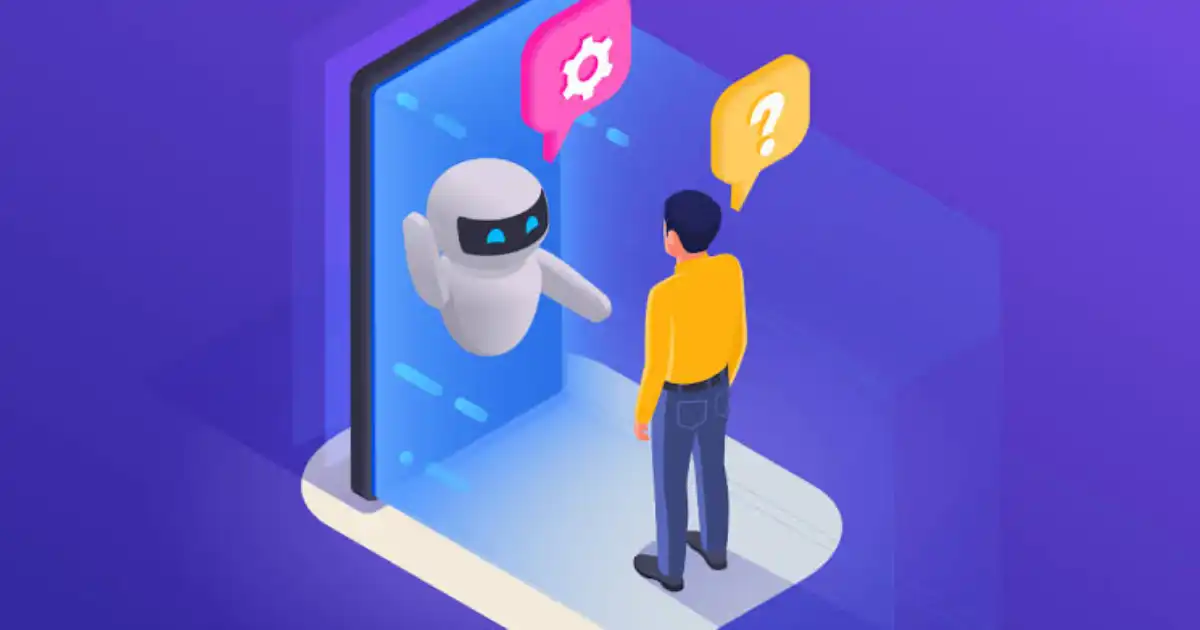
An internal help desk chatbot acts as a conversational entry point to employee support. Instead of searching through an intranet, opening a ticketing portal, or contacting several departments, employees describe what they need in a chat interface.
The chatbot then attempts to identify the request and determine what kind of assistance is appropriate.
That sounds simple. The important part is what happens behind the conversation.
How an Internal Help Desk Chatbot Works
Imagine an employee asks, “How do I install the company VPN on my new laptop?”
The chatbot may retrieve the approved installation instructions from an internal knowledge base, check which operating system the employee uses, and provide the relevant steps.
Now imagine the employee says, “I installed the VPN, but my account doesn’t have permission to connect.”
That is a different problem.
The chatbot might collect the employee’s account details and initiate an access request, but it should not assume that the employee is entitled to VPN access.
A useful internal help desk chatbot therefore depends on several connected components: a conversation interface, reliable knowledge sources, employee authentication, and integrations with approved support systems.
The complete Ai Chatbot Automation guide covers the broader principles behind these connections. Within an internal help desk, the critical challenge is deciding which requests can be answered, which require a workflow, and which need human judgment.
Answering a Question Is Not the Same as Resolving a Request
This distinction is easy to overlook during implementation.
A chatbot can provide an answer without changing anything. It can also collect information and create a ticket. With the appropriate integration and permissions, it may trigger an approved action.
Those are three different levels of automation.
For example, telling an employee how to request Adobe software is information retrieval. Submitting the software request is workflow automation. Assigning a license and provisioning access is an operational action.
Each level requires additional system capabilities and safeguards.
A chatbot should never describe a request as completed simply because it successfully submitted a ticket.
Which Employee Support Tasks Are Worth Automating?
The best candidates are not necessarily the easiest questions. They are requests with clear procedures, reliable information, and predictable next steps.
A support team should be able to explain exactly what the chatbot is allowed to do, what successful completion looks like, and what happens when the normal process fails.
Password Recovery and Routine IT Troubleshooting
Password assistance is frequently mentioned as an automation opportunity, but there is an important difference between explaining account recovery and resetting an account.
A chatbot can direct an employee to the approved self-service recovery process, explain why an account may be locked, or provide guidance on multifactor authentication.
It should not collect passwords in conversation or bypass identity verification.
Routine troubleshooting offers similar opportunities.
An employee who cannot connect to the VPN may need help checking network connectivity, recognizing an error message, or confirming that the approved client is installed.
The chatbot can guide those steps in sequence and ask whether each one worked.
If the employee reports an unfamiliar security warning or repeated authentication failures, continuing through generic troubleshooting instructions may be the wrong response.
That is where human support becomes necessary.
Software Access and Account Permissions
Software access requests often involve more departments and decisions than employees realize.
Someone asks for a reporting application. The chatbot collects the application name, business purpose, and any required request details.
The next step depends on company policy.
Some applications require manager approval. Others involve license availability, departmental authorization, or an application owner’s decision.
The chatbot can initiate the correct workflow and explain its status, but the approval should come from the responsible person or authorized system.
If the request is rejected, the chatbot should communicate the result accurately rather than repeatedly offering to resubmit the same request.
Ticket Creation, Routing, and Updates
A poorly created support ticket can be almost as frustrating as no ticket at all.
Consider a request containing only the words “Laptop not working.”
The technician still needs to determine what failed, whether the device starts, whether the employee can sign in, and whether the problem affects urgent work.
A chatbot can gather those details before creating the ticket.
Good ticket routing also requires more than recognizing a keyword. A payroll application error might belong to a business applications team, while a laptop hardware failure belongs to endpoint support.
The chatbot should use established routing rules rather than guessing which team is responsible.
When the ticketing platform supports status retrieval, employees can ask for updates without contacting the service desk again. However, the chatbot should distinguish between a ticket being assigned, actively investigated, awaiting approval, and resolved.
Those statuses are not interchangeable.
HR Questions and Employee Onboarding
Not every internal support request belongs to IT.
Employees may ask about leave policies, expense procedures, equipment requests, or where to find a particular internal form.
These questions are suitable for automation when the chatbot can retrieve current, approved information and respect document access restrictions.
Onboarding introduces additional complexity.
A new employee may need a laptop, an email account, application access, an employee badge, and required training. Different teams may own each task.
The workflows covered in AI Chatbot Automation for Employee Onboarding illustrate why coordinating those responsibilities matters.
An onboarding chatbot should be able to explain which tasks are complete, which remain pending, and who is responsible for the next step, provided the connected systems expose that information.
It should not invent completion dates or imply that an approval has been granted merely because a request was submitted.
How Does an Internal Help Desk Chatbot Handle a Real Support Request?
A useful chatbot conversation is not simply a series of questions followed by a canned answer.
It is a controlled process that attempts to identify the issue, use approved information, and decide whether the request can be completed.
Recognizing the Problem Without Guessing the Solution
Employees rarely use the same terminology as internal documentation.
One person says, “My account is blocked.” Another says, “I can’t log in.” A third reports that an application keeps rejecting a verification code.
Those messages may appear related, but they do not necessarily have the same cause.
The chatbot should identify the likely category and ask a clarifying question when the difference matters.
For example, distinguishing between a forgotten password and a failed multifactor authentication attempt can prevent the chatbot from recommending an irrelevant recovery procedure.
Understanding the employee’s words is only the beginning. The proposed answer must still be supported by reliable information.
A VPN Troubleshooting Conversation That Leads Somewhere
Suppose an employee reports that the VPN disconnects immediately after signing in.
The chatbot asks whether ordinary internet access works without the VPN. The employee confirms that it does.
The chatbot then recommends one approved troubleshooting step relevant to that symptom.
When the employee reports that the problem remains, the chatbot should not restart the conversation or offer the same instructions with slightly different wording.
Instead, it can collect the relevant error message, device type, and steps already attempted, then offer to create a ticket.
The employee should receive a ticket reference only after the ticketing system confirms successful creation.
The assigned technician should receive enough context to continue the investigation without asking the employee to repeat everything.
That is a useful handoff.
The chatbot has not fixed the VPN connection, but it has reduced unnecessary repetition and moved the issue to the correct person.
When an Automated Action Should Be Blocked
Consider a different request: “Give me administrator access to the finance application.”
The chatbot may understand the request perfectly. That does not make the action appropriate.
It needs to determine whether the employee is authenticated, whether the request follows an approved process, and whether the necessary authorization exists.
If the chatbot lacks the integration or permissions to verify those conditions, it should initiate the established approval process or refer the request to an authorized team.
The same principle applies to account changes, confidential records, and other sensitive internal workflows.
A well-designed chatbot knows the difference between understanding an instruction and having permission to execute it.
How to Implement Chatbot Automation Without Creating More Help Desk Work
The most common implementation mistake is trying to automate too many request types before the organization has reliable documentation and escalation processes.
A better approach is to start with a narrow group of requests, establish what the chatbot can genuinely complete, and expand only after testing.
Review Existing Support Tickets Before Designing Conversations
Start with the support team’s existing ticket history.
Look for repeated requests that follow established procedures. These might include VPN setup, software installation guidance, ticket status checks, or standard equipment requests.
Frequency alone is not enough.
A request may occur hundreds of times but still require individual judgment. Another may occur less frequently yet be straightforward enough to automate reliably.
For each candidate, identify the information required, the responsible support team, the expected outcome, and the conditions that require escalation.
A useful first release might handle only three request types.
That is not a limitation if those three workflows work correctly.
Clean Up the Knowledge Base Before Connecting It
Internal documentation is often less organized than support managers expect.
An installation guide may reference an old application version. Two articles may describe different procedures for the same task. A policy may have changed without the corresponding FAQ being updated.
Connecting a chatbot to all these sources does not solve the underlying problem.
It makes the inconsistencies easier to distribute.
Before integration, identify approved documents, remove obsolete instructions, resolve contradictions, and assign responsibility for future updates.
The chatbot should also respect access restrictions. A document available to HR administrators should not become visible to every employee simply because it has been connected to a shared knowledge source.
Where possible, the chatbot should identify the document or procedure behind an answer so employees and support staff can verify it.
Connect the Ticketing System and Workplace Channels
A chatbot can be deployed through an internal portal, a dedicated support interface, or supported communication platforms such as Microsoft Teams and Slack.
The choice should reflect where employees already work and what the chatbot platform can actually integrate with.
Ticketing integration requires particular attention.
Test whether the chatbot creates the correct request type, assigns the appropriate category, transfers required fields, and receives confirmation from the ticketing system.
Also test failure conditions.
What happens if the ticketing API times out? What if the employee’s identity cannot be verified? What if the destination support queue is unavailable?
A safe system should communicate the problem and provide a fallback route.
It should not silently discard the request or generate a fake confirmation.
Establish Clear Human Escalation Rules
Escalation rules should be defined before launch.
A chatbot should stop automated troubleshooting when the recommended steps repeatedly fail, when approved information is unavailable, or when the request involves security concerns or restricted actions.
Some situations require immediate escalation rather than another question.
An employee reporting a suspected compromised account, for example, should be directed into the organization’s security response procedure.
The chatbot should also preserve the information already collected so the receiving team can act on it.
The goal is not to keep every employee inside the automated conversation for as long as possible.
It is to get the request to the right outcome with as little unnecessary effort as possible.
Test the Complete Workflow With Realistic Questions
A chatbot that works perfectly with carefully written test questions may struggle with actual employees.
People use abbreviations, incomplete sentences, incorrect terminology, and descriptions that combine several problems.
Testing should reflect that.
Ask employees to describe familiar support issues in their own words. Include missing information, incorrect assumptions, unusual error messages, and requests outside the chatbot’s approved scope.
Test what happens when a connected system fails and when the knowledge base contains no suitable answer.
Most importantly, follow the request through to its actual outcome.
If the chatbot says it created a ticket, verify that the ticket exists and contains the correct information.
If it escalates a request, confirm that the intended team receives it.
If it claims to have completed an approved action, verify the result in the relevant system.
A successful conversation is not necessarily a successful workflow.
What Benefits Can Internal Help Desk Automation Actually Deliver?
The strongest benefits are practical rather than dramatic.
Employees can receive routine guidance more quickly, and support staff can avoid repeatedly answering questions that already have documented solutions.
Less Repetition for Employees and Support Teams
If employees repeatedly ask how to configure a standard application, the help desk should not need to explain the same approved procedure individually every time.
A chatbot can provide the relevant instructions and check whether they solved the problem.
That may reduce routine ticket volume and leave technicians more time for complicated issues.
However, the benefit disappears if employees regularly return because the instructions were incomplete or incorrect.
Automation should reduce repeated work, not simply move it from one part of the support process to another.
More Consistent Information Across Departments
A maintained knowledge base can help IT, HR, and operations teams provide consistent guidance.
Employees should not receive conflicting instructions depending on which support agent or department they contact.
Consistency becomes particularly useful when a request crosses departmental boundaries.
Internal employee support also has different priorities from customer-facing automation. For example, Chatbot Automation for Lead Qualification focuses on identifying prospective customers and collecting sales-related information.
An internal help desk is concerned with authenticated employees, approved actions, operational support, and reliable request handling.
Those differences should shape the chatbot’s design.
What Can Go Wrong With Internal Help Desk Chatbots?
Many chatbot problems are not caused by the conversational technology itself.
They arise from weak documentation, incomplete integrations, unclear ownership, or poorly defined automation boundaries.
Confident Answers Based on Outdated Information
A chatbot can produce a clear, convincing answer that is completely wrong for the organization’s current systems.
Suppose the company replaces its VPN client, but the old installation instructions remain in the knowledge base.
The chatbot may continue recommending the retired software.
Rewriting the response does not fix the source of the problem.
The support team needs to remove or update the obsolete instructions, verify the replacement procedure, and test the chatbot again.
Knowledge quality is an operational responsibility, not something that can be delegated entirely to the model.
Incorrect Ticket Routing and Lost Context
A chatbot may correctly recognize that an employee has an IT problem but send the ticket to the wrong support queue.
That creates delays and additional reassignment work.
Another failure occurs when the chatbot transfers the ticket without the information collected during the conversation.
The employee then receives the same questions from a technician.
To avoid this, teams should review routing decisions, confirm required ticket fields, and test whether conversation context survives the handoff.
Privacy and Unauthorized Access
Internal chatbots may interact with confidential employee information, support records, and account management systems.
Authentication and role-based permissions are essential.
An employee asking about another person’s support ticket should not receive restricted details merely because the ticket exists.
Likewise, a chatbot should not perform sensitive account changes without the required authorization.
Access checks must be enforced by the connected systems, not left to conversational instructions alone.
Employees Getting Trapped in Conversation Loops
One of the most frustrating chatbot failures is repeated troubleshooting.
The employee explains that a step failed. The chatbot recommends the same step again. The employee repeats the problem, and the conversation returns to the beginning.
This is usually a sign that the workflow lacks useful failure handling or does not preserve enough conversation context.
The solution is to recognize unsuccessful attempts, limit repetitive troubleshooting, and provide a genuine escalation route.
A chatbot that refuses to give up is not necessarily helpful.
How to Measure Whether Internal Help Desk Automation Is Working
A dashboard showing thousands of chatbot conversations may look impressive, but conversation volume says little about whether employees received useful support.
The more meaningful measures focus on outcomes.
Measure Resolved Requests, Not Just Completed Conversations
A chatbot conversation can end for several reasons.
The employee may have received the correct answer. They may have abandoned the conversation. They may have been transferred to a technician, or they may have closed the window because the chatbot was not helping.
Those outcomes should not be treated equally.
Track verified resolutions, unresolved requests, repeat contacts, successful handoffs, and ticket routing accuracy.
For approved automated actions, confirm completion using the connected system’s actual status.
A password recovery workflow, for example, should not count as resolved merely because the chatbot provided instructions. There should be reasonable evidence that the employee regained access, where such verification is available and appropriate.
Review Conversations That Failed
Failed conversations often provide more useful information than successful ones.
Look for repeated questions, incorrect answers, unnecessary escalation, missing documentation, and situations where employees abandon the conversation.
Compare these patterns with subsequent support tickets.
If employees repeatedly contact IT after receiving a chatbot answer, investigate whether the answer was incomplete, outdated, or difficult to follow.
If tickets consistently reach the wrong department, review the routing logic.
Changes should be tested against the original failure scenarios before being released.
Decide What to Improve Next
Not every unresolved conversation requires a more advanced AI model.
Sometimes the missing piece is a better knowledge article, a corrected integration, or a clearer escalation rule.
A useful improvement process identifies the failure, determines its cause, assigns an owner, and verifies the correction.
Over time, this provides a more reliable basis for expanding automation than simply adding new chatbot features.
You Might Be Interested In
- What an AI Automation Platform Does?
- How AI Chatbot Automation Can Change Contact Center Roles?
- How to Monitor Chatbot Answer Quality After Launch?
- What to Do When an AI Chatbot Gives Incorrect Answers?
- Connecting Chatbot Automation to an Ecommerce Platform
Conclusion
The best internal help desk automation does not try to eliminate every human interaction.
It handles routine requests where the process is clear, the information is reliable, and the required action is authorized.
Start with a small set of repeatable tasks. Connect them to maintained knowledge and dependable support systems. Make escalation straightforward, and measure whether employees actually receive useful outcomes.
Chatbot Automation in an Internal Help Desk succeeds when it removes unnecessary effort without compromising accuracy, security, or accountability.
A resolved problem matters more than a completed conversation
