

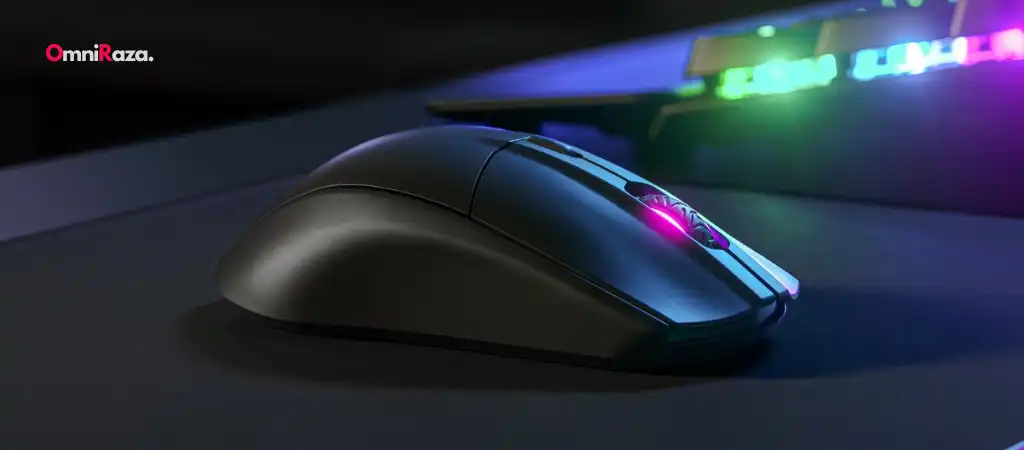
The SteelSeries Rival 3 is a popular gaming mouse well-known for its ergonomic design, affordability, and high-end features, often found in more expensive gaming peripherals. One of the crucial aspects of any gaming mouse is its DPI (Dots Per Inch) capability, a measure of sensitivity and precision that directly influences a user’s gaming experience.
In this comprehensive guide, we will answer the question, “Does SteelSeries Rival 3 have DPI?“, while delving deep into its DPI settings, performance, and its overall influence on gaming.
The gaming mouse market is saturated with brands and models, each vying to offer gamers the best in precision, comfort, and customization. One of the most sought-after features in a gaming mouse is the ability to adjust DPI, as it directly impacts in-game accuracy and response times.
The SteelSeries Rival 3 is often touted as one of the best budget gaming mouse options, packed with features usually reserved for higher-end models. This guide aims to answer whether the SteelSeries Rival 3 has DPI settings and what that means for gamers.
DPI
DPI stands for Dots Per Inch, and in the context of a gaming mouse, it refers to the sensitivity of the mouse’s sensor. More precisely, it measures how many pixels the cursor on the screen will move when the mouse is physically moved by one inch. For example, if a mouse is set to 800 DPI, moving it one inch will result in the cursor moving 800 pixels across the screen.
Importance of DPI for Gamers
The significance of DPI settings lies in how they affect gaming. Low DPI settings are ideal for tasks requiring precise control, such as sniping in first-person shooters (FPS). Conversely, high DPI settings allow for faster cursor movement, which is beneficial in games that demand quick reflexes or wide sweeping motions, such as strategy games and MMOs. The flexibility to adjust DPI enables gamers to tailor their mouse’s sensitivity to the specific demands of the game they’re playing, as well as their personal preferences.
SteelSeries Rival 3 Overview
The SteelSeries Rival 3 is a budget-friendly gaming mouse that punches well above its weight in terms of features and performance. It comes with a sleek and durable design, offering a lightweight structure that doesn’t sacrifice performance.
With a TrueMove Core optical sensor, RGB lighting, and ergonomic shape, it’s designed for both casual and competitive gaming. Among its notable specifications are its DPI range, a feature many gamers look for when selecting a gaming mouse.
Does SteelSeries Rival 3 Have DPI?
DPI Settings on SteelSeries Rival 3
Yes, the SteelSeries Rival 3 does have DPI settings. It features a customizable DPI range, which allows users to adjust the sensitivity of the mouse to fit their specific needs. The DPI range on the SteelSeries Rival 3 spans from 200 to 8,500, giving gamers a wide variety of sensitivity levels to choose from.
By default, the SteelSeries Rival 3 is set to 800 DPI out of the box, which is considered a middle-ground for both gaming and everyday tasks. However, this setting can be easily changed using the SteelSeries Engine software.
Adjusting DPI on SteelSeries Rival 3
The DPI settings on the SteelSeries Rival 3 can be easily adjusted using the SteelSeries Engine software. This software allows for granular customization of the mouse’s settings, including DPI, RGB lighting, and button assignments.
To adjust the DPI:
- Download and install the SteelSeries Engine software.
- Open the software and select the SteelSeries Rival 3 from the list of connected devices.
- Navigate to the DPI settings tab and adjust the sensitivity slider to your preferred level.
- Save your settings, and the mouse will immediately adjust to your new DPI.
Additionally, the Rival 3 has an onboard button that allows you to cycle through up to five different DPI settings. These DPI profiles can be pre-configured in the software, so you can switch between them on the fly, depending on your in-game needs.
How SteelSeries Rival 3’s DPI Compares to Other Gaming Mice
The SteelSeries Rival 3’s DPI range of 200 to 8,500 is impressive for its price point. While more expensive gaming mice, such as the Logitech G Pro or the Razer DeathAdder Elite, offer DPI ranges that go up to 16,000 or more, the 8,500 DPI offered by the Rival 3 is more than sufficient for most gaming scenarios.
For context, most professional gamers use DPI settings between 400 and 1,600, which falls well within the Rival 3’s range. Having a DPI setting higher than 8,500 is often unnecessary, as it can result in overly sensitive controls that are difficult to manage, especially in competitive gaming.
In terms of value for money, the SteelSeries Rival 3 strikes a balance between performance and affordability. Its DPI settings provide enough flexibility for most gamers, whether they’re playing first-person shooters, strategy games, or MMOs.
Performance of SteelSeries Rival 3 in Gaming
The DPI capabilities of the SteelSeries Rival 3 play a significant role in its gaming performance. Depending on the type of game, players may require different DPI settings to optimize their gameplay. Let’s break down how the mouse performs across various gaming genres.
FPS Games
First-person shooter (FPS) games, such as Counter-Strike: Global Offensive, Call of Duty, or Overwatch, require precise aiming and control. The SteelSeries Rival 3’s DPI settings allow gamers to fine-tune their sensitivity to ensure accurate shots. For FPS games, a lower DPI setting (between 400 and 1,200) is often preferred, as it allows for more controlled movements when aiming down sights or sniping.
MOBA Games
In Multiplayer Online Battle Arena (MOBA) games like League of Legends or Dota 2, quick reflexes and fast movements are essential. Players may prefer a higher DPI setting in the range of 1,200 to 3,000 to quickly navigate the battlefield and cast spells. The SteelSeries Rival 3 provides ample customization for this purpose, ensuring that players can adjust their DPI to their liking.
MMO Games
For Massively Multiplayer Online (MMO) games such as World of Warcraft or Final Fantasy XIV, the sensitivity required depends on personal preference and gameplay style. Some players prefer a moderate DPI setting (1,200 to 2,400) to allow for quicker ability rotations, while others opt for lower DPI for precision in executing complex commands. The Rival 3’s flexibility with DPI makes it a solid choice for MMO players who want the ability to switch between different settings easily.
Additional Features that Complement DPI on the SteelSeries Rival 3
While DPI is a crucial feature of any gaming mouse, it’s not the only factor that determines performance. The SteelSeries Rival 3 is packed with additional features that complement its DPI capabilities, enhancing the overall user experience.
Sensor Quality
The SteelSeries Rival 3 is equipped with the TrueMove Core sensor, a custom-engineered sensor by SteelSeries that offers true 1-to-1 tracking. This means that the movements of the mouse will be accurately reflected on the screen without any lag or interpolation. This is especially important when using higher DPI settings, as the sensor ensures precision even at maximum sensitivity.
RGB Lighting
The Rival 3 features RGB lighting with 3-zone customization, allowing gamers to personalize their mouse with different color schemes and lighting effects. While this doesn’t directly impact DPI, it enhances the aesthetic appeal of the mouse, making it more visually aligned with the rest of a gaming setup.
Ergonomic Design
The Rival 3 is designed with ergonomics in mind, featuring a shape that fits comfortably in most hand sizes. Its lightweight build ensures that even when using higher DPI settings, the mouse remains easy to control without causing fatigue during extended gaming sessions.
User Experience with SteelSeries Rival 3
Casual Gaming
For casual gamers, the SteelSeries Rival 3 offers an excellent balance of comfort, customization, and performance. The adjustable DPI settings allow for personalized control, whether you’re playing a simple game of Minecraft or engaging in more competitive titles like Fortnite. Casual gamers will appreciate the mouse’s affordability without compromising on key features like DPI control and sensor quality.
Professional Gaming
Professional gamers often require more from their peripherals, especially in terms of precision and responsiveness. The Rival 3, with its adjustable DPI settings and TrueMove Core sensor, delivers a performance that can meet the needs of many competitive players. While it may not reach the extreme DPI levels of some high-end models, its 8,500 DPI limit is more than sufficient for professional gaming in most genres.
You Might Be Interested In
- TENMOS T12 Wireless Gaming Mouse Review
- What Is Graphics Processing Unit?
- Is Razer Deathadder Essential A Gaming Mouse?
- Which Is Better Razer Or Cooler Master Mouse?
- How Much DPI Is Glorious Model O?
Conclusion
In conclusion, the SteelSeries Rival 3 does have DPI settings, offering a range from 200 to 8,500. This flexibility allows gamers to fine-tune their sensitivity for different gaming genres and personal preferences. The Rival 3 provides a high-quality gaming experience with its TrueMove Core sensor, customizable DPI, ergonomic design, and additional features like RGB lighting. Whether you’re a casual gamer or a professional, the SteelSeries Rival 3 offers a solid option for those looking for a budget-friendly yet high-performance gaming mouse.
While there are other gaming mice on the market with higher DPI ranges, the SteelSeries Rival 3 delivers more than enough precision and sensitivity for the vast majority of gamers. Its customizable DPI settings, combined with the overall build quality and performance, make it an excellent choice for gamers at any skill level.
FAQs about Steelseries Rival 3 Have Dpi?
What is DPI, and why is it important in the SteelSeries Rival 3?
DPI, or Dots Per Inch, is a measure of a mouse’s sensitivity, determining how many pixels the cursor will move on the screen for every inch the mouse is moved physically. In the context of the SteelSeries Rival 3, DPI is crucial for gaming because it allows users to adjust the sensitivity of the mouse to suit different gaming scenarios.
For example, lower DPI is ideal for precision aiming in first-person shooters (FPS), while higher DPI settings are preferred for fast cursor movement in games requiring quick reflexes like MOBAs and MMOs. The Rival 3 offers a customizable DPI range from 200 to 8,500, allowing gamers to optimize their mouse for various gameplay styles.
How do I adjust the DPI settings on the SteelSeries Rival 3?
Adjusting DPI settings on the SteelSeries Rival 3 is straightforward, thanks to the SteelSeries Engine software.
Here are the steps:
- Download and install the SteelSeries Engine software from the official website.
- Connect your SteelSeries Rival 3 mouse to your PC and open the SteelSeries Engine.
- Select the Rival 3 from the list of connected devices.
- In the software interface, navigate to the DPI settings tab.
- Adjust the DPI sensitivity slider to your desired level, which can range between 200 and 8,500.
- Save your changes, and your mouse will immediately update to reflect the new DPI setting.
Additionally, the Rival 3 includes an onboard DPI button that allows you to cycle through preset DPI levels, which can be configured in the software. This feature enables you to switch DPI settings on the fly without opening the software.
How does the SteelSeries Rival 3’s DPI compare to other gaming mice?
The SteelSeries Rival 3 offers a DPI range of 200 to 8,500, which is competitive for a budget-friendly gaming mouse. Many high-end gaming mice, such as the Logitech G Pro or Razer DeathAdder Elite, offer higher maximum DPI settings, often exceeding 16,000 DPI.
However, in practical gaming terms, most gamers, including professionals, prefer DPI settings between 400 and 1,600 for precision and control.
While the Rival 3’s maximum DPI might be lower than some premium models, it is more than sufficient for most gaming scenarios. The TrueMove Core sensor ensures accuracy and responsiveness even at high DPI levels, making the Rival 3 a solid choice for gamers who don’t require extreme sensitivity.
What types of games benefit most from the SteelSeries Rival 3’s DPI range?
The SteelSeries Rival 3‘s wide DPI range makes it versatile across multiple gaming genres.
Here’s how different DPI settings cater to specific game types:
- First-Person Shooters (FPS): Lower DPI settings (400-1,200) are typically preferred for precise aiming, such as when sniping or engaging in long-range combat. The Rival 3’s customizable DPI makes it easy to fine-tune sensitivity for games like Counter-Strike: Global Offensive or Call of Duty.
- Multiplayer Online Battle Arena (MOBA): Higher DPI settings (1,200-3,000) are beneficial for fast-paced movements and quick abilities. In games like League of Legends or Dota 2, a higher DPI allows for rapid map navigation and spellcasting.
- Massively Multiplayer Online (MMO): MMOs like World of Warcraft and Final Fantasy XIV can benefit from moderate DPI settings (1,200-2,400), balancing between quick ability rotations and precise controls for strategic positioning.
Regardless of the genre, the SteelSeries Rival 3 provides the flexibility to adapt its sensitivity for optimal gameplay.
Does the SteelSeries Rival 3 allow for DPI changes without software?
Yes, the SteelSeries Rival 3 allows you to change DPI on the fly without having to open the software. The mouse features an onboard DPI button that lets you cycle through up to five preset DPI levels. These presets can be configured using the SteelSeries Engine software, allowing you to set different DPI profiles for different gaming situations.
Once configured, you can easily switch between these presets with a single press of the DPI button on the mouse. This is particularly useful for gamers who switch between different games or play styles during a session and need quick adjustments without pausing gameplay to tweak settings in the software.
