

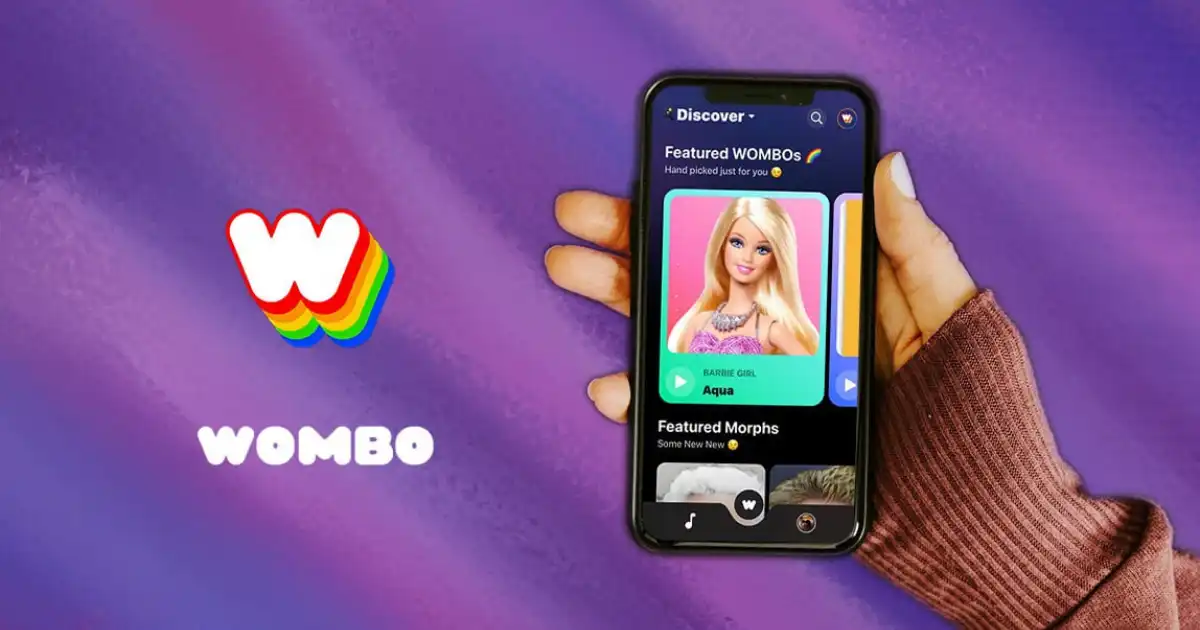
Imagine turning a simple selfie into a vibrant, singing animation in seconds. Or transforming a random sketch into a dazzling piece of digital art. Sounds magical, doesn’t it? That’s exactly what Wombo AI delivers—a blend of cutting-edge artificial intelligence with creativity at your fingertips.
In a world where content creation is booming, tools like Wombo AI have made it easier than ever to generate unique, entertaining, and shareable visuals. Whether you want to animate your portrait, generate artwork with Wombo Dream AI, or simply explore the future of creative technology, Wombo AI has something for you.
The beauty of Wombo AI is that you don’t need to be a tech expert or an artist. Its intuitive design and features allow anyone to create captivating videos and artworks. Imagine wowing your friends with AI-generated singing videos or using AI art as your social media profile picture. The possibilities are endless.
In this guide, we’ll walk you step by step through how to use Wombo AI, explore its different features, and show you how to maximize its potential. By the end, you’ll be fully equipped to unleash your imagination using this powerful AI tool.
What is Wombo AI?
Wombo AI is a Canadian-based artificial intelligence app that gained viral fame for turning static photos into lip-syncing videos. Since then, it has expanded into creative platforms like Wombo Dream AI, which allows users to generate stunning artworks from simple text prompts. The app blends entertainment, creativity, and technology, making it one of the most popular AI tools for casual users and content creators alike.
Some key highlights:
- AI-powered lip-sync videos
- Text-to-art generation with Wombo Dream AI
- Easy-to-use interface
- Available on both Android and iOS
- Free version with premium upgrade options
How to Get Started with Wombo AI
Step 1: Download the App
The first step to using Wombo AI is downloading the app. It’s available for free on both the Google Play Store and the Apple App Store. Simply search for “Wombo AI” and install.
Step 2: Create an Account
Once downloaded, open the app and sign up using your email, Google, or Apple ID. While some features can be used without creating an account, having one allows you to save and manage your creations.
Step 3: Choose Your Feature
Wombo AI offers two main functions:
- Wombo AI Lip Sync – Animate photos with lip-syncing videos.
- Wombo Dream AI – Generate AI artworks from text prompts.
Choose the feature you want to start with.
Using Wombo AI Lip Sync
Step 1: Upload a Photo
Select a selfie or portrait photo from your gallery. The clearer the face, the better the result. Wombo AI works best when the photo has good lighting and the face is forward-facing.
Step 2: Pick a Song
Wombo AI has a vast library of songs ranging from pop hits to classic rock. Select your favorite tune, and the AI will sync the lips in your photo to the music.
Step 3: Generate the Video
Once you’ve chosen the photo and song, tap “Generate.” Within seconds, you’ll have a fun animated video that you can save or share on social media.
Step 4: Share Your Creation
Click the share button to post directly on TikTok, Instagram, or any other platform. Wombo AI videos are highly engaging and perfect for grabbing attention.
Using Wombo Dream AI
Step 1: Enter a Prompt
With Wombo Dream AI, you start by typing in a text prompt. For example: “A magical forest with glowing mushrooms under the moonlight.”
Step 2: Choose an Art Style
Select from dozens of styles such as fantasy, abstract, anime, or realistic. This helps guide the AI in shaping the look of your artwork.
Step 3: Generate Your Art
Click “Create,” and within seconds, Wombo Dream AI produces a stunning piece of artwork based on your description.
Step 4: Download or Share
You can save your artwork in high resolution or share it online. Many users even print their Wombo Dream AI creations as wall art.
Tips for Best Results
- Use high-quality photos for lip-sync videos.
- Be specific with text prompts when using Wombo Dream AI.
- Experiment with different art styles to achieve unique results.
- Combine outputs—use AI art as a background for your videos.
- Upgrade to premium for higher resolution and exclusive features.
Why Use Wombo AI?
Entertainment Value
Wombo AI is a fun tool for making friends laugh or surprising them with creative content.
Creative Freedom
It allows non-artists to express themselves visually through AI-generated works.
Social Media Growth
Wombo AI content tends to go viral because of its uniqueness and shareability.
Educational Uses
Teachers and students can use Wombo Dream AI for creative projects.
Professional Applications
Content creators, marketers, and designers use Wombo AI as inspiration for campaigns and projects.
Wombo AI vs Other AI Tools
There are many AI creative platforms out there, but Wombo AI stands out for its simplicity and entertainment factor. While tools like MidJourney and DALL·E offer more complex customization, they often require subscriptions and advanced understanding. Wombo AI is easy, fast, and accessible to anyone.
Common Issues and Fixes
-
Slow Processing
Ensure a stable internet connection.
-
Blurry Output
Use high-quality images.
-
App Crashes
Update the app to the latest version.
-
Watermark
Upgrade to premium to remove branding.
Advanced Uses of Wombo AI
- Create AI-powered memes
- Generate album cover art
- Design book illustrations
- Produce unique wallpapers
- Experiment with NFT art
Safety and Ethical Considerations
While Wombo AI is fun, it’s important to use it responsibly:
- Avoid creating misleading or harmful content.
- Always credit Wombo AI when sharing AI art publicly.
- Be mindful of privacy when uploading personal photos.
Future of Wombo AI
AI creativity is only getting stronger. Future versions of Wombo AI may include:
- More realistic animations
- Expanded art styles
- Collaboration tools for group projects
- Advanced customization options
You Might Be Interested In
- Using Ai To Develop Critical Thinking Skills In Class
- What Is Machine Learning In Public Policy?
- How Masdar City Implements A Circular Economy?
- How Do Smart Cities Use Ai For Public Safety And Emergency Response?
- How Ai Smart City Concepts Reduce Urban Traffic?
- How Does AI Find Anomalies in East-West Network Traffic?
- AI and Modern Warfare 2023: An Unstoppable Alliance
- Information Warfare Mastery: AI vs. Humans – The Battle for Dominance?
- How Does Cloud Network Management Improve Reliability?
- Is Machine Learning Easy?
Conclusion
Wombo AI has redefined how we think about creativity in the digital age. From lip-syncing selfies to breathtaking AI art, it provides an accessible way for everyone to explore their imagination. Whether you’re making a quick funny video for social media or designing professional-quality AI art with Wombo Dream AI, the possibilities are limitless. By following this guide, you now have the knowledge to maximize the potential of this innovative tool. So go ahead—download the app, experiment with prompts, create your first AI masterpiece, and see where your creativity takes you.
FAQs about Wombo Ai
How do you use Wombo?
Using Wombo is simple and fun. You start by downloading the Wombo app from your phone’s app store and installing it. Once inside, you can either take a selfie or upload a photo from your gallery. The app uses AI technology to animate the face in the picture, syncing it to music or creating other kinds of content depending on the feature you choose. After selecting a song or effect, Wombo instantly transforms the still image into a lively animated video. You can then save it or share it directly on social media platforms.
The process doesn’t require any editing skills, which is why it’s so popular. Everything is automated and fast, letting anyone create engaging and entertaining videos in just a few seconds. Whether you want to make a funny lip-sync video of yourself, your pet, or even an old photo, Wombo makes it possible with just a few taps.
Is Wombo AI free to use?
Yes, Wombo AI offers a free version that anyone can use without paying. The free version allows you to create fun lip-sync videos or animations using your photos, and you can enjoy most of its basic features right away. However, Wombo also provides a premium option, which comes with added benefits. For example, the paid plan might give you access to higher-quality videos, faster processing speeds, or exclusive songs and features not available in the free plan.
This balance between free and premium makes it accessible to almost everyone. If you just want to try it out and make a few entertaining clips, the free version is more than enough. But for people who want to use it regularly or need advanced tools, the premium subscription can be a worthwhile upgrade.
What is the use of Wombo AI?
Wombo AI is mainly used to create fun, entertaining videos where photos are brought to life through animation. The most popular use is turning selfies or portraits into lip-syncing characters that “sing” along with popular songs. This makes it a great tool for sharing lighthearted content on social media, sending funny clips to friends, or simply playing around with creative ideas.
Beyond entertainment, Wombo also highlights how artificial intelligence can make creative tools more accessible. Instead of needing advanced editing knowledge or expensive software, anyone can use Wombo to generate professional-looking animations in seconds. It’s a blend of art, technology, and humor, showing how AI can turn something ordinary into something exciting and shareable.
Why did Wombo shut down?
At one point, Wombo faced rumors and discussions about shutting down, but this usually referred to changes in features or temporary service issues rather than the entire app disappearing. Sometimes apps like Wombo need updates, or they shift focus to new projects, which can lead to confusion among users. In Wombo’s case, the company has continued to evolve and build on its success, moving into different creative tools like Wombo Dream, which generates AI artwork.
So rather than being completely shut down, Wombo has transformed and grown. The original lip-syncing app might not be as widely promoted now, but the technology behind it still lives on in new AI-powered platforms created by the same developers. This change reflects how fast the AI world moves, with constant innovation and new tools replacing older versions.
What replaced WOMBO?
Wombo wasn’t exactly replaced, but it did evolve into new platforms and apps. The team behind it created Wombo Dream, an AI art generator that allows users to turn text prompts into unique digital paintings. This shift shows how the creators expanded from just making funny videos to exploring the larger world of AI creativity. Dream has become especially popular because it lets people make beautiful and surreal artwork with just a few words.
In that sense, Wombo’s legacy continues through its newer tools. While the original lip-sync app still exists for those who want it, Dream represents the next stage in Wombo’s journey. Instead of only animating photos, it now helps people unlock their imagination in completely new ways, proving that Wombo isn’t gone—it’s simply grown into something bigger.
