


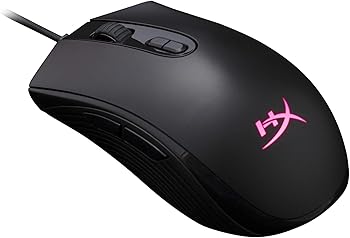
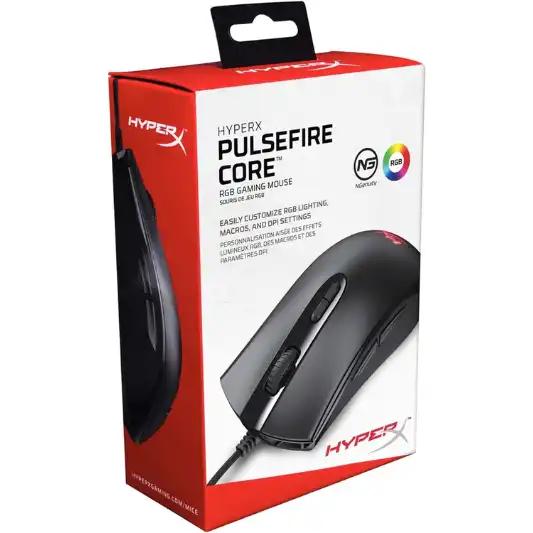
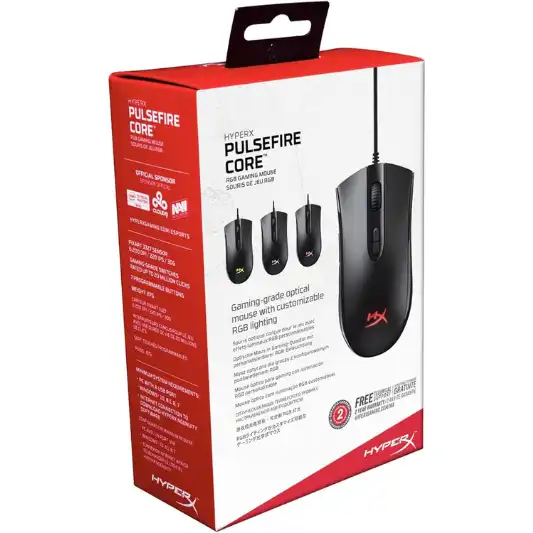
The HyperX Pulsefire Core Gaming Mouse is a product designed for gamers who seek a balance between performance, comfort, and affordability. Known for its reliable hardware and sleek design, HyperX has managed to pack a punch with this particular model, offering features that cater to both casual and competitive gamers.
In this review, we will delve into the key features, specifications, pros and cons, and overall performance of the HyperX Pulsefire Core Gaming Mouse to determine if it is the best budget gaming mouse.
Key Features
-
Pixart 3327 Optical Sensor
This sensor supports native DPI settings up to 6,200, allowing for precise and smooth tracking without hardware acceleration.
-
Ergonomic Design
The symmetrical shape of the mouse fits both palm and claw grips, making it comfortable for extended gaming sessions.
-
RGB Lighting
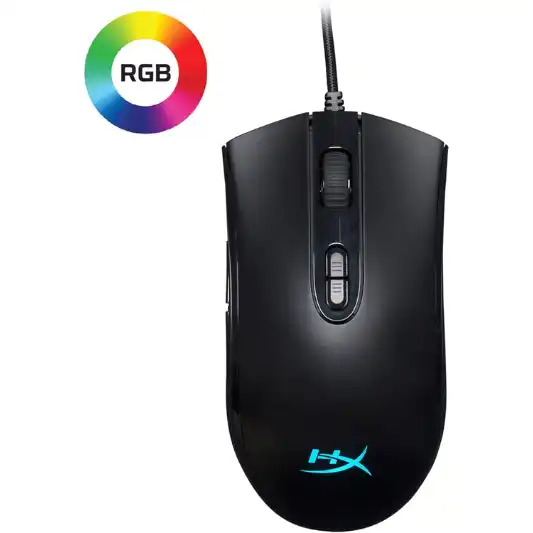
Customizable RGB lighting effects that can be adjusted through the HyperX NGenuity software.
-
Seven Programmable Buttons
Allows for extensive customization to suit your gaming needs.
-
HyperX NGenuity Software
This software facilitates easy customization of lighting, DPI settings, and macros.
-
Large Mouse Skates
Ensures smooth and controlled gliding across various surfaces.
Specifications
| Feature | Details |
|---|---|
| Brand | HyperX |
| Color | Black |
| Connectivity Technology | USB |
| Special Feature | Ergonomic Design |
| Movement Detection Technology | Optical |
| Sensor | Pixart 3327 |
| DPI Range | Up to 6,200 DPI |
| Programmable Buttons | 7 |
| Mouse Weight | 87g |
| Dimensions | 4.7 x 2.5 x 1.5 inches |
| Power Source | Corded Electric |
| Voltage | 5 Volts |
| Warranty | Manufacturer’s warranty available |
| Customer Ratings | 4.6 out of 5 stars |
| Best Sellers Rank | #3,512 in Video Games, #228 in PC Gaming Mice, #280 in PlayStation 5 Accessories |
| Return Policy | 30 days return policy through Amazon |
Pros and Cons
Pros:
- High-quality Pixart 3327 sensor for precise tracking.
- Ergonomic and comfortable design suitable for different grip styles.
- Customizable RGB lighting and macros.
- Affordable pricing.
Cons:
- Lacks some advanced features found in higher-end gaming mice.
- Limited to wired connectivity.
Detailed Review
Design and Build Quality
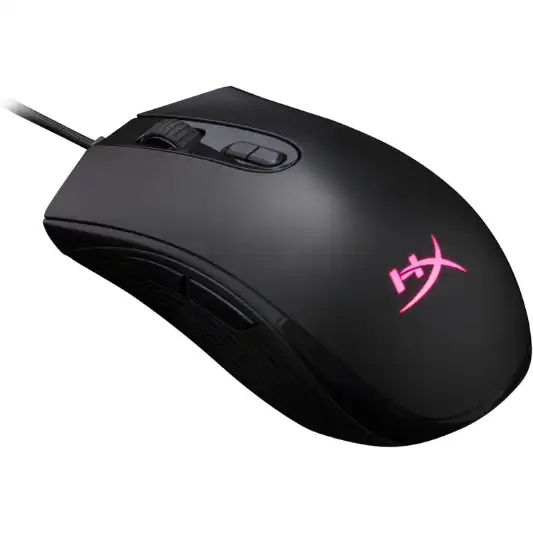
The HyperX Pulsefire Core Gaming Mouse boasts an ergonomic design that caters to a wide range of users. Its symmetrical shape ensures that it can be used comfortably by both right-handed and left-handed gamers. The textured sides provide a secure grip, reducing the chances of slipping during intense gaming sessions. Weighing in at 87 grams, the mouse is light enough to facilitate quick movements without feeling flimsy.
The build quality is commendable, with durable plastic construction that feels robust and capable of withstanding heavy use. The buttons are well-placed, ensuring easy access without accidental presses. The scroll wheel is precise, with a tactile feel that enhances the overall user experience.
Performance
Equipped with the Pixart 3327 Optical Sensor, the HyperX Pulsefire Core Gaming Mouse delivers impressive performance across various genres of games. The sensor’s native DPI settings range up to 6,200, providing ample flexibility for different gaming styles. Whether you’re playing fast-paced FPS games or strategy games that require meticulous control, the Pulsefire Core handles it all with ease.
The mouse’s tracking is smooth and accurate, without any noticeable lag or jittering. The large mouse skates further enhance the gliding experience, allowing for seamless movements across different surfaces. The gaming-grade switches are rated for 20 million clicks, ensuring longevity and reliability.
Customization and Software
One of the standout features of the HyperX Pulsefire Core Gaming Mouse is its customization capabilities. The HyperX NGenuity software provides an intuitive interface for adjusting various settings. Users can customize the RGB lighting effects, create and assign macros to the seven programmable buttons, and fine-tune the DPI settings to their preference.
The software is easy to use and doesn’t require a steep learning curve, making it accessible even for those who aren’t tech-savvy. The ability to save different profiles ensures that you can switch between settings effortlessly, depending on the game or application you’re using.
Comfort and Ergonomics
Comfort is a critical aspect of any gaming mouse, and the HyperX Pulsefire Core doesn’t disappoint in this regard. The mouse’s symmetrical design makes it suitable for both palm and claw grip styles. The textured sides provide a non-slip grip, ensuring that the mouse remains stable during intense gaming sessions.
The overall shape of the mouse fits comfortably in hand, reducing strain during prolonged use. The lightweight design further enhances the comfort, allowing for quick and precise movements without feeling cumbersome.
Durability
Durability is another area where the HyperX Pulsefire Core Gaming Mouse excels. The gaming-grade switches are designed to withstand up to 20 million clicks, ensuring that the mouse can handle extensive use. The robust plastic construction and high-quality components contribute to the overall durability, making it a reliable choice for gamers who demand longevity from their peripherals.
Value for Money
Priced competitively, the HyperX Pulsefire Core Gaming Mouse offers excellent value for money. It manages to pack in a host of features typically found in more expensive models, making it an attractive option for budget-conscious gamers. The combination of performance, customization, and durability at this price point is hard to beat.
Conclusion
The HyperX Pulsefire Core Gaming Mouse is a well-rounded product that delivers exceptional performance, customization options, and comfort at an affordable price. Its Pixart 3327 Optical Sensor ensures precise tracking, while the ergonomic design caters to various grip styles. The HyperX NGenuity software allows for easy customization of RGB lighting, macros, and DPI settings, enhancing the overall user experience.
Despite lacking some advanced features found in higher-end gaming mice, the Pulsefire Core excels in delivering value for money. Its durable construction and gaming-grade switches ensure longevity, making it a reliable choice for gamers.
Overall, the HyperX Pulsefire Core Gaming Mouse is a solid performer that meets the needs of both casual and competitive gamers. Whether you’re looking to upgrade your current mouse or are new to gaming peripherals, the Pulsefire Core is worth considering.
You Might Be Interested In
- Steelseries Rival 3 Mouse Review
- Logitech G613 Review
- Biomimicry Innovation Unveiled: A Remarkable Example
- Logitech G512 Review
- What does innovation for sustainability mean?
Highly Recommended – ⭐⭐⭐⭐⭐
If you’re in the market for a reliable, affordable, and customizable gaming mouse, the HyperX Pulsefire Core Gaming Mouse should be at the top of your list. With its impressive performance, ergonomic design, and extensive customization options, it’s a great addition to any gamer’s arsenal. Don’t miss out on this fantastic product—get your HyperX Pulsefire Core Gaming Mouse today and elevate your gaming experience!
Comparison of HyperX Pulsefire Core with Similar Products
When choosing a gaming mouse, it’s essential to consider various options to ensure you find the best fit for your needs. Here, we’ll compare the HyperX Pulsefire Core Gaming Mouse with three similar products: the Logitech G203 Prodigy, the Razer DeathAdder Essential, and the SteelSeries Rival 3.
Comparison Table
| Feature | HyperX Pulsefire Core | Logitech G203 Prodigy | Razer DeathAdder Essential | SteelSeries Rival 3 |
|---|---|---|---|---|
| Sensor | Pixart 3327 | Mercury | Optical | TrueMove Core |
| DPI Range | Up to 6,200 DPI | Up to 8,000 DPI | Up to 6,400 DPI | Up to 8,500 DPI |
| Programmable Buttons | 7 | 6 | 5 | 6 |
| Weight | 87g | 85g | 96g | 77g |
| RGB Lighting | Yes | Yes | No | Yes |
| Software Customization | HyperX NGenuity | Logitech G HUB | Razer Synapse | SteelSeries Engine |
| Ergonomic Design | Yes | Yes | Yes | Yes |
| Connection Type | Wired (USB) | Wired (USB) | Wired (USB) | Wired (USB) |
| Price Range | Affordable | Affordable | Affordable | Affordable |
| Warranty | Manufacturer’s warranty | Manufacturer’s warranty | Manufacturer’s warranty | Manufacturer’s warranty |
| Customer Ratings | 4.6 out of 5 stars | 4.7 out of 5 stars | 4.5 out of 5 stars | 4.6 out of 5 stars |
| Best Sellers Rank | #3,512 in Video Games | #1,102 in Video Games | #1,234 in Video Games | #2,143 in Video Games |
Detailed Comparison
1. Sensor and DPI Range
- HyperX Pulsefire Core: Features the Pixart 3327 sensor with a DPI range of up to 6,200, suitable for various gaming styles.
- Logitech G203 Prodigy: Equipped with the Mercury sensor, offering a higher DPI range of up to 8,000, providing more precision and control.
- Razer DeathAdder Essential: Utilizes an optical sensor with a DPI range of up to 6,400, catering to gamers who need slightly higher sensitivity.
- SteelSeries Rival 3: Boasts the TrueMove Core sensor with the highest DPI range among the four, up to 8,500, ideal for gamers seeking extreme precision.
2. Programmable Buttons
- HyperX Pulsefire Core: Comes with 7 programmable buttons, offering extensive customization options for macros and in-game commands.
- Logitech G203 Prodigy: Features 6 programmable buttons, providing good customization flexibility.
- Razer DeathAdder Essential: Has 5 programmable buttons, which might be limiting for some gamers but sufficient for most.
- SteelSeries Rival 3: Includes 6 programmable buttons, balancing between functionality and simplicity.
3. Weight and Ergonomics
- HyperX Pulsefire Core: Weighs 87g, making it light and easy to maneuver, with an ergonomic design suitable for palm and claw grips.
- Logitech G203 Prodigy: Slightly lighter at 85g, also ergonomic and comfortable for extended use.
- Razer DeathAdder Essential: Heavier at 96g, which some gamers might prefer for more stable movements, with an ergonomic design renowned for comfort.
- SteelSeries Rival 3: The lightest at 77g, with an ergonomic design that enhances quick and precise movements.
4. RGB Lighting and Customization Software
- HyperX Pulsefire Core: Features customizable RGB lighting through the HyperX NGenuity software, allowing extensive personalization.
- Logitech G203 Prodigy: Offers customizable RGB lighting via Logitech G HUB, known for its user-friendly interface and robust customization options.
- Razer DeathAdder Essential: Does not include RGB lighting, which might be a downside for those who enjoy a visually vibrant setup.
- SteelSeries Rival 3: Includes RGB lighting, customizable through SteelSeries Engine, known for its detailed customization capabilities.
5. Price and Value
- HyperX Pulsefire Core: Priced affordably, offering excellent value for money with its combination of performance and features.
- Logitech G203 Prodigy: Also in the affordable range, it provides a slightly higher DPI range and a reliable sensor.
- Razer DeathAdder Essential: Affordable and known for its ergonomic design and reliable performance, though lacking RGB lighting.
- SteelSeries Rival 3: Priced competitively, with the highest DPI range and lightest weight, making it a strong contender for gamers seeking precision and speed.
FAQs about HyperX Pulsefire Core Gaming Mouse
How do I customize the RGB lighting on the HyperX Pulsefire Core Gaming Mouse?
You can customize the RGB lighting using the HyperX NGenuity software. After installing the software, connect your mouse and open the NGenuity application. Navigate to the lighting settings, where you can choose from various lighting effects and colors. You can also create custom profiles and save them for different games or applications.
Is the HyperX Pulsefire Core Gaming Mouse suitable for left-handed users?
Yes, the HyperX Pulsefire Core Gaming Mouse features a symmetrical design that makes it suitable for both right-handed and left-handed users. The button placement and ergonomic shape ensure comfort and usability for all gamers.
Can I use the HyperX Pulsefire Core Gaming Mouse on a Mac?
While the HyperX Pulsefire Core Gaming Mouse is primarily designed for use with Windows PCs, it can also be used on a Mac. However, some customization features available through the HyperX NGenuity software may not be accessible on macOS. The basic functionalities of the mouse, such as movement and button clicks, will work without any issues.
How do I update the firmware on my HyperX Pulsefire Core Gaming Mouse?
To update the firmware, you need to use the HyperX NGenuity software. Connect your mouse to your PC, open the NGenuity application, and navigate to the settings menu. If a firmware update is available, you will see an option to update. Follow the on-screen instructions to complete the process.
What is the warranty period for the HyperX Pulsefire Core Gaming Mouse?
The HyperX Pulsefire Core Gaming Mouse comes with a manufacturer’s warranty. The exact duration of the warranty period can vary, so it’s best to check with the retailer or refer to the warranty information provided with the product. Generally, HyperX offers a warranty that covers manufacturing defects and issues related to normal use.
