Close Menu
    What's Hot

    How AI Voice Assistants Understand Commands?

    August 18, 2026

    How AI Customer Support Improves Service?

    August 17, 2026

    How AI Email Automation Organizes Messages?

    August 16, 2026
    Facebook X (Twitter) Instagram
    OmniRaza Wednesday, August 19
    • Home
    • About Us
    • Privacy Policy
    • Terms
    • Contact
    Facebook X (Twitter) Instagram
    Subscribe
    • Home
    • Artificial Intelligence
    • Development
    • Digitization
    • Innovations
    • Technology
    OmniRaza
    Home»Cloud & Hosting»Why Cloud Backup Is Important?
    Cloud & Hosting

    Why Cloud Backup Is Important?

    omnirazaBy omnirazaAugust 6, 2026No Comments19 Mins Read1 Views
    Facebook Twitter Pinterest Telegram LinkedIn Tumblr Copy Link Email
    Follow Us
    Google News Flipboard
    Why Cloud Backup Is Important?
    Share
    Facebook Twitter LinkedIn Pinterest Email Copy Link

    Most people do not think about backup when everything is working. Files open normally, computers start without problems, and important documents appear exactly where they should be. The need for protection usually becomes obvious only after something goes wrong.

    A laptop can suddenly stop turning on. A hard drive can fail without warning. A person can accidentally delete years of photos or important work files. A business can lose access to customer records because of ransomware. These situations are not rare technical problems that only happen to large companies. They happen to normal users every day.

    The reason data loss hurts so much today is because our digital files have become a major part of our personal and professional lives. Photos, financial documents, business records, website files, customer information, project files, and even entire business operations often depend on digital data.

    In the past, losing a computer mainly meant replacing hardware. Today, losing a device can mean losing years of work, important memories, customer trust, or even business revenue.

    The biggest problem I have seen with backup is that people usually think about it after losing something important. They assume their computer will keep working, their files will stay safe, or their storage drive will last forever. Unfortunately, storage devices fail, mistakes happen, and unexpected events cannot be predicted.

    This is where cloud backup becomes valuable. Cloud backup is not simply about keeping files somewhere online. It is about creating a safety system that allows you to recover when something goes wrong.

    Table of Contents

    Toggle
    • What Is Cloud Backup?
    • How Does Cloud Backup Work?
      • Selecting Data
      • Encrypting Data
      • Uploading Data to Cloud Servers
      • Creating Backup Versions
      • Restoring Data
    • Why Is Cloud Backup Important?
      • Protects Against Permanent Data Loss
      • Helps Recover From Ransomware Attacks
      • Protects Against Hardware Failure
      • Provides Disaster Recovery
      • Supports Business Continuity
    • Benefits of Cloud Backup
      • Automatic Backups Save Time
      • Access Data From Anywhere
      • Easy Storage Expansion
      • Lower Hardware Maintenance
      • Better Protection for Remote Work
    • Cloud Backup vs Traditional Backup
    • Cloud Storage vs Cloud Backup: What Is The Difference?
    • FAQs

    What Is Cloud Backup?

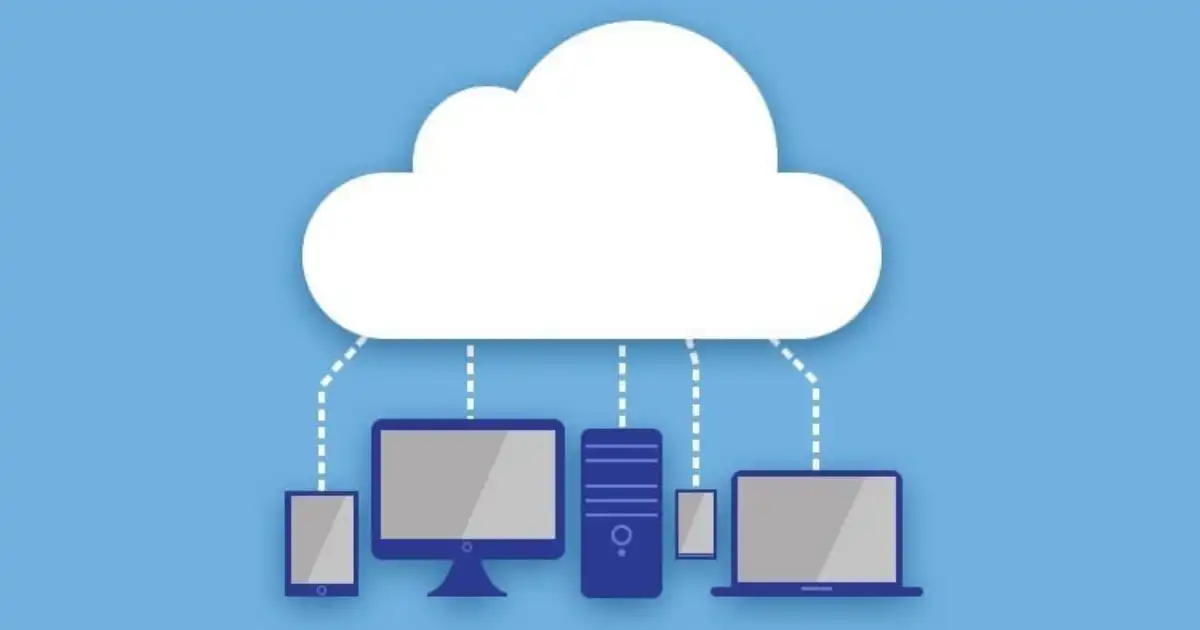
    Cloud backup is a method of copying important data from your computer, server, or other devices to secure cloud servers so the data can be restored if the original files are lost, damaged, deleted, or unavailable.

    Many people confuse cloud backup with simply storing files online. The difference is in the purpose.

    Cloud storage is mainly designed for accessing and sharing files. For example, someone may upload documents to access them from different devices. That is useful, but it does not always provide the level of protection needed when files are accidentally removed, corrupted, or affected by security problems.

    Cloud backup is designed around recovery.

    The main question behind cloud backup is not “Where can I keep my files?” The real question is “How can I get my files back when something goes wrong?”

    For example, imagine a small business owner who keeps all accounting records on one office computer. One morning, the computer fails because the hard drive stops working. Without a backup, those records may be gone permanently. With cloud backup, the owner can restore the files from a previous backup copy and continue working.

    The same applies to individuals. A student may lose years of assignments because of a damaged laptop. A photographer may lose thousands of images because a storage device becomes corrupted. A remote worker may lose important client files after accidentally deleting a folder.

    Cloud backup creates a separate copy of that information, usually stored in professionally managed data centers with security measures, redundancy, and recovery systems.

    The important point is that cloud backup is not about preventing every problem from happening. Devices will still fail. Mistakes will still happen. Cyber threats will still exist.

    The purpose of cloud backup is to make those problems recoverable.

    How Does Cloud Backup Work?

    Cloud backup may look simple from the user’s side, but several processes happen behind the scenes to protect data properly.

    Selecting Data

    The first step is deciding what needs to be backed up.

    Depending on the user or organization, this can include documents, photos, videos, databases, website files, emails, applications, and system settings.

    Most people do not need every file on every device. A good backup strategy focuses on important information that would be difficult or impossible to replace.

    For a home user, this might include family photos, personal documents, and financial records.

    For a business, it may include customer information, employee files, accounting data, project documents, and operational systems.

    Many cloud backup services can automatically identify important files or allow users to choose specific folders and systems.

    Encrypting Data

    Before data leaves your device, it is often encrypted.

    Encryption converts readable information into a protected format that cannot easily be understood without the correct security key.

    This matters because your data travels across the internet before reaching cloud servers. Encryption helps protect information during transfer and while it is stored.

    Secure cloud backup is not just about having another copy of your files. That copy also needs protection from unauthorized access.

    Uploading Data to Cloud Servers

    After encryption, the backup software sends the data to remote cloud servers.

    These servers are usually located in professional data centers designed to handle large amounts of information safely. They typically include multiple layers of security, backup systems, and monitoring.

    The first backup is usually the longest because the system has to upload a large amount of data. After that, many solutions use incremental backups, meaning they only upload changes instead of copying everything again.

    For example, if you edit one document after the initial backup, the system may only save the updated version rather than uploading your entire file collection again.

    Creating Backup Versions

    One of the most useful features of cloud backup is version history.

    Many people assume backup only means keeping the latest copy of a file. In reality, older versions can be extremely valuable.

    Imagine an employee accidentally replaces an important spreadsheet with incorrect information. If the backup system only keeps the latest version, recovering the original may be impossible.

    Versioning allows users to go back and restore previous copies.

    This is especially useful for recovering from accidental changes, corrupted files, or ransomware attacks where files may become encrypted or modified.

    Restoring Data

    The real value of backup appears during recovery.

    When something goes wrong, users can restore files from the cloud backup system. Depending on the situation, they may recover individual files, entire folders, applications, or complete systems.

    For example, if a laptop fails, a user may restore important documents onto a replacement device. If a business server experiences a serious problem, administrators may restore systems from previous backup points.

    A backup that cannot be restored properly is not useful. This is why testing recovery is an important part of a reliable backup strategy.

    Why Is Cloud Backup Important?

    The importance of cloud backup becomes clear when you look at real situations where data disappears or becomes unavailable.

    Many people think backup is only necessary for large companies, but individuals and small businesses often have the most to lose because they may not have dedicated IT teams or recovery plans.

    Cloud backup provides protection against unexpected problems that can happen at any time.

    Protects Against Permanent Data Loss

    One of the biggest reasons cloud backup matters is protection from permanent data loss.

    Storage devices are not designed to last forever. Hard drives can fail, laptops can break, and external drives can become corrupted.

    I have seen people rely on a single computer for years because “it has always worked.” The problem is that storage failures often happen without warning. A device can work perfectly one day and completely fail the next.

    Imagine someone keeping five years of family photos on one laptop. If that laptop is damaged by a power problem or hardware failure, those memories may disappear.

    Businesses face even bigger risks. A company losing important documents, financial records, or customer information can experience serious disruption.

    Cloud backup provides another copy stored separately from the original device, reducing the chance that one failure destroys everything.

    Helps Recover From Ransomware Attacks

    Ransomware has become one of the biggest reasons organizations take backup seriously.

    In a ransomware attack, malicious software can encrypt files and prevent users from opening them. Attackers then demand payment in exchange for restoring access.

    The problem is that simply having files stored somewhere is not always enough. If connected files are affected by ransomware, those copies may also become unusable.

    A properly configured cloud backup system can provide clean recovery points from before the attack happened.

    For example, if ransomware encrypts business files on Monday, a company may be able to restore data from a backup created on Sunday before the infection occurred.

    However, backups need proper protection. If attackers can access backup accounts, they may attempt to damage those copies as well. Strong security settings and separate access controls are important parts of ransomware protection.

    Protects Against Hardware Failure

    Every device eventually has a failure risk.

    Hard drives have moving parts that can wear out. Solid-state drives can also fail. Laptops can be damaged through accidents, overheating, or physical impact.

    Businesses often depend on individual machines for daily operations, but relying on one device creates a single point of failure.

    Cloud backup removes that dependency by keeping another copy outside the device.

    If a computer suddenly stops working, the goal is not to repair the machine and hope the files survive. The goal is to recover the data quickly and continue working.

    Provides Disaster Recovery

    Disasters do not only happen because of technology failures.

    Fire, floods, theft, and other physical events can destroy computers and local storage devices.

    A company may have excellent local backups, but if those backups are stored in the same office as the original systems, they can be lost during a physical disaster.

    This is why offsite backup is important.

    Cloud backup stores copies away from the location where the original data exists. If an office becomes inaccessible, the data can still be recovered from another location.

    For businesses, this connects directly with disaster recovery and business continuity planning. The faster important systems and files can be restored, the less damage a disruption causes

    Prevents Damage From Human Mistakes

    Not every data loss incident comes from hardware problems or cyberattacks. In many cases, the biggest threat is a simple human mistake.

    Someone may accidentally delete an important folder, overwrite a document with incorrect information, or remove a file they later realize they still need. These mistakes happen in homes, businesses, and even organizations with experienced teams.

    I have seen situations where employees assume deleted files are gone forever because they emptied the recycle bin or replaced an important document by mistake. Without a backup system, recovering that information can become expensive or impossible.

    Cloud backup helps by keeping previous copies of files. Instead of starting from zero, users can restore an earlier version and continue working.

    For example, imagine an employee updating a financial report and accidentally saving incorrect numbers over the original version. With backup version history, the company can recover the previous copy instead of rebuilding the entire report manually.

    This type of protection is especially important in businesses where multiple people work on shared documents. A small mistake from one person can affect many others, but a reliable backup system provides a recovery option.

    Supports Business Continuity

    For businesses, backup is not only about protecting files. It is about keeping operations running.

    When important data becomes unavailable, the biggest cost is often not the data itself. The bigger problem is downtime.

    A company may lose sales if employees cannot access customer information. A website owner may lose revenue if website files or databases are unavailable. A service provider may disappoint customers if systems cannot be restored quickly.

    Cloud backup supports business continuity by helping organizations recover faster after unexpected problems.

    For example, a small online business may store product information, customer records, and website backups in the cloud. If the main server experiences a failure, the business can restore important data instead of waiting days to rebuild everything.

    The goal of backup is not simply avoiding inconvenience. It is reducing the amount of time a person or business cannot work.

    A good recovery process gives people confidence because they know problems can be fixed without losing everything.

    Benefits of Cloud Backup

    Cloud backup provides several practical advantages compared with relying only on local storage methods.

    The value is not just having extra storage space. The real benefit comes from easier recovery, automation, and protection against unexpected situations.

    Automatic Backups Save Time

    One of the biggest advantages of cloud backup is automation.

    Many people know they should create backups but forget to do it regularly. Manual backups depend on someone remembering to connect a drive, copy files, and check that everything worked correctly.

    In real situations, people often delay backups because they are busy. Days become weeks, and weeks become months. Then a device fails, and the backup they planned to create does not exist.

    Automated backup removes much of this problem by running on a schedule.

    For example, a remote worker can configure important work folders to back up automatically every day. A business can schedule regular backups without depending on an employee to remember the process.

    Automation does not guarantee perfect protection, but it greatly reduces the risk of having outdated backups.

    Access Data From Anywhere

    Cloud backup makes recovery possible from different locations.

    This is especially useful for remote workers, businesses with multiple locations, and people who travel frequently.

    If a laptop is lost while traveling, the user can restore important files from another device instead of losing access completely.

    However, it is important to understand that cloud backup is mainly designed for recovery, not everyday file sharing. Accessing backed-up files may not always work the same way as opening files from a cloud storage platform.

    The purpose is protection first, convenience second.

    Easy Storage Expansion

    Traditional backup methods often require buying additional hardware when storage needs increase.

    A person may start with a small external drive, but over time photos, videos, documents, and business files can consume more space.

    Cloud backup allows users to increase storage capacity without managing physical devices.

    For businesses, this can simplify growth because they do not need to constantly purchase, install, and maintain additional backup hardware.

    However, cloud storage costs can increase as data grows, so organizations should regularly review their storage requirements.

    Lower Hardware Maintenance

    Managing physical backup equipment requires time and effort.

    External drives can fail, become damaged, or need replacement. Businesses may need dedicated systems, storage rooms, and staff to maintain local backup infrastructure.

    Cloud backup reduces much of this hardware responsibility because the storage environment is managed remotely.

    This does not mean businesses should eliminate all local backups. In many cases, a combination of local and cloud backup provides stronger protection.

    Better Protection for Remote Work

    Remote work has changed how people handle important information.

    Employees may work from home, coffee shops, shared offices, or different countries. Data is no longer always stored inside one company building.

    This creates new risks. Laptops can be lost, internet-connected devices can be attacked, and employees may not have access to company backup systems.

    Cloud backup helps remote workers protect important files regardless of location.

    For example, a designer working remotely can lose a laptop but still recover project files from a secure backup system.

    Cloud Backup vs Traditional Backup

    Cloud backup and traditional backup methods both have advantages. The better choice depends on the situation, the amount of data, and the recovery requirements.

    Traditional backup usually involves storing copies of data on physical devices such as external hard drives, USB drives, or local servers.

    Local backups are useful because they provide quick access. If someone needs to restore a small number of files, a nearby drive may be faster than downloading from the internet.

    They also work without an internet connection, which can be important in locations with unreliable connectivity.

    However, local backups have a major weakness: they are physically close to the original data.

    If a laptop and its external backup drive are stolen together, both copies may disappear. If an office experiences fire or flooding, local backup equipment may also be destroyed.

    Cloud backup solves this problem by keeping copies in a separate location.

    It also offers advantages such as automation, remote recovery, and easier management.

    However, cloud backup is not perfect. Large amounts of data may take longer to restore because recovery depends on internet speed. Monthly costs can also increase as storage requirements grow.

    The best approach for many businesses is a hybrid strategy that combines local and cloud backup. Local copies provide fast recovery, while cloud copies provide protection from physical disasters.

    Cloud Storage vs Cloud Backup: What Is The Difference?

    Many people use the terms cloud storage and cloud backup as if they mean the same thing, but they solve different problems.

    Cloud storage is mainly designed for storing, accessing, and sharing files.

    For example, someone may upload a document to a cloud storage service so they can open it from a laptop, tablet, or phone. Teams may use cloud storage to collaborate on files.

    Cloud backup is designed for recovery and protection.

    The goal is to create copies of data that can be restored after a problem occurs.

    A simple example explains the difference.

    Imagine you store important documents in a cloud storage folder. You accidentally delete one of those documents, and the deletion synchronizes across your devices. Depending on the service and settings, recovering the file may not always be simple.

    With cloud backup, the system may have stored previous versions of that document, allowing you to restore the file from before it was deleted.

    Cloud storage helps you access files.

    Cloud backup helps you recover files.

    Both are useful, but they serve different purposes. Many individuals and businesses use both because one focuses on convenience while the other focuses on protection.


    You Might Be Interested In

    • How Dedicated Hosting Improves Performance?
    • How Cloud Storage Keeps Files Safe?
    • When VPS Hosting Is the Right Choice?

    Conclusion

    Data loss rarely happens at a convenient time. A computer can fail before an important deadline, a business can lose access to critical files during a busy period, or someone can accidentally delete information they cannot replace.

    The reason cloud backup is important is simple: it creates a safety net before problems happen.

    Cloud backup is not just about storing extra copies of files online. It is about having a reliable way to recover when technology fails, mistakes happen, or unexpected events damage your data. Whether it is personal photos, work documents, customer records, or business systems, having a protected copy can make the difference between a quick recovery and a major loss.

    One thing many people misunderstand is that backup is not valuable because everything is working perfectly. Backup becomes valuable when something breaks. The real benefit appears when a laptop stops working, ransomware locks files, or a disaster affects physical equipment.

    FAQs

    How does cloud backup protect against data loss?

    Cloud backup protects against data loss by keeping an additional copy of your data in a separate location. If your computer, server, or storage device experiences a problem, you can restore your files from the backup instead of trying to recover information from a damaged system.

    Many cloud backup solutions also keep multiple versions of files. This means you may be able to recover an older version of a document if the latest copy was accidentally deleted, corrupted, or changed incorrectly. This type of protection is especially useful for businesses where mistakes, hardware failures, and security incidents can affect important operations.

    Is cloud backup better than traditional backup?

    Cloud backup is not always better in every situation, but it provides advantages that traditional backups often cannot offer. Traditional backups, such as external hard drives or local servers, can provide fast access because the data is stored nearby. They can also work without an internet connection.

    However, traditional backups have limitations. If the backup device is stored in the same location as the original data, events like theft, fire, or flooding can destroy both copies. Cloud backup provides offsite protection, automatic backups, and easier recovery from different locations. For many users and businesses, a combination of local and cloud backup provides the strongest protection.

    What is the difference between cloud storage and cloud backup?

    Cloud storage and cloud backup may seem similar because both store data online, but they serve different purposes. Cloud storage is mainly designed for accessing, syncing, and sharing files across devices. It is useful when you want to open documents from different locations or collaborate with other people.

    Cloud backup focuses on data protection and recovery. It creates backup copies that can be restored when files are lost, damaged, or unavailable. For example, storing a document in cloud storage helps you access it, while having that document included in a backup system helps you recover it after accidental deletion or a system failure.

    Can cloud backup protect against ransomware?

    Cloud backup can help protect against ransomware by allowing users and businesses to restore files from a clean backup version created before the attack occurred. If ransomware encrypts important files, a reliable backup can provide a way to recover without depending on attackers.

    However, cloud backup alone does not completely prevent ransomware. Backup accounts also need protection through strong passwords, multi-factor authentication, limited access permissions, and proper security settings. A poorly secured backup account can create additional risks, so backup protection should always be combined with good cybersecurity practices.

    How often should you back up data to the cloud?

    The right backup frequency depends on how often your data changes and how important it is. Someone storing personal photos may only need regular scheduled backups, while a business handling customer information or financial data may require backups several times a day.

    A useful approach is to consider how much data you can afford to lose. If losing one day of work would create a serious problem, daily backups may not be enough. Many businesses use automated backup schedules because they reduce the risk of forgetting to protect important information.

    Follow on Google News Follow on Flipboard
    Share. Facebook Twitter Pinterest LinkedIn Telegram Email Copy Link
    Avatar Of Omniraza
    omniraza
    • Website
    • Facebook
    • Pinterest

    At OmniRaza, we are dedicated to exploring and uncovering the vast landscape of emerging technological prospects that shape the world around us. Our mission is to provide our readers with comprehensive insights into the ever-evolving realm of technology, from cutting-edge innovations to the latest trends that are reshaping industries and influencing our daily lives.

    Related Posts

    How Cloud Storage Keeps Files Safe?

    August 5, 2026

    How Dedicated Hosting Improves Performance?

    August 4, 2026

    When VPS Hosting Is the Right Choice?

    August 3, 2026
    Leave A Reply Cancel Reply

    Subscribe to News

    Subscribe my Newsletter for new blog posts, tips & new photos. Let's stay updated!

    Latest Posts

    How AI Voice Assistants Understand Commands?

    August 18, 2026

    How AI Customer Support Improves Service?

    August 17, 2026

    How AI Email Automation Organizes Messages?

    August 16, 2026
    Editors Picks

    How to Change Polling Rate on Keyboard?

    November 19, 2025

    How Much DPI Is Glorious Model O?

    August 12, 2024

    How Ai In Finance Detects Fraudulent Activity?

    September 21, 2025

    What Are The 4 Applications of Artificial Intelligence?

    May 30, 2024

    At OmniRaza, we are dedicated to exploring and uncovering the vast landscape of emerging technological prospects that shape the world around us.

    Our mission is to provide our readers with comprehensive insights into the ever-evolving realm of technology, from cutting-edge innovations to the latest trends that are reshaping industries and influencing our daily lives.

    Facebook X (Twitter) Instagram Pinterest YouTube
    Recent Posts

    How AI Voice Assistants Understand Commands?

    August 18, 2026

    How AI Customer Support Improves Service?

    August 17, 2026

    How AI Email Automation Organizes Messages?

    August 16, 2026

    How AI Document Automation Saves Time?

    August 15, 2026
    Trending

    How to Change Polling Rate on Keyboard?

    November 19, 2025

    How Much DPI Is Glorious Model O?

    August 12, 2024

    How Ai In Finance Detects Fraudulent Activity?

    September 21, 2025

    What Are The 4 Applications of Artificial Intelligence?

    May 30, 2024
    • Home
    • About Us
    • Privacy Policy
    • Terms
    • Contact
    © 2026 OmniRaza. Managed by My Rank Partner.

    Type above and press Enter to search. Press Esc to cancel.