Close Menu
    What's Hot

    How AI Voice Assistants Understand Commands?

    August 18, 2026

    How AI Customer Support Improves Service?

    August 17, 2026

    How AI Email Automation Organizes Messages?

    August 16, 2026
    Facebook X (Twitter) Instagram
    OmniRaza Wednesday, August 19
    • Home
    • About Us
    • Privacy Policy
    • Terms
    • Contact
    Facebook X (Twitter) Instagram
    Subscribe
    • Home
    • Artificial Intelligence
    • Development
    • Digitization
    • Innovations
    • Technology
    OmniRaza
    Home»AI & Automation»How Smart Devices Connect to the Internet?
    AI & Automation

    How Smart Devices Connect to the Internet?

    omnirazaBy omnirazaAugust 13, 2026No Comments17 Mins Read1 Views
    Facebook Twitter Pinterest Telegram LinkedIn Tumblr Copy Link Email
    Follow Us
    Google News Flipboard
    How Smart Devices Connect To The Internet?
    Share
    Facebook Twitter LinkedIn Pinterest Email Copy Link

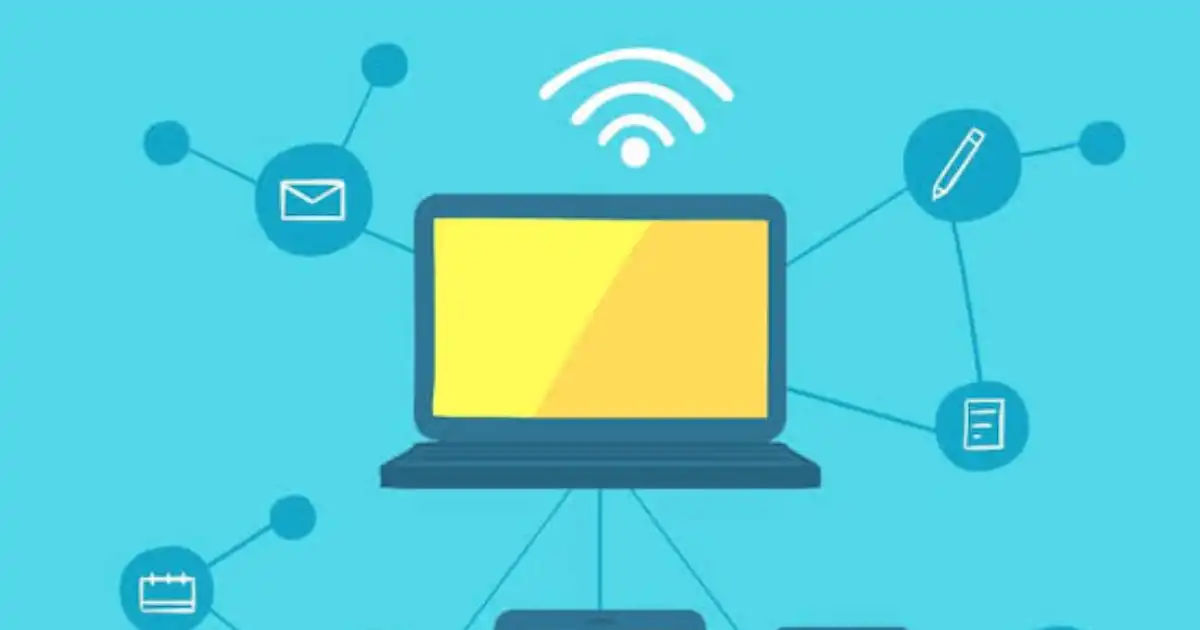
    When you tap a button on your phone and your smart light turns on within a second, it feels like the light is responding directly to you. In reality, several systems are working together behind the scenes. Your phone sends a command, internet services process that request, your home network delivers the message, and the smart device finally performs the action.

    This simple action involves wireless connectivity, routers, cloud servers, mobile applications, and communication protocols working together. Most people use smart devices every day without thinking about what happens between pressing a button and seeing a result. A smart speaker answers questions, a smart camera sends alerts, and a smartwatch tracks health information, but each device depends on a communication system that allows it to exchange data.

    I have seen many people assume that a smart device is simply a normal device with an app added to it. The reality is different. The intelligence comes from the combination of sensors, software, processing power, and internet connectivity. Without communication between these parts, most smart features would not work.

    Smart devices are now common in homes, workplaces, vehicles, and personal technology. Smart TVs stream online content, smart watches monitor activity, smart cameras provide remote security monitoring, and smart appliances can adjust their operation automatically. These devices are useful because they are connected. They can collect information, communicate with other systems, receive updates, and respond to commands even when the user is not physically near them.

    The basic connection process can be understood like this:

    Smart Device → Wireless Connection → Router → Internet → Cloud Server → App/User Command → Device Response

    Each step has an important role. The smart device collects or receives information. The wireless connection allows communication. The router connects the device to the internet. Cloud servers handle data processing and remote access. The app or voice assistant allows the user to interact with the device.

    Understanding how this process works makes smart technology much easier to troubleshoot, secure, and use effectively.

    Table of Contents

    Toggle
    • What Are Smart Devices?
    • Why Do Smart Devices Need the Internet?
      • Remote Control
      • Data Collection
      • Software Updates
      • Automation
    • Smart Devices Use Wireless Technologies
      • Wi-Fi Connectivity
      • Bluetooth Connectivity
      • Zigbee and Z-Wave
      • Cellular Connectivity
    • How Routers Connect Smart Devices to the Internet
    • How Cloud Servers Make Smart Devices Work
    • How Apps and Voice Assistants Control Smart Devices
    • FAQs

    What Are Smart Devices?

    A smart device is an electronic device that can collect information, process data, communicate with other systems, and perform actions automatically or through user commands. The word “smart” does not mean the device thinks like a human. It means the device has additional capabilities because it contains sensors, software, processors, and some form of connectivity.

    A traditional electronic device usually performs a fixed function. For example, a normal light switch only turns a light on or off when someone physically presses it. A smart light can be controlled from a phone, follow a schedule, respond to voice commands, detect activity, and work with other smart home devices.

    The difference comes from the technology inside the device.

    Sensors allow smart devices to observe their environment. A smart thermostat uses temperature sensors to understand room conditions. A smartwatch uses movement sensors and heart-rate sensors to collect health information. A smart camera uses image sensors to capture video and detect movement.

    A processor inside the device handles basic decisions and operations. Some tasks happen directly on the device, while more complex tasks may be sent to cloud servers for processing.

    Software controls how the device behaves. This software allows manufacturers to add features, fix problems, and improve performance through firmware updates.

    Connectivity is what allows the device to communicate. Depending on the purpose, a device may use Wi-Fi, Bluetooth, Zigbee, Z-Wave, or cellular networks.

    Common examples of smart devices include smart speakers, smart TVs, smart watches, smart cameras, smart lights, smart locks, smart refrigerators, and smart washing machines.

    Smart devices are closely connected to the idea of IoT, or the Internet of Things. IoT devices are physical objects connected to networks that can exchange data. Many smart devices are IoT devices because they communicate through the internet or local networks. However, the terms are not always identical.

    For example, a Bluetooth fitness tracker that communicates only with your phone can be considered a smart device, even if it does not directly connect to the internet. A smart security camera that sends video through the internet is both a smart device and an IoT device.

    The important idea is that smart devices become useful because they can sense, communicate, and respond.

    Why Do Smart Devices Need the Internet?

    The internet gives smart devices abilities that traditional electronics cannot provide. A device does not need internet access for every function, but many of the features people expect from modern smart technology depend on an internet connection.

    Remote Control

    One of the biggest reasons people buy smart devices is the ability to control them from anywhere.

    For example, you may leave home and suddenly wonder if you turned off the lights. With a connected smart lighting system, you can open an app, send a command, and turn the lights off remotely.

    The process is not direct communication between your phone and the light. Your phone usually communicates with a cloud service, and that service sends the command back to your home network and smart device.

    This is why many smart home devices are called cloud-connected devices. They rely on online services to provide access outside your home.

    Data Collection

    Smart devices become more useful when they can collect and analyze information.

    A smartwatch tracks steps, heart rate, and sleep patterns. A smart thermostat monitors temperature changes. A security camera detects movement and records activity.

    The device collects data through sensors and then decides what to do with that information. Some data is processed locally, while other information is sent to cloud servers where more advanced analysis can happen.

    For example, a smart camera may detect basic movement on the device itself but use cloud processing to identify whether the movement is caused by a person, vehicle, or animal.

    Software Updates

    Internet connectivity allows manufacturers to update devices after they are purchased.

    A smart speaker may receive improved voice recognition. A smart camera may receive security improvements. A smart appliance may gain new features through firmware updates.

    This is different from traditional electronics, where the product usually works the same way throughout its entire life.

    However, updates also create a responsibility for users. A connected device that is never updated may become vulnerable to security problems.

    Automation

    Automation is one of the most practical benefits of smart technology.

    Smart devices can follow rules without constant human control. A smart thermostat can lower heating when nobody is home. Smart lights can turn on when motion is detected. Smart blinds can adjust based on sunlight levels.

    The interesting part is that automation does not always require the internet. Some systems can make local decisions inside the home. However, many popular smart home features depend on cloud services because they require communication between multiple devices and platforms.

    For example, a smart routine that turns off lights, locks doors, and adjusts the thermostat when you leave home may involve several connected devices working together through a smart home platform.

    How Do Smart Devices Connect to the Internet?

    The actual connection process behind smart devices is where most of the interesting technology happens. When people think about a smart device connecting to the internet, they often imagine the device simply “going online” like a computer or phone. In reality, the process involves multiple layers working together.

    A smart device first needs a way to communicate. That communication travels through a wireless connection, reaches a router, moves through the internet, interacts with cloud services, and finally allows a user to control or receive information from the device.

    For example, when you open a smart camera app while sitting at work and check your home, the camera is not directly sending video to your phone. The camera communicates with your home network, the router connects it to the internet, cloud servers manage the connection, and your phone receives the video through the same cloud system.

    This entire process happens in seconds, but several technologies are involved.

    Smart Devices Use Wireless Technologies

    Smart devices need some type of communication method to exchange information. The technology used depends on what the device needs to do.

    A security camera sending high-quality video needs a different connection compared to a small temperature sensor that only sends a few pieces of information every few minutes.

    This is why there is no single wireless technology used by every smart device.

    Wi-Fi Connectivity

    Wi-Fi is the most common way smart devices connect to the internet. Many devices that require larger amounts of data use Wi-Fi because it provides higher speed and direct access to home networks.

    Smart TVs, smart cameras, smart speakers, and many smart appliances usually use Wi-Fi because they need enough bandwidth for activities such as streaming video, sending audio, or transferring large amounts of data.

    For example, a smart camera constantly sending high-resolution video requires a stronger connection than a smart door sensor that only reports whether a door is open or closed.

    The connection process usually looks like this:

    Smart Device → Home Wi-Fi Network → Router → Internet

    The advantage of Wi-Fi is convenience. Most homes already have a wireless router, so adding a new Wi-Fi enabled device is usually simple.

    However, Wi-Fi also has limitations. Smart devices depend on signal strength. A camera placed far away from the router may experience delays, dropped connections, or poor video quality. Many smart home problems are not caused by the device itself but by weak Wi-Fi coverage.

    Another issue is that every connected device shares network resources. A home with many smart cameras, TVs, phones, laptops, and other devices may put more pressure on the router.

    Bluetooth Connectivity

    Bluetooth works differently from Wi-Fi. It is designed for short-distance communication and uses very little power.

    This makes Bluetooth useful for devices such as smart watches, fitness trackers, wireless sensors, headphones, and smart accessories.

    A smartwatch is a good example. The watch may collect health information throughout the day and communicate with your phone using Bluetooth. Your phone then uses its own internet connection to upload data to cloud services.

    The smartwatch itself may not directly connect to the internet.

    The communication path may look like this:

    Smart Watch → Bluetooth → Smartphone → Internet → Cloud Server

    The biggest advantage of Bluetooth is efficiency. Small devices can operate for days, weeks, or even months using small batteries.

    The limitation is range. Bluetooth is designed for nearby communication, not long-distance internet access.

    Zigbee and Z-Wave

    Many smart home devices do not use Wi-Fi because they do not need high-speed connections.

    Smart bulbs, motion sensors, door sensors, and smart switches often use technologies such as Zigbee and Z-Wave.

    These technologies are designed for low-power smart home communication. They allow small devices to send simple information while using very little energy.

    One important feature is mesh networking.

    In a normal connection, a device communicates directly with the router. In a mesh network, devices can communicate with each other and pass information through nearby devices.

    For example, a smart light placed far from the main hub may send information through another smart light closer to the hub. This extends coverage and improves reliability.

    This is why many large smart home systems use a dedicated hub or controller. The hub connects Zigbee or Z-Wave devices to the internet.

    The communication path may look like:

    Smart Sensor → Zigbee Device Network → Smart Hub → Router → Internet

    Cellular Connectivity

    Some smart devices do not depend on home Wi-Fi at all. They use cellular networks, similar to smartphones.

    Smart watches with mobile data, connected vehicles, tracking devices, and remote monitoring equipment often use cellular connectivity.

    This is useful when the device needs to work in locations without a home internet connection.

    For example, a vehicle tracking device installed in a delivery truck can send location information using cellular networks. It does not need the truck owner’s Wi-Fi.

    The advantage is mobility, but the disadvantage is cost because cellular connectivity usually requires a data plan.

    How Routers Connect Smart Devices to the Internet

    The router is one of the most important parts of a smart home setup, but many people misunderstand what it actually does.

    A router acts like a traffic manager for your network. It connects devices inside your home and allows them to communicate with the outside internet.

    When you connect a smart camera to your home Wi-Fi, the router gives that camera access to your local network.

    Every device on the network receives an IP address. You can think of an IP address like a home address for a device. It helps information reach the correct destination.

    For example, imagine you have a smart camera in your house and you open the camera app while you are away.

    The process looks something like this:

    Smart Camera → Wi-Fi Router → Internet → Cloud Server → Phone App

    The camera sends information to the router. The router sends that information through your internet connection to cloud servers. The app connects to those servers and displays the camera feed.

    The router also manages incoming and outgoing communication. It helps make sure information goes to the correct device instead of being sent everywhere.

    One thing many users do not realize is that smart devices usually do not communicate directly with the internet. The router is the bridge that connects the local device network with the wider internet.

    A weak router, incorrect settings, or outdated firmware can create problems even when the smart device itself is working correctly.

    How Cloud Servers Make Smart Devices Work

    Cloud servers are a major reason modern smart devices are so powerful.

    A cloud server is a computer system located in a data center that provides services over the internet. Smart device companies use these servers to manage connections, store information, and process data.

    Without cloud services, many smart devices would lose their most useful features.

    For example, when you check your smart camera from another city, the camera does not send video directly across the internet to your phone. Instead, the camera connects to the company’s cloud platform.

    The cloud server helps authenticate your account, manage the connection, process information, and deliver the video stream to your phone.

    Cloud services also allow synchronization between devices.

    For example, if you add a new smart speaker to your home, your account information and settings can automatically appear because they are stored online.

    Cloud servers are also useful for processing large amounts of information. A smart camera may send video data to the cloud, where artificial intelligence systems analyze it to identify people, packages, or unusual activity.

    However, relying on cloud servers also has limitations. If the company’s servers experience problems, some features may stop working temporarily. This is why some advanced smart home systems include local processing options.

    How Apps and Voice Assistants Control Smart Devices

    Most people interact with smart devices through mobile apps or voice assistants.

    The app creates a simple interface, but behind the scenes it communicates with multiple systems.

    For example, when you say, “Turn on the living room lights,” the process may happen like this:

    • Your voice command is captured by a smart speaker or phone.
    • The voice assistant converts your speech into a digital command.
    • The command is sent through the internet to cloud servers.
    • The cloud system identifies the correct device and sends instructions.
    • The command reaches your router and smart home network.
    • The smart light receives the instruction and turns on.
    • The response is sent back to confirm the action.

    This process explains why voice assistants such as Alexa, Google Assistant, and Apple Home usually require an internet connection.

    Voice recognition and command processing often happen in the cloud because cloud servers have much more computing power than small home devices.

    Some newer systems are moving more processing directly onto devices, but many voice-based features still depend heavily on online services.

    The important thing to understand is that smart devices are not isolated gadgets. They are part of a connected system where hardware, wireless networks, internet services, and software all work together.


    You Might Be Interested In

    • How AI Email Automation Organizes Messages?
    • How AI Customer Support Improves Service?
    • How AI Document Automation Saves Time?
    • How AI Productivity Tools Improve Efficiency?
    • What Web Hosting Does for Websites?

    Conclusion

    Smart devices may look simple from the outside, but their ability to connect, communicate, and respond depends on several systems working together. A smart light, camera, smartwatch, or appliance is not just a normal electronic device with an app. It is a combination of sensors, software, processors, wireless connectivity, networks, and cloud services.

    Understanding how smart devices connect to the internet makes it easier to see what happens behind every command. When you control a device from your phone, the request usually travels through your app, cloud services, internet connection, router, and finally reaches the device. The device then sends information back through the same connected system.

    FAQs

    How do smart devices connect to the internet?

    Smart devices connect to the internet through a combination of hardware, wireless technologies, networking equipment, and online services. The device first connects using a communication method such as Wi-Fi, Bluetooth, Zigbee, Z-Wave, or cellular networks. In many home setups, the device connects to a router, which acts as the bridge between the local network and the internet. From there, information can travel to cloud servers that manage communication between the device and the user.

    For example, when you open a smart camera app while away from home, the camera sends information through your Wi-Fi network to your router, then to cloud servers, and finally to your phone. The cloud system manages authentication, data processing, and communication so you can control or monitor the device remotely.

    Do all smart devices need Wi-Fi?

    No, not all smart devices need Wi-Fi. Many smart devices use other forms of wireless connectivity depending on their purpose. For example, fitness trackers and smart watches often use Bluetooth because they only need to communicate with a nearby smartphone. Smart home sensors and smart bulbs may use Zigbee or Z-Wave because these technologies consume less power and can create reliable mesh networks.

    However, many popular smart home devices do depend on Wi-Fi because they need direct internet access. Smart cameras, smart TVs, and voice assistants usually require Wi-Fi because they transfer larger amounts of data or need constant communication with cloud services. The connection method depends on what the device needs to do.

    Can smart devices work without internet?

    Yes, some smart devices can work without an internet connection, but their capabilities may be limited. Devices that perform basic local functions can often continue working. For example, a smart light connected to a local switch or a Bluetooth device connected directly to your phone may still operate without internet access.

    The features that usually stop working are remote control, cloud storage, voice assistant integration, and online updates. For example, a smart camera may continue recording locally if it has a memory card, but you may not be able to view the camera remotely through your phone. Some advanced smart home systems are designed to perform more tasks locally, reducing their dependence on cloud services.

    What technology allows smart devices to communicate?

    Smart devices communicate using different technologies based on their requirements. Wireless connectivity methods such as Wi-Fi, Bluetooth, Zigbee, Z-Wave, and cellular networks allow devices to exchange information. Each technology has different strengths. Wi-Fi provides higher speed, Bluetooth uses less power, and Zigbee or Z-Wave are designed for efficient smart home communication.

    Behind these connections, smart devices also rely on communication protocols such as MQTT, HTTP, and CoAP. These protocols define how information is formatted, sent, and received between devices and systems. Without these communication rules, different smart devices and platforms would struggle to understand each other.

    How does a smart device send data to my phone?

    A smart device usually sends data to your phone through a combination of local networks and cloud services. The device collects information using sensors, processes some data locally, and then sends information through a router and internet connection to cloud servers. Your phone app connects to those servers and displays the information.

    For example, a smart fitness watch may collect your activity data using sensors, send it through Bluetooth to your phone, and then upload it to a cloud service. When you open the health app later, it retrieves that stored information. In some smart home systems, the communication may happen locally if your phone and device are on the same network, but many remote features depend on cloud-connected services.

    Follow on Google News Follow on Flipboard
    Share. Facebook Twitter Pinterest LinkedIn Telegram Email Copy Link
    Avatar Of Omniraza
    omniraza
    • Website
    • Facebook
    • Pinterest

    At OmniRaza, we are dedicated to exploring and uncovering the vast landscape of emerging technological prospects that shape the world around us. Our mission is to provide our readers with comprehensive insights into the ever-evolving realm of technology, from cutting-edge innovations to the latest trends that are reshaping industries and influencing our daily lives.

    Related Posts

    How AI Customer Support Improves Service?

    August 17, 2026

    How AI Email Automation Organizes Messages?

    August 16, 2026

    How AI Document Automation Saves Time?

    August 15, 2026
    Leave A Reply Cancel Reply

    Subscribe to News

    Subscribe my Newsletter for new blog posts, tips & new photos. Let's stay updated!

    Latest Posts

    How AI Voice Assistants Understand Commands?

    August 18, 2026

    How AI Customer Support Improves Service?

    August 17, 2026

    How AI Email Automation Organizes Messages?

    August 16, 2026
    Editors Picks

    How to Change Polling Rate on Keyboard?

    November 19, 2025

    How Much DPI Is Glorious Model O?

    August 12, 2024

    How Ai In Finance Detects Fraudulent Activity?

    September 21, 2025

    What Are The 4 Applications of Artificial Intelligence?

    May 30, 2024

    At OmniRaza, we are dedicated to exploring and uncovering the vast landscape of emerging technological prospects that shape the world around us.

    Our mission is to provide our readers with comprehensive insights into the ever-evolving realm of technology, from cutting-edge innovations to the latest trends that are reshaping industries and influencing our daily lives.

    Facebook X (Twitter) Instagram Pinterest YouTube
    Recent Posts

    How AI Voice Assistants Understand Commands?

    August 18, 2026

    How AI Customer Support Improves Service?

    August 17, 2026

    How AI Email Automation Organizes Messages?

    August 16, 2026

    How AI Document Automation Saves Time?

    August 15, 2026
    Trending

    How to Change Polling Rate on Keyboard?

    November 19, 2025

    How Much DPI Is Glorious Model O?

    August 12, 2024

    How Ai In Finance Detects Fraudulent Activity?

    September 21, 2025

    What Are The 4 Applications of Artificial Intelligence?

    May 30, 2024
    • Home
    • About Us
    • Privacy Policy
    • Terms
    • Contact
    © 2026 OmniRaza. Managed by My Rank Partner.

    Type above and press Enter to search. Press Esc to cancel.