

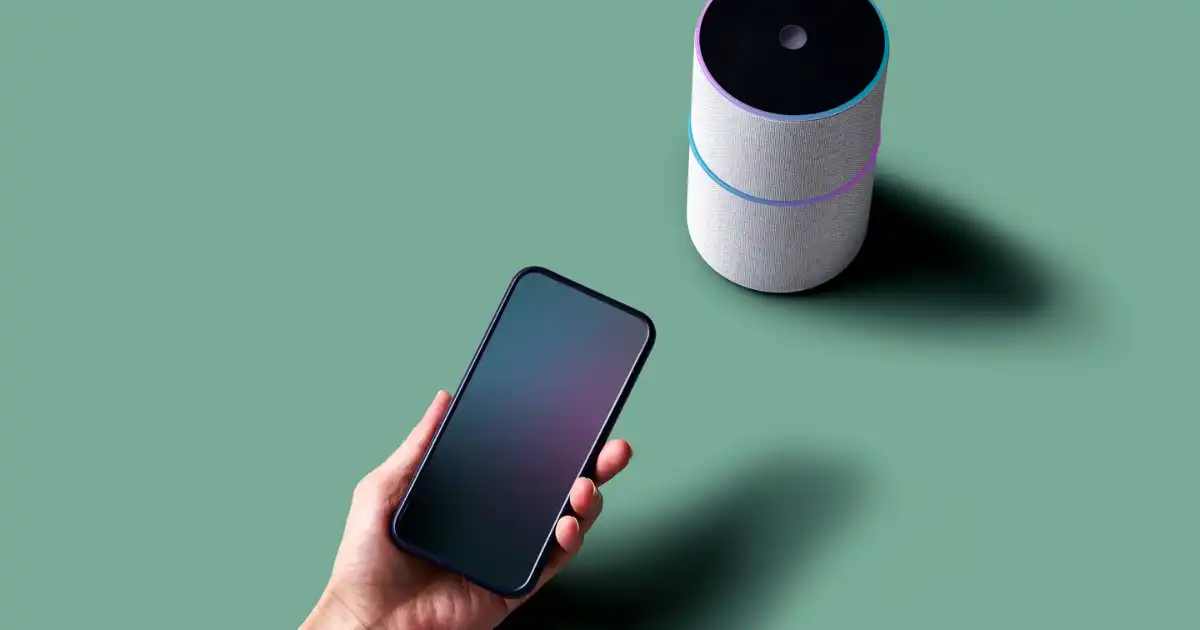
Imagine arriving home after a long day. Before you even touch the light switch, your hallway lights turn on automatically. Your thermostat has already adjusted the temperature to your preferred setting. Your security camera sends a notification because it detected movement near your front door. Your coffee machine starts preparing your morning coffee at the exact time you scheduled.
This is not magic. It is the result of many small technologies working together behind the scenes.
In my experience, many people misunderstand smart homes because they focus only on the visible part: the gadget itself. They see a smart bulb, smart speaker, or smart lock and think the device is simply connected to the internet. The reality is more interesting. A smart home is a system where sensors collect information, devices communicate, software makes decisions, and machines perform actions based on commands or automated rules.
Smart home gadgets have become popular because they solve everyday problems. They help people control their homes more easily, improve security, reduce energy waste, and create more comfortable living spaces.
However, buying smart devices without understanding how they work can lead to frustration. Devices may not connect properly, different brands may not work together, or users may ignore important security settings.
Understanding the technology behind smart homes helps you make better decisions and avoid unnecessary problems.
At a basic level, smart home gadgets follow a simple process:
They sense something → process information → communicate → receive instructions → perform an action.
For example:
A motion sensor detects movement in a room. The system processes that information. It sends a signal to a smart light. The light turns on automatically.
Behind that simple action are sensors, wireless networks, software applications, cloud services, artificial intelligence, and automation systems working together.
What Are Smart Home Gadgets?
A smart home gadget is an electronic device that can collect information, communicate with other devices, or be controlled automatically.
Traditional devices usually perform one basic function. A normal light bulb turns on when you flip a switch. A traditional thermostat changes temperature only when you manually adjust it.
A smart device adds intelligence through:
- Sensors that collect information
- Internet or wireless connectivity
- Software that processes data
- Automation features
- Remote control options
For example, a traditional security camera only records video. A smart security camera can detect movement, identify unusual activity, send alerts to your phone, and allow you to view your home from anywhere.
Common smart home gadgets include:
- Smart lights
- Smart speakers
- Smart thermostats
- Smart security cameras
- Smart door locks
- Smart plugs
- Smart refrigerators
- Smart washing machines
- Smart ovens
- Smart blinds
- Smart smoke detectors
The important thing to understand is that a device does not become smart simply because it connects to Wi-Fi. Real smart functionality comes from the ability to understand information and respond intelligently.
How Do Smart Home Gadgets Work?
Smart home gadgets work through a combination of hardware and software. Although different devices have different designs, most smart devices follow the same basic workflow.
The complete process usually involves four major steps:
- Sensors collect information
- Devices process information
- Systems receive commands
- Devices perform actions
Let’s look at what happens inside a real smart home.
Sensors Collect Information
Sensors are the eyes and ears of smart home devices.
Without sensors, smart devices would not know what is happening around them.
A sensor detects changes in the environment and converts those changes into digital information that the device can understand.
Different smart devices use different types of sensors.
Motion Sensors
Motion sensors detect movement in a specific area.
They are commonly used in:
- Smart security systems
- Automatic lights
- Smart alarms
- Energy-saving systems
For example, a hallway light with a motion sensor does not stay constantly powered. The sensor watches for movement. When someone walks into the hallway, it detects the change and sends information to the smart lighting system.
The system then decides whether the light should turn on based on settings.
Some advanced motion sensors can even detect the difference between humans, pets, and objects.
Temperature Sensors
Temperature sensors measure the surrounding temperature.
Smart thermostats use these sensors to understand current conditions inside a home.
For example:
- The temperature drops below your preferred level.
- The thermostat detects the change.
- The heating system activates.
- The room reaches the desired temperature.
- The system reduces or stops heating.
This allows smarter energy management compared with traditional thermostats that require manual adjustments.
Light Sensors
Light sensors measure the amount of natural light available.
They are commonly used in smart lighting systems.
A smart blind system may detect strong sunlight entering a room and automatically close blinds to reduce heat. A smart outdoor light may turn on when it becomes dark.
These sensors help devices respond to real-world conditions instead of following only fixed schedules.
Security Sensors
Security devices often use multiple sensors together.
Examples include:
- Door opening sensors
- Window sensors
- Glass break sensors
- Smoke detectors
- Water leak sensors
A smart water leak detector, for example, can detect moisture under a washing machine or sink. Instead of simply making a sound like a traditional alarm, it can send a notification to your phone.
Devices Process Information
After collecting information, the device needs to understand what that information means.
This is where processors and smart hubs become important.
Every smart device contains a small computer component called a processor. This processor handles basic decisions and communication.
For example, a smart bulb may receive a command saying:
“Turn brightness to 50 percent.”
The internal processor understands the command and adjusts the light output.
However, some smart home systems involve a central device called a smart hub.
A smart hub acts like a translator and manager for different devices.
It can connect:
- Smart lights
- Sensors
- Locks
- Cameras
- Thermostats
Many homes use hubs because different devices may use different communication methods.
For example, your smart door sensor might use Zigbee, while your phone uses Wi-Fi. The hub helps these devices communicate with each other.
Modern smart homes are becoming more distributed, meaning many devices can process information themselves without depending completely on a central hub.
Devices Receive Commands
Smart home gadgets can receive instructions in several ways.
Mobile Applications
Most smart devices come with a smartphone application.
Through an app, users can:
- Turn devices on or off
- Change settings
- View information
- Create schedules
- Receive alerts
For example, a smart lock app allows a homeowner to unlock the door remotely or check whether the door is locked.
Voice Assistants
Voice control has become one of the most popular smart home features.
Voice assistants allow users to control devices using natural speech.
Examples include:
- “Turn off the bedroom lights.”
- “Set the thermostat to 22 degrees.”
- “Show me the front door camera.”
The voice assistant listens to the command, understands the request, and sends instructions to the correct device.
Automated Schedules
Smart devices can follow programmed schedules.
Examples:
- Lights turning on every evening at sunset
- Curtains opening every morning
- Coffee machines starting at a specific time
- Thermostats adjusting temperature before you arrive home
These schedules work without requiring manual control every day.
Sensor-Based Triggers
Automation can also happen automatically through sensors.
Example:
Motion detected → System checks time and conditions → Light turns on
A smart security system might work like this:
Door opens → Sensor sends signal → System checks if you are home → Alarm activates if needed
This is where smart homes become more powerful than simple remote-controlled devices.
Devices Perform Actions
After receiving information and instructions, smart devices perform physical actions.
A command travels through the system and reaches the device responsible for the action.
Example:
You say:
“Turn on the living room lights.”
The process may look like this:
- Smart speaker hears your voice.
- Voice assistant converts speech into a digital command.
- The command travels through your network.
- The smart lighting system receives the instruction.
- The bulb changes its electrical output.
- The light turns on.
The user sees only the final result, but several technologies are working together in seconds.
How Do Smart Home Devices Communicate?
A smart home only works when devices can communicate with each other. Communication is what allows your phone, sensors, smart hub, and devices to exchange information.
Different smart home products use different communication technologies. Choosing the wrong communication system is one of the most common mistakes people make when building a smart home.
A smart bulb, smart lock, and security camera may all be “smart,” but they may not speak the same language.
The most common smart home communication technologies are:
- Wi-Fi
- Bluetooth
- Zigbee
- Z-Wave
- Matter
Each has advantages and limitations.
Wi-Fi in Smart Homes
Wi-Fi is the most familiar technology because almost every home already has a Wi-Fi router.
Many smart devices use Wi-Fi because it provides direct internet access and high data speeds.
Common Wi-Fi smart devices include:
- Security cameras
- Smart TVs
- Smart speakers
- Video doorbells
- Smart appliances
The main advantage of Wi-Fi is simplicity.
You usually do not need extra equipment. You connect the device to your home network, install the app, and start using it.
However, Wi-Fi also has disadvantages.
Because Wi-Fi devices require more power, they are not always ideal for small battery-powered devices like door sensors.
A house with dozens of Wi-Fi smart devices can also put extra pressure on the network.
I have seen people install many smart cameras and devices on an old router and then wonder why everything becomes slow. The problem is often not the smart devices themselves but the network capacity.
Bluetooth in Smart Homes
Bluetooth is another common communication method.
It is usually used for short-distance communication.
Examples include:
- Smart locks
- Smart speakers
- Smart fitness devices
- Smart lighting accessories
Bluetooth works well because it consumes less energy compared with Wi-Fi.
A smart lock, for example, can use Bluetooth to communicate with your phone when you are standing near the door.
The limitation is range.
Bluetooth is not designed for communicating across an entire house unless additional systems are used.
Zigbee Technology
Zigbee is a popular smart home communication technology designed specifically for connected devices.
It is commonly used in:
- Smart bulbs
- Sensors
- Smart switches
- Home automation systems
One major advantage of Zigbee is that devices can create a mesh network.
A mesh network means devices can pass information from one device to another.
For example:
A temperature sensor in one room may send information through a nearby smart bulb, which passes it to a hub.
This improves reliability and range.
Zigbee devices also use very little power, making them suitable for battery-powered sensors.
The downside is that Zigbee devices usually require a compatible hub.
Z-Wave Technology
Z-Wave is another wireless technology designed for smart homes.
It works similarly to Zigbee by creating a mesh network.
It is often used in:
- Security systems
- Smart locks
- Sensors
- Home automation equipment
One advantage of Z-Wave is that devices from different manufacturers often follow strict compatibility rules.
However, Z-Wave products are sometimes less common and may have fewer choices compared with Wi-Fi or Zigbee devices.
Matter Smart Home Standard
Matter is a newer smart home standard designed to improve compatibility between different brands.
One of the biggest problems in smart homes has always been ecosystem compatibility.
A person might buy a smart bulb from one company, a smart lock from another, and a speaker from a third company, only to discover that they do not work well together.
Matter aims to reduce this problem.
It allows supported devices to communicate across different smart home platforms.
For example, a Matter-compatible light may work with multiple major smart home systems instead of being locked into one brand.
Matter does not replace Wi-Fi, Zigbee, or Bluetooth completely. Instead, it works as a common communication layer that helps different devices cooperate.
The Role of IoT in Smart Homes
IoT stands for Internet of Things.
The simple idea behind IoT is that everyday objects can connect, collect information, and exchange data.
A normal object performs a basic task.
An IoT device can:
- Collect information
- Communicate with other systems
- Respond automatically
A smart home is basically an IoT environment inside a house.
Examples:
A normal refrigerator keeps food cold.
An IoT refrigerator can:
- Monitor temperature
- Alert you if something goes wrong
- Track energy usage
- Connect with mobile apps
A normal washing machine cleans clothes.
An IoT washing machine can:
- Notify you when washing finishes
- Detect problems
- Recommend settings
- Monitor energy and water use
The important thing to understand is that IoT does not mean every device needs to constantly send information to the internet.
Some smart devices process information locally inside the home.
Others use cloud services for advanced features.
How AI Makes Smart Homes Smarter
Artificial intelligence is changing how smart homes operate.
Traditional automation follows fixed rules.
Example:
“Turn on the lights every day at 7 PM.”
AI-powered systems can learn patterns and make predictions.
Example:
A smart thermostat may notice:
- You usually leave home at 8 AM.
- You return around 6 PM.
- You prefer a cooler room at night.
Over time, it can adjust settings automatically.
This is called predictive automation.
Machine Learning in Smart Homes
Machine learning allows systems to improve by analyzing information over time.
Examples:
A smart security camera may learn what normal activity looks like.
It can recognize:
- Regular family members
- Common movement patterns
- Usual delivery times
Instead of sending alerts for every small movement, it can focus on unusual events.
A smart lighting system may learn that certain rooms are used more frequently at specific times and adjust automatically.
However, AI is not perfect.
A device may misunderstand situations or make incorrect decisions.
People should understand that smart does not mean flawless.
Types of Smart Home Gadgets and How They Work
Smart Lighting Systems
Smart lighting is one of the easiest ways to start building a smart home.
A smart lighting system usually includes:
- Smart bulbs
- Smart switches
- Mobile apps
- Voice control systems
- Automation rules
Unlike traditional bulbs, smart lights contain small electronic components that allow communication.
Users can:
- Change brightness
- Adjust colors
- Create schedules
- Control lights remotely
Real example:
A homeowner creates a bedtime routine.
At 10:30 PM:
- Living room lights dim
- Bedroom lights turn on
- Hallway lights activate at low brightness
The system follows programmed instructions automatically.
Smart Thermostats
Smart thermostats manage heating and cooling more intelligently.
They use:
- Temperature sensors
- Scheduling systems
- Occupancy detection
- Learning algorithms
A traditional thermostat reacts only when adjusted manually.
A smart thermostat can understand patterns.
For example:
It may reduce cooling when nobody is home and prepare the house before people return.
This can improve comfort and reduce unnecessary energy use.
However, energy savings depend on usage habits, climate, insulation quality, and system setup.
A smart thermostat cannot fix an inefficient home by itself.
Smart Security Cameras
Smart cameras combine traditional video recording with intelligent features.
Modern smart cameras can include:
- Motion detection
- Night vision
- Mobile notifications
- Two-way communication
- AI-based recognition
Example:
A camera detects movement near your front door.
The system checks whether it is normal activity.
If it identifies unusual movement, it sends an alert to your phone.
The camera does not replace good security practices, but it gives homeowners better awareness.
Smart Door Locks
Smart locks replace traditional keys with digital access methods.
They may use:
- Mobile apps
- Fingerprints
- Keypads
- Voice commands
- Temporary access codes
A homeowner can give a guest a temporary code instead of copying a physical key.
However, smart locks must be chosen carefully because security depends on both physical design and digital protection.
Smart Speakers
Smart speakers act as control centers for many smart homes.
They combine:
- Microphones
- Voice recognition software
- Internet connectivity
- Smart home integration
They allow users to control devices naturally.
For example:
“Turn off all downstairs lights.”
The speaker sends the command to connected devices.
Modern smart speakers can also answer questions, play media, and provide reminders.
Smart Appliances
Smart appliances are becoming more common.
Examples include:
- Smart refrigerators
- Smart ovens
- Smart washing machines
- Smart dishwashers
A smart oven may allow remote monitoring.
A smart washing machine may notify you when clothes are finished.
A smart refrigerator may warn you if the temperature rises unexpectedly.
However, not every connected feature provides real value. Sometimes a normal appliance with good quality is better than a smart appliance with unnecessary features.
How Smart Home Automation Works in Real Life
The real power of smart home technology is not individual devices working separately. It is when multiple devices work together to create automatic experiences.
A smart bulb alone is useful, but a complete automation system can combine lights, sensors, cameras, locks, and thermostats to respond intelligently.
Automation works through rules called routines, scenes, or triggers.
A trigger is something that starts an action.
Examples:
- A person enters a room.
- The sun goes down.
- A door opens.
- A specific time arrives.
- A phone leaves a location.
The system then follows programmed instructions.
For example:
Trigger: Motion detected in hallway
Condition: It is after sunset
Action: Turn on hallway lights at 40% brightness
This simple process can involve sensors, software, and connected devices working together in seconds.
Morning Routines
A smart home can simplify daily routines.
A morning automation might include:
- Smart blinds opening slowly
- Bedroom lights increasing brightness
- Coffee machine starting
- Thermostat adjusting temperature
- News playing through a smart speaker
The system does not understand that it is morning like a human does. It simply follows programmed rules based on time, sensors, and user preferences.
Security Automation
Smart security systems are one of the most practical uses of automation.
A security routine may work like this:
Door sensor detects opening → System checks whether anyone is authorized → Camera begins recording → Homeowner receives notification
Another example:
When everyone leaves home:
- Doors automatically lock
- Security cameras activate
- Lights turn off
- Thermostat changes to energy-saving mode
These actions happen without requiring someone to remember every step.
Energy-Saving Automation
Smart homes can reduce unnecessary energy use by adjusting devices based on real conditions.
Examples:
- Lights turn off when rooms are empty.
- Heating reduces when nobody is home.
- Smart plugs disconnect unused devices.
- Blinds adjust based on sunlight.
However, smart technology is not automatically energy-saving.
A poorly configured smart home can waste energy just like a traditional home.
The biggest benefits come from using automation intelligently.
Away-From-Home Automation
One useful feature of smart homes is location-based automation.
Your phone can tell the system when you leave or return.
Example:
When you leave:
- The alarm activates.
- The thermostat changes settings.
- Certain lights switch off.
When you return:
- The entrance light turns on.
- The temperature adjusts.
- The door unlocks if allowed.
This creates a home that responds to your lifestyle.
Benefits of Smart Home Gadgets
Smart home technology provides several practical advantages, but the benefits depend on how well the system is planned.
Convenience
Convenience is the biggest reason many people buy smart devices.
Instead of manually controlling everything, users can manage devices through:
- Voice commands
- Mobile apps
- Automatic routines
For example, instead of checking every room before sleeping, one command can turn off multiple lights and lock the doors.
Energy Efficiency
Smart devices can help monitor and control energy usage.
Examples:
- Smart thermostats reduce unnecessary heating or cooling.
- Smart lighting prevents lights staying on in empty rooms.
- Smart plugs monitor power consumption.
The goal is not simply using technology but making better decisions based on information.
Better Security
Smart security systems provide more visibility and control.
Homeowners can:
- Receive instant alerts
- Monitor cameras remotely
- Manage door access
- Detect unusual activity
This is especially useful for people who travel frequently or want additional awareness when away from home.
Improved Comfort
Smart homes can adapt to personal preferences.
Examples:
- Maintaining preferred temperature
- Adjusting lighting atmosphere
- Playing preferred music
- Creating comfortable routines
Small improvements can make daily life easier.
Accessibility
Smart home technology can also help people with mobility challenges.
Voice-controlled devices can allow users to:
- Control lights
- Adjust temperature
- Lock doors
- Operate appliances
For some people, these features provide greater independence.
Common Problems With Smart Home Gadgets
Smart home technology has improved significantly, but it still has limitations.
Understanding these problems helps avoid disappointment.
Internet Dependency
Many smart devices rely on internet connections.
If your internet stops working, some features may not function properly.
For example:
- Remote access may stop working.
- Cloud-based features may become unavailable.
- Voice assistants may not respond.
Some devices can continue working locally, but others depend heavily on online services.
Compatibility Problems
One of the biggest frustrations in smart homes is compatibility.
A device may work perfectly but fail to integrate with your existing system.
Common causes include:
- Different communication standards
- Brand restrictions
- Older devices
- Limited software support
Before buying, it is important to check whether the device works with your current ecosystem.
Privacy Concerns
Smart devices collect information about your home and habits.
Examples:
- When you are usually home
- Which rooms are used
- Video recordings
- Voice commands
This information can be valuable, but it also creates privacy concerns.
Users should understand what data devices collect and how companies handle that information.
Too Many Apps
A poorly planned smart home can become inconvenient.
A person may end up with:
- One app for lights
- Another app for cameras
- Another app for appliances
- Another app for security
Instead of simplifying life, this creates more management work.
Choosing compatible devices helps reduce this problem.
Device Failures and Maintenance
Smart devices are still electronic products.
They can experience:
- Software bugs
- Connection problems
- Battery failures
- Hardware issues
Regular updates and proper setup are important for reliability.
Expensive Upgrades
Technology changes quickly.
A device that works today may become outdated in several years.
Some users spend too much money replacing working devices simply to follow trends.
A practical smart home should focus on useful problems rather than collecting gadgets.
Are Smart Home Gadgets Secure?
Security is one of the most important topics in smart home technology.
A smart device connected to your home network creates another possible entry point for attackers.
This does not mean smart homes are unsafe, but they require responsible setup.
Common Smart Home Security Risks
Potential risks include:
- Weak passwords
- Outdated software
- Poor device settings
- Unsecured networks
- Unknown third-party applications
A cheap device with poor security practices can create unnecessary risks.
Practical Security Advice
To improve smart home security:
- Use strong, unique passwords.
- Enable two-factor authentication when available.
- Keep devices updated.
- Buy products from trusted manufacturers.
- Secure your home Wi-Fi network.
- Disable features you do not use.
For cameras and microphones especially, privacy settings should be reviewed carefully.
How to Choose the Right Smart Home Gadgets
The best smart home is not the one with the most devices. It is the one that solves real problems.
Before buying, consider these factors.
Check Compatibility
Make sure new devices work with your existing system.
Look at:
- Supported platforms
- Communication standards
- Required hubs
- Future expansion options
A device that works well today but creates problems later is not a good investment.
Choose the Right Ecosystem
A smart home ecosystem is the group of devices and services that work together.
Popular ecosystems focus on making devices easier to manage through one platform.
The best choice depends on:
- Your existing devices
- Your preferred controls
- Your future plans
Consider Security Features
Security should not be an afterthought.
Look for:
- Regular software updates
- Strong account protection
- Clear privacy policies
- Reliable manufacturers
Understand Your Actual Needs
Many people buy smart gadgets because they look interesting but never use them.
Ask:
- What problem am I trying to solve?
- Will automation save time?
- Will this improve comfort or security?
A smart door lock or thermostat may provide more value than several unnecessary connected gadgets.
