

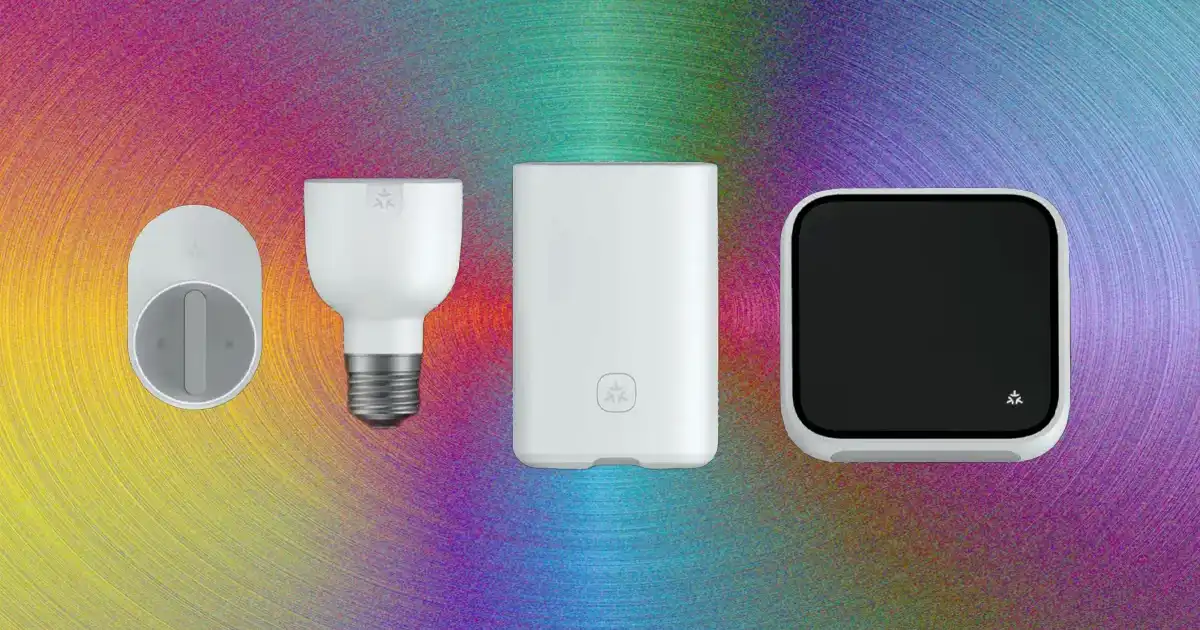
A smart home is often misunderstood as simply having a collection of connected gadgets. Many people buy a smart bulb, a smart speaker, a camera, or a smart lock and expect the home to automatically become intelligent. In reality, individual devices are only the building blocks. The real value appears when those devices communicate, share information, and respond to each other automatically.
When people ask, “How smart home devices work together,” they are usually asking what happens behind the scenes. How does a motion sensor know when to turn on a light? How does a smart lock communicate with a security system? How can a camera, speaker, and phone app work together even when they come from different companies?
The answer is that a smart home works through several connected layers. Devices use communication methods called protocols to exchange information. Sensors collect data from the environment. Smart home hubs or platforms help manage communication between devices. Apps and voice assistants provide control, while automation rules decide what actions should happen automatically.
For example, imagine walking into a dark hallway at night. A motion sensor detects movement. That information travels through the smart home system. The system checks the automation rule that says, “If movement is detected after sunset, turn on the hallway light.” The smart light receives the command and turns on without you touching a switch.
The process feels simple from the outside, but several technologies are working together in seconds. Understanding these connections helps you build a smart home that is reliable instead of just collecting expensive gadgets that do not communicate properly.
What Is a Smart Home Ecosystem?
A smart home ecosystem is the complete network of connected devices, software, communication standards, and automation systems that allow different parts of a home to work together.
In a traditional home, each device works independently. A normal light switch controls a light. A thermostat adjusts temperature manually. A door lock requires a physical key. A security camera records video but does not interact with other parts of the house.
A connected home changes this approach. Devices can exchange information and respond based on what is happening around them. A door sensor can tell the security system that someone entered. A thermostat can adjust temperature based on your schedule. Smart lights can turn off automatically when everyone leaves the house.
Common connected home devices include smart lights, smart thermostats, smart locks, smart cameras, smart speakers, smart appliances, and smart sensors.
However, simply owning many smart devices does not automatically create a smart home. This is one of the biggest mistakes beginners make. They focus on buying more products instead of thinking about how those products communicate.
A well-designed smart home is not about the number of devices installed. It is about how effectively those devices work together to solve everyday problems.
For example, five smart lights from different brands may create more frustration than convenience if they require different apps and cannot communicate with each other. A smaller system with compatible devices can often provide a much better experience.
How Smart Home Devices Communicate With Each Other
Smart home devices communicate through wireless technologies called smart home protocols. These protocols are the languages devices use to exchange information.
Different devices may use different communication methods depending on their purpose. Some need high-speed internet connections, while others need very little power so their batteries can last for months or years.
Understanding these communication methods is important because the technology behind your devices directly affects reliability.
Wi-Fi Smart Devices
Wi-Fi is one of the most common ways smart devices connect. Many smart cameras, smart speakers, televisions, and appliances use your home Wi-Fi network because it already exists in most homes.
A Wi-Fi smart device connects directly to your router and communicates with its manufacturer’s app or cloud platform. For example, when you open a smart camera app on your phone, the camera sends information through your network so you can view the video.
The biggest advantage of Wi-Fi devices is simplicity. Most people already understand how to connect a phone or laptop to Wi-Fi, so setup is usually straightforward.
Wi-Fi also provides high bandwidth, which is useful for devices that transfer large amounts of data, such as security cameras that send video recordings.
However, Wi-Fi is not perfect for every smart home device.
In my experience, many unreliable smart homes have one common problem: too many devices depending on the same router. A home router designed mainly for phones, computers, and streaming may struggle when dozens of smart devices constantly communicate.
Wi-Fi devices can also consume more power compared with other smart home protocols. This is why battery-powered sensors usually avoid using Wi-Fi.
Bluetooth Smart Devices
Bluetooth is another communication method commonly found in smart home technology. It is especially useful for short-range connections and battery-powered devices.
Many smart locks, sensors, fitness devices, and small accessories use Bluetooth because it requires less energy than Wi-Fi.
The advantage is battery life. A small Bluetooth sensor can often operate for a long time without frequent battery replacement.
The limitation is range. Bluetooth is designed for shorter distances, so it may not work well when devices are separated by multiple walls or floors.
Some smart home systems solve this problem by using Bluetooth hubs or smart speakers that act as bridges between Bluetooth devices and the wider home network.
Zigbee and Z-Wave Smart Devices
Zigbee and Z-Wave were created specifically for smart home environments. Unlike Wi-Fi, they are designed to support many low-power devices communicating efficiently.
A major difference is that they often use mesh networking.
A mesh network means devices can help pass information between each other instead of every device needing a direct connection to the main router.
For example, a Zigbee smart bulb in one room may communicate through another Zigbee device nearby before reaching the smart home hub. This can improve coverage in larger homes.
These protocols are popular for smart lights, sensors, switches, and security devices because they use less energy and can support many connected devices.
The downside is that Zigbee and Z-Wave devices usually require a compatible hub. They are not always as simple as connecting a Wi-Fi device directly to an app.
Matter Smart Home Standard
One of the biggest challenges in smart homes has always been compatibility.
A person might buy a smart light from one company, a smart lock from another, and a speaker from a third company, only to discover that they do not work together properly.
The Matter smart home standard was introduced to improve this situation. Matter is designed as a common communication standard that allows compatible devices from different manufacturers to work together more easily.
For normal homeowners, this means choosing devices should become simpler. Instead of worrying about whether every product belongs to the same brand, users can focus more on whether devices support common standards.
Matter does not magically solve every smart home problem, but it is an important step toward better compatibility between connected home devices.
The Role of a Smart Home Hub
A smart home hub acts like a central coordinator for many devices.
Think of it as a translator and manager. Different smart devices may use different communication methods, and the hub helps them understand each other.
For example, a Zigbee motion sensor may communicate with a smart hub. The hub then sends instructions to a Wi-Fi smart light through the home network.
A smart home hub can handle several important tasks:
- It connects devices using different protocols.
- It manages automation rules.
- It allows devices to communicate without needing separate apps.
- It can provide local control when internet access is unavailable.
Modern smart homes do not always require a traditional hub. Many smart speakers and smart displays now include hub features. Some systems rely heavily on cloud platforms instead.
However, dedicated hubs can still provide advantages, especially for larger systems with many sensors and automation routines.
Smart Sensors: The Eyes and Ears of a Smart Home
Sensors provide the information that allows automation to happen.
Motion sensors detect movement. Door sensors detect whether doors or windows are open. Temperature sensors monitor environmental changes. Light sensors measure brightness. Smoke detectors detect safety risks.
Without sensors, most smart homes are just remote-controlled devices.
A smart light controlled from a phone is convenient, but a smart light that turns on automatically when you enter a room is where automation becomes useful.
Good smart home design usually focuses on collecting useful information rather than adding random devices.
Voice Assistants and Mobile Apps
Voice assistants and mobile apps are the user-facing part of a smart home system.
When you say, “Turn off the living room lights,” several things happen quickly.
The microphone captures your voice command. The voice assistant processes the request. The system identifies the correct device. A command is sent through the network, and the light responds.
Mobile apps work similarly by allowing users to manually control devices, create schedules, check security cameras, or adjust settings.
The important thing to understand is that voice assistants do not directly control every device themselves. They usually communicate through a smart home platform that connects everything together.
Smart Home Routines
Smart routines combine multiple actions into one automated experience.
A morning routine might gradually open smart blinds, adjust the thermostat, turn on lights, and start a coffee machine.
A nighttime routine might lock doors, turn off unnecessary lights, activate security cameras, and adjust the temperature.
The goal is not to automate everything. The best smart homes automate repetitive tasks that genuinely improve daily life.
A poorly designed system can become annoying when it creates unnecessary actions or requires constant troubleshooting.
Real Examples of Smart Home Devices Working Together
Understanding smart home technology becomes much easier when looking at real situations. The purpose of connected devices is not simply to control everything from a phone. The real benefit comes when different devices share information and respond together without requiring constant human input.
A good smart home system quietly handles small tasks in the background. It notices changes, makes decisions based on rules, and performs actions that match your preferences.
Smart Security System
Security is one of the areas where device communication provides the most practical value.
A smart security system is not just a camera recording video. A complete setup can include smart cameras, door sensors, motion sensors, smart locks, alarms, and mobile notifications.
For example, imagine someone opens your front door while you are away. The door sensor detects the opening and sends that information to the smart home system. The system checks your security settings and may trigger several actions at the same time.
The camera can begin recording. You may receive a notification on your phone. Indoor lights can turn on to make the home appear occupied. If the system detects unusual activity, it may activate an alarm.
Each device has its own job, but the real power comes from communication between them.
I have seen many people install cameras and smart locks separately and expect a complete security system. The problem is that isolated devices only provide individual functions. A connected system creates a chain of responses that is much more useful.
However, security automation also requires careful setup. A poorly configured camera or a weak account password can create new risks instead of improving protection.
Smart Energy Management
Energy management is another area where smart home automation can make a noticeable difference.
A smart thermostat, smart plugs, smart lighting, and energy monitoring devices can work together to reduce unnecessary energy usage.
For example, a smart thermostat can learn your schedule and adjust heating or cooling when nobody is home. Smart lights can automatically turn off when rooms are empty. Smart plugs can cut power to devices that continue using electricity while sitting idle.
A more advanced system can combine multiple data sources. A motion sensor can tell the system that nobody is using a room. The thermostat can then reduce heating or cooling in that area. Lighting can also adjust automatically.
The important point is that energy savings do not come from a single smart device. They come from devices sharing information and making better decisions together.
At the same time, smart devices do not automatically reduce energy bills. Poor settings, unnecessary automation, or leaving inefficient appliances running can still waste energy. The technology helps, but good configuration matters.
Smart Entertainment System
Entertainment is another common smart home use case where different devices work together.
A connected entertainment system might include a smart TV, wireless speakers, smart lighting, and voice control.
For example, you can create a movie night routine. A single command can dim the lights, turn on the television, adjust the speakers, and close smart blinds.
The system works because each device understands the automation command and knows what action it should perform.
This type of automation is usually more about convenience than necessity. Unlike security or energy management, entertainment automation does not solve a major problem, but it can make everyday experiences smoother.
The challenge is keeping everything compatible. Many entertainment devices rely on different apps, platforms, and communication methods. Choosing devices that support common ecosystems can prevent future frustration.
Cloud-Based vs Local Smart Home Control
One of the most important decisions when building a smart home is understanding where the actual control happens.
Some smart homes depend mainly on cloud-based systems, while others use local control. Both approaches have advantages and disadvantages.
Cloud-Based Smart Home Systems
Most beginner-friendly smart home devices use cloud-based control.
In this setup, your device connects to the internet and communicates with the manufacturer’s servers. When you use a mobile app or voice command, the request often travels through the company’s cloud system before reaching your device.
This approach makes setup easier because manufacturers handle much of the technical work.
Cloud-based systems provide useful features such as remote access. You can check cameras, unlock doors, or adjust temperature even when you are away from home.
They are also easier for beginners because updates, device management, and integrations are often handled automatically.
However, cloud dependence creates limitations.
If your internet connection goes down, some features may stop working. Response times can sometimes be slower because commands travel through external servers. Privacy is also a consideration because some device data may be processed by third-party companies.
For many homeowners, cloud systems are completely acceptable. They are simple and convenient. But it is important to understand how they work before filling your entire home with internet-dependent devices.
Local Smart Home Systems
Local smart home control means automation happens inside your home network rather than depending entirely on external servers.
For example, a motion sensor can communicate with a local hub, and the hub can immediately trigger a light without sending information to the internet.
The biggest advantage is speed and reliability. Automations can respond faster because they do not need to travel outside your home network.
Local systems can also provide more privacy because more data stays inside your home.
The downside is complexity. Setting up local automation often requires more technical knowledge. Users may need to configure hubs, networks, and advanced automation platforms.
In my experience, local control is attractive for enthusiasts and larger smart homes, while many beginners are better served by simpler cloud-based systems.
The best approach for many homeowners is a balanced system that uses reliable local control where possible while keeping cloud features for remote access.
Smart Home Security and Privacy Challenges
Smart home technology creates convenience, but it also introduces new security responsibilities.
Every connected device becomes another possible entry point into your home network. A smart camera, smart lock, or voice assistant should be treated like a small computer rather than just a household gadget.
One common mistake is using weak passwords or leaving default login details unchanged. Attackers often target poorly protected devices because they are easier to access.
Another problem is outdated software. Manufacturers regularly release firmware updates to fix security issues and improve performance. Ignoring these updates can leave devices vulnerable.
A secure smart home should start with basic practices:
- Use strong, unique passwords for every account.
- Enable two-factor authentication when available.
- Keep device software updated.
- Use a secure Wi-Fi network.
- Only buy devices from trusted manufacturers.
Privacy is another important concern. Some smart devices collect information about how you use your home. Cameras, speakers, and assistants may process audio, video, or usage data.
This does not mean smart devices should be avoided, but users should understand what information devices collect and review privacy settings before installation.
Benefits of Smart Home Devices Working Together
When designed properly, connected home devices provide several practical benefits.
Convenience Through Automation
The biggest advantage is reducing repetitive tasks.
Instead of manually adjusting lights, checking doors, or changing temperature settings throughout the day, automation handles these small decisions automatically.
A well-designed system removes small frustrations rather than trying to automate every possible action.
Energy Efficiency
Connected devices can make energy use more intelligent.
Lights can turn off when rooms are empty. Thermostats can adjust based on occupancy. Appliances can operate according to schedules.
The improvement comes from better information and better timing.
Improved Security
Connected security devices provide faster alerts and better awareness.
A door sensor combined with a camera and notification system gives homeowners more information than a traditional lock or standalone camera.
Better Accessibility
Smart home automation can also help people who have difficulty controlling traditional devices.
Voice control, automated lighting, and smart controls can make daily tasks easier for older adults or people with mobility challenges.
However, accessibility benefits depend on proper setup. A complicated system can sometimes create more confusion than assistance.
Limitations of Smart Home Systems
Smart homes are useful, but they are not completely automatic or maintenance-free.
One major challenge is compatibility. Even with standards like Matter improving the situation, not every device works perfectly with every ecosystem.
Setup complexity is another issue. A few smart devices may be easy to install, but larger systems require planning. Poorly planned installations often lead to multiple apps, unreliable connections, and confusing automation rules.
Cost is also a factor. Building a complete smart home can become expensive, especially when adding premium security devices, sensors, and automation equipment.
Internet dependency remains another limitation. Many devices rely heavily on cloud services, meaning outages can affect functionality.
Maintenance is often overlooked. Batteries need replacing, firmware needs updating, and automation rules may need adjustment as your lifestyle changes.
The reality is that smart homes require some ongoing attention. They are not completely “set and forget” systems.
You Might Be Interested In
- How Bluetooth Earbuds Stay Connected?
- How Smart Gadgets Make Life Easier?
- How a Smart Watch Tracks Daily Activity?
- How Wearable Technology Tracks Health?
- How Fitness Trackers Measure Health?
Conclusion
Understanding how smart home devices work together changes the way you approach home automation. A smart home is not created by simply buying more connected gadgets. It is created when devices can communicate, share information, and respond intelligently to what is happening around you.
Behind every automatic light, security alert, or temperature adjustment is a combination of sensors, communication protocols, smart home platforms, and automation rules working together. Technologies like Wi-Fi, Zigbee, Z-Wave, and the Matter smart home standard are helping different devices connect more easily, but good planning is still the foundation of a reliable system.
In my experience, the best smart homes are not the ones with the most expensive equipment. They are the ones built around real needs. A few well-chosen devices that work together properly will usually provide more value than a large collection of disconnected products.
