

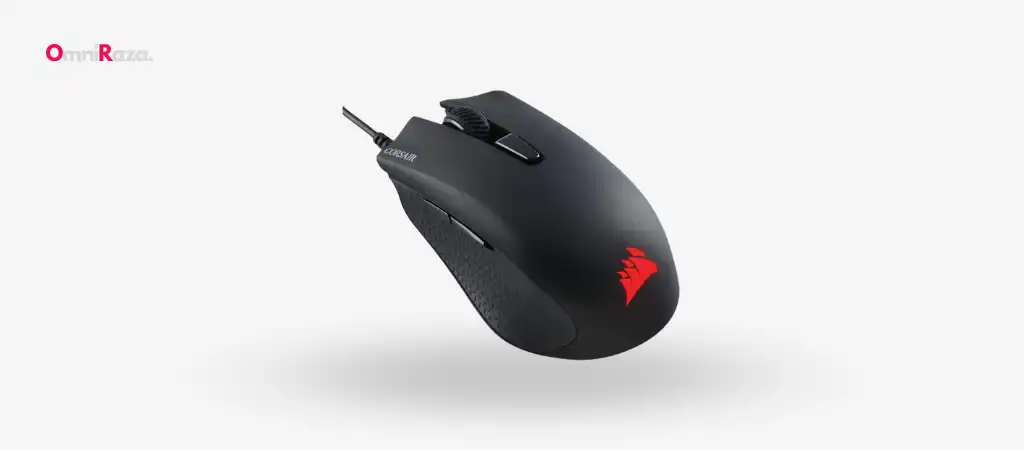
The gaming peripheral market is replete with various devices catering to different needs, preferences, and budgets. Among these, the Corsair Harpoon RGB Mouse stands out due to its blend of performance, customization, and affordability. Designed with both casual and competitive gamers in mind, this mouse offers an array of features that promise to enhance your gaming experience.
In this comprehensive review, we delve deep into what makes the Corsair Harpoon RGB Mouse a worthy contender in the Best Budget Gaming Mouse arena.
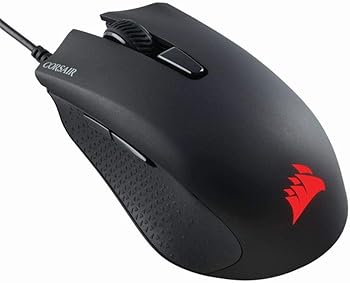
Key Features
- High-Accuracy 6000 DPI Optical Sensor: Ensures precise tracking for accurate control.
- Lightweight Design: Weighing only 85 grams for quick and fluid movements.
- Contoured Shape: Provides a comfortable grip that supports various play styles.
- Textured Rubber Side Grips: Offers a confident and non-slip hold.
- Six Fully-Programmable Buttons: Allows for extensive customization of functions.
- Onboard Memory: Stores custom DPI settings directly on the mouse.
- Dynamic Multicolor Backlighting: Adds a personalized touch with virtually unlimited customization.
- Omron Switches Rated for 20 Million Clicks: Ensures durability and ultrafast response.
- Compatibility with Xbox One: For mouse-enabled games.
- Tangle-Free Rubber Cable: Provides hassle-free connectivity with a 1.8m length.
Specifications
| Specification | Details |
|---|---|
| Brand | Corsair |
| Item Model Number | CH-9301011-NA |
| Color | Black |
| Connectivity Technology | USB |
| Special Feature | Lightweight |
| Movement Detection Technology | Optical |
| Wireless Type | 802.11a |
| Number of USB 2.0 Ports | 1 |
| Hardware Platform | PC |
| Operating System | Windows 8, Windows 7, Windows 10 |
| Item Weight | 3.2 ounces (85 grams) |
| Product Dimensions | 4.4 x 2.7 x 1.6 inches |
| Power Source | Corded Electric |
| Manufacturer | Corsair |
| Date First Available | November 11, 2016 |
Pros and Cons
Pros
- Lightweight Design: Great for quick, precise movements.
- Highly Customizable: Six programmable buttons and onboard memory.
- Durable and Reliable: Omron switches rated for 20 million clicks.
- Affordable: Offers excellent value for money.
Cons
- Limited DPI Range: Maxes out at 6000 DPI, which may not suit all gamers.
- Wired: Some gamers prefer wireless options for freedom of movement.
Detailed Review
Design and Build Quality
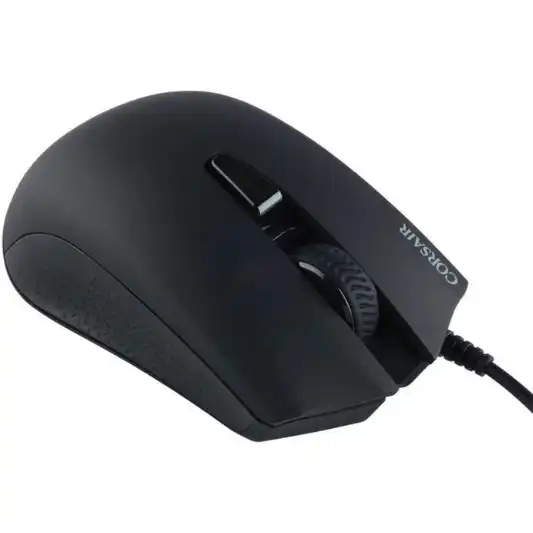
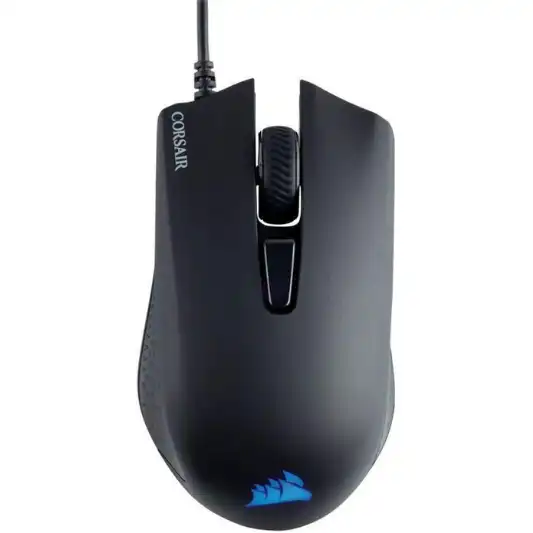
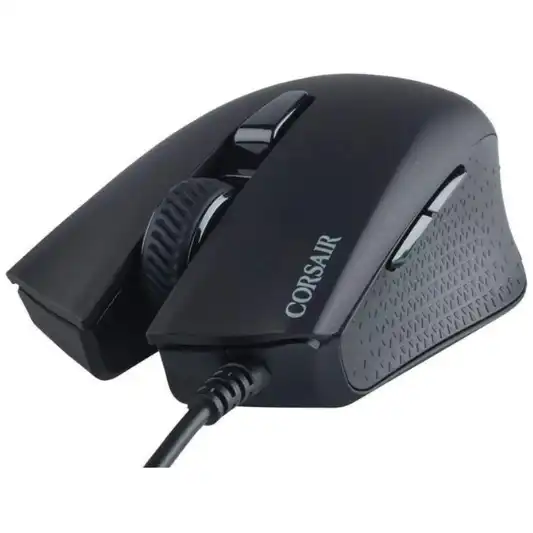
The Corsair Harpoon RGB Mouse boasts a sleek, ergonomic design that fits naturally in your hand. Its contoured shape ensures that it accommodates various grip styles, be it palm, claw, or fingertip. This versatility makes it an excellent choice for a wide range of gamers. The textured rubber side grips are a thoughtful addition, providing a secure and comfortable hold even during extended gaming sessions.
Weighing in at just 85 grams, the Harpoon RGB is remarkably light, facilitating quick and effortless movements. This is particularly advantageous in fast-paced games where precision and speed are crucial. The overall build quality is robust, with the mouse feeling solid and well-constructed despite its lightweight nature.
Performance and Sensor
At the heart of the Corsair Harpoon RGB Mouse is a high-accuracy 6000 DPI optical sensor. This sensor provides precise tracking and smooth cursor movements, which are vital for both gaming and everyday tasks. While 6000 DPI may not be the highest on the market, it is more than adequate for most gamers, offering a good balance between speed and accuracy.
The ability to switch DPI settings on-the-fly is a handy feature, allowing you to adjust sensitivity quickly based on the gaming scenario. Whether you need pinpoint accuracy for sniping or swift movements for close-quarters combat, the Harpoon RGB has you covered.
Customization and Software
Customization is a key selling point for the Corsair Harpoon RGB Mouse. The six fully-programmable buttons can be tailored to your specific needs, whether it’s mapping complex macros or simple key bindings. This level of customization can give you a competitive edge, allowing for faster and more efficient control during gameplay.
The onboard memory is another standout feature, enabling you to save your custom DPI settings and button configurations directly on the mouse. This means you can take your personalized settings with you, making the Harpoon RGB an excellent option for gaming on the go.
Corsair’s iCUE software provides a user-friendly interface for configuring the mouse. With iCUE, you can fine-tune the DPI settings, program the buttons, and customize the RGB lighting to your liking. The software is intuitive and easy to navigate, even for those who may not be tech-savvy.
RGB Lighting
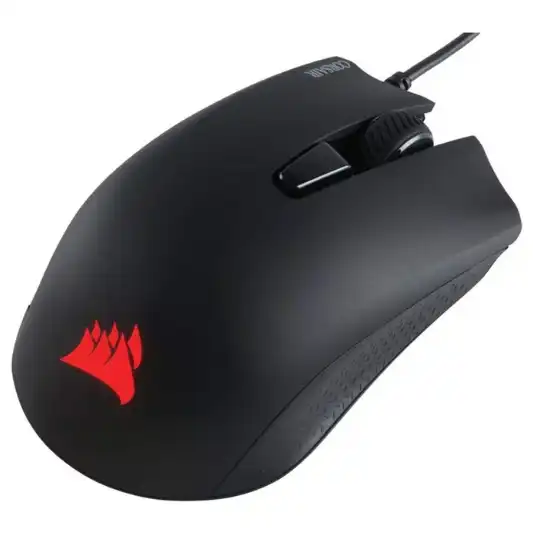
No gaming mouse review would be complete without mentioning RGB lighting. The Corsair Harpoon RGB Mouse does not disappoint in this regard, offering dynamic multicolor backlighting that can be customized to match your setup. The lighting is vibrant and smooth, with a range of effects and colors to choose from.
While the RGB lighting is primarily aesthetic, it adds a personal touch to your gaming setup. Whether you prefer a subtle glow or a more flashy display, the Harpoon RGB allows for virtually unlimited customization.
Durability and Switches
Durability is a critical factor in any gaming mouse, and the Corsair Harpoon RGB Mouse excels in this area. The Omron switches, rated for 20 million clicks, ensure a long lifespan and reliable performance. These switches provide a satisfying click response, enhancing the overall gaming experience.
The 1.8m tangle-free rubber cable is another practical feature, offering durability and flexibility. It provides sufficient length for most setups without the hassle of tangling, ensuring a smooth and uninterrupted gaming experience.
Compatibility
The Corsair Harpoon RGB Mouse is compatible with both PC and Xbox One, making it a versatile choice for gamers who play across multiple platforms. While the primary focus is on PC gaming, the ability to use the mouse with Xbox One for mouse-enabled games adds an extra layer of convenience.
User Experience
The overall user experience with the Corsair Harpoon RGB Mouse is highly positive. The mouse is comfortable to use, even during extended gaming sessions, thanks to its ergonomic design and lightweight build. The textured rubber side grips enhance comfort and control, preventing slips and ensuring a confident grip.
The customization options, facilitated by the iCUE software, allow for a personalized gaming experience. Whether you are a casual gamer looking for basic customization or a competitive gamer seeking advanced configurations, the Harpoon RGB caters to a wide range of preferences.
Value for Money
One of the most compelling aspects of the Corsair Harpoon RGB Mouse is its value for money. Despite its array of features and high performance, it is priced affordably, making it accessible to a broad audience. This balance of quality and cost-effectiveness makes it a standout choice in the gaming mouse market.
You Might Be Interested In
- Biomimicry Innovation Unveiled: A Remarkable Example
- What is adaptive learning platforms in innovation?
- 5 Best AI Copywriting Tools for 2023 (Not ChatGPT)
- Best Budget Gaming Mouse
- Logitech G Pro X Keyboard Review
Conclusion
In conclusion, the Corsair Harpoon RGB Mouse is a remarkable gaming peripheral that delivers on multiple fronts. Its ergonomic design, high-accuracy sensor, extensive customization options, and durable build make it a formidable contender in its price range. While it may not offer the highest DPI settings or wireless connectivity, its overall performance and value for money make it an excellent choice for gamers of all levels.
With the Corsair Harpoon RGB Mouse, you get a well-rounded, reliable, and customizable gaming mouse that enhances your gaming experience without breaking the bank. Whether you are a casual gamer looking for a dependable mouse or a competitive player seeking a customizable and responsive device, the Harpoon RGB is worth considering.
Highly Recommended – ⭐⭐⭐⭐⭐
If you’re looking to enhance your gaming experience with a reliable, customizable, and affordable gaming mouse, the Corsair Harpoon RGB Mouse is an excellent choice. Its ergonomic design, high-accuracy sensor, extensive customization options, and vibrant RGB lighting make it a standout option in the gaming peripherals market.
Imagine having a mouse that not only fits comfortably in your hand but also responds precisely to your every move, giving you the edge you need in your favorite games. The Corsair Harpoon RGB Mouse offers just that, with its lightweight build allowing for quick, fluid movements and its contoured shape supporting various grip styles for ultimate comfort.
FAQs
What makes the Corsair Harpoon RGB Mouse stand out from other gaming mice?
The Corsair Harpoon RGB Mouse stands out due to its combination of high performance, customization options, and affordability.
Here’s a closer look at the factors that set it apart:
- High-Accuracy Optical Sensor: The mouse features a 6000 DPI optical sensor with advanced tracking, providing precise and responsive control. This ensures that your movements are accurately reflected on-screen, which is crucial for competitive gaming.
- Ergonomic Design: The contoured shape of the mouse is designed to fit naturally in your hand, supporting various grip styles, including palm, claw, and fingertip grips. This ergonomic design reduces strain and enhances comfort during long gaming sessions.
- Lightweight Build: Weighing only 85 grams, the Harpoon RGB is incredibly lightweight, allowing for quick and fluid movements. This is particularly beneficial in fast-paced games where speed and precision are key.
- Textured Rubber Side Grips: These grips provide a secure and non-slip hold, ensuring that the mouse remains firmly in your hand, even during intense gameplay.
- Programmable Buttons: The six fully-programmable buttons offer extensive customization options. You can assign various functions, including complex macros and simple key bindings, to suit your specific gaming needs.
- Onboard Memory: This feature allows you to store your custom DPI settings and button configurations directly on the mouse. This means you can take your personalized settings with you, making it ideal for gaming on different PCs without needing to reconfigure the mouse each time.
- RGB Lighting: The dynamic multicolor backlighting can be customized to match your gaming setup or personal preference. The lighting is vibrant and smooth, adding a touch of style to your gaming experience.
- Durability: The Omron switches, rated for 20 million clicks, ensure a long lifespan and reliable performance. The tangle-free rubber cable also adds to the mouse’s durability, providing flexibility and resilience.
Overall, the Corsair Harpoon RGB Mouse offers a well-rounded package that caters to both casual and competitive gamers, making it a standout choice in the crowded gaming mouse market.
Is the Corsair Harpoon RGB Mouse suitable for all grip styles?
Yes, the Corsair Harpoon RGB Mouse is designed to accommodate various grip styles, making it a versatile choice for a wide range of gamers.
Here’s how it caters to different grip styles:
- Palm Grip: The contoured shape of the mouse fits comfortably in the palm of your hand, providing ample support and reducing strain during long gaming sessions. The ergonomic design ensures that your hand rests naturally on the mouse, making it an excellent choice for palm grip users.
- Claw Grip: For claw grip users, the Harpoon RGB offers a secure and comfortable hold. The raised back and curved sides of the mouse allow your fingers to maintain a firm grip, while the lightweight design facilitates quick and precise movements.
- Fingertip Grip: The compact and lightweight build of the Harpoon RGB makes it suitable for fingertip grip users as well. The mouse’s shape allows for easy control with just your fingertips, ensuring swift and accurate movements.
- Textured Rubber Side Grips: Regardless of your grip style, the textured rubber side grips provide additional stability and control. These grips prevent your hand from slipping, even during intense gaming sessions, enhancing your overall experience.
The versatility of the Corsair Harpoon RGB Mouse in accommodating different grip styles makes it an excellent choice for gamers who may switch between grip styles or for those who haven’t yet settled on a specific grip.
Can the Corsair Harpoon RGB Mouse be used with consoles like the Xbox One?
Yes, the Corsair Harpoon RGB Mouse is compatible with the Xbox One for mouse-enabled games, adding an extra layer of versatility for gamers who play across multiple platforms.
Here’s how it works:
- Plug and Play: The Harpoon RGB Mouse can be connected to the Xbox One via USB, making it a straightforward process. Once connected, the mouse is immediately recognized by the console, allowing you to start gaming without any additional setup.
- Mouse-Enabled Games: Not all Xbox One games support mouse input, but for those that do, the Harpoon RGB provides a significant advantage. Games like first-person shooters, strategy games, and certain RPGs benefit greatly from the precision and responsiveness of a mouse compared to a traditional controller.
- Custom Settings: The onboard memory of the Harpoon RGB Mouse allows you to take your custom settings with you. This means that any DPI adjustments, button configurations, or lighting preferences you’ve set up on your PC can be used when gaming on the Xbox One, providing a consistent experience across platforms.
- Enhanced Gameplay: Using the Harpoon RGB Mouse on the Xbox One can enhance your gameplay experience, especially in genres where precision aiming and quick reactions are crucial. The high-accuracy sensor and customizable buttons give you an edge over opponents using standard controllers.
While the primary focus of the Harpoon RGB Mouse is on PC gaming, its compatibility with the Xbox One makes it a versatile option for gamers who enjoy playing on both platforms. This flexibility ensures that you get the most out of your gaming mouse, regardless of the device you’re using.
How do I customize the Corsair Harpoon RGB Mouse?
Customizing the Corsair Harpoon RGB Mouse is a straightforward process, thanks to Corsair’s intuitive iCUE software.
Here’s a step-by-step guide to help you get started with customizing your mouse:
- Download and Install iCUE Software: First, download the Corsair iCUE software from the official Corsair website. Install the software on your PC by following the on-screen instructions.
- Connect Your Mouse: Plug the Harpoon RGB Mouse into your PC using the USB cable. The iCUE software should automatically detect the mouse.
- Open iCUE Software: Launch the iCUE software. You will see the Harpoon RGB Mouse listed among your connected devices. Click on the mouse to access its customization settings.
- Adjust DPI Settings: The DPI settings tab allows you to customize the sensitivity of your mouse. You can set different DPI levels and assign them to specific buttons for on-the-fly switching. This is useful for adjusting sensitivity based on different gaming scenarios.
- Program Buttons: The button assignment tab lets you customize the functions of the six programmable buttons. You can assign various actions, such as macros, keystrokes, or multimedia controls, to each button. This level of customization helps optimize your gaming performance.
- Customize RGB Lighting: The lighting tab allows you to personalize the RGB backlighting of your mouse. You can choose from a range of colors and lighting effects, such as static, rainbow, or pulsing. Additionally, you can synchronize the lighting with other Corsair RGB devices for a cohesive look.
- Save Profiles: Once you’ve customized your settings, you can save them as profiles within the iCUE software. These profiles can be switched easily based on the game you’re playing or your personal preferences. The onboard memory of the Harpoon RGB Mouse allows you to store these profiles directly on the mouse, making them accessible even when you connect the mouse to a different PC.
- Fine-Tune Performance: The performance tab offers additional settings, such as polling rate and angle snapping, allowing you to fine-tune the mouse’s performance to suit your needs.
The iCUE software provides a user-friendly interface that makes it easy to customize the Corsair Harpoon RGB Mouse. Whether you’re a novice or an experienced gamer, the software offers a range of options to tailor the mouse to your exact preferences.
What is the durability of the Corsair Harpoon RGB Mouse?
The Corsair Harpoon RGB Mouse is designed to be durable and reliable, ensuring it can withstand the rigors of intense gaming sessions.
Here are the key aspects that contribute to its durability:
- Omron Switches: The Harpoon RGB Mouse is equipped with Omron switches rated for 20 million clicks. Omron is known for producing high-quality, reliable switches that offer a satisfying click response. This durability ensures that the mouse can handle extensive use without degradation in performance.
- Build Quality: Despite its lightweight design, the Harpoon RGB Mouse has a robust build quality. The materials used in its construction are of high quality, providing a solid feel and ensuring that the mouse can endure the demands of regular gaming.
- Textured Rubber Side Grips: The textured rubber side grips not only provide a comfortable and secure hold but also add to the overall durability of the mouse. These grips are resistant to wear and tear, maintaining their texture and grip over time.
- Tangle-Free Rubber Cable: The 1.8m rubber cable is designed to be tangle-free, providing hassle-free connectivity. The cable is also durable, capable of withstanding frequent bending and movement without damage. This adds to the longevity of the mouse, ensuring consistent performance.
- Reliable Performance: The high-accuracy 6000 DPI optical sensor and the sturdy construction of the mouse ensure that it performs reliably over time. Whether you’re engaging in fast-paced gaming or everyday tasks, the Harpoon RGB Mouse maintains its precision and responsiveness.
- Warranty: Corsair offers a warranty for the Harpoon RGB Mouse, providing peace of mind and assurance of its durability. In case of any manufacturing defects or issues, the warranty covers repairs or replacements.
