

In the realm of computing, understanding the various components that make up a computer system is essential. The motherboard, often referred to as the heart of the computer, is a crucial component that facilitates communication between different hardware components.
However, there is a common question that arises: Is the motherboard a software or hardware component? In this comprehensive guide, we will delve into this question, exploring the nature of motherboards, their functions, and their classification as either software or hardware.
What is a Motherboard?
Before we delve into the classification of the motherboard, it’s important to understand what exactly a motherboard is. The motherboard is the main circuit board in a computer, onto which other components such as the CPU, RAM, graphics card, storage devices, and peripherals are connected. It serves as a central hub, allowing these components to communicate with each other and work together to execute various tasks.
Hardware Aspects of the Motherboard
Physical Structure
One of the primary reasons why the motherboard is classified as hardware is its physical structure. The motherboard is a tangible component that can be seen and touched. It is a flat, rectangular board made of a non-conductive material such as fiberglass, onto which various electronic components are soldered or attached.
Electrical Connections
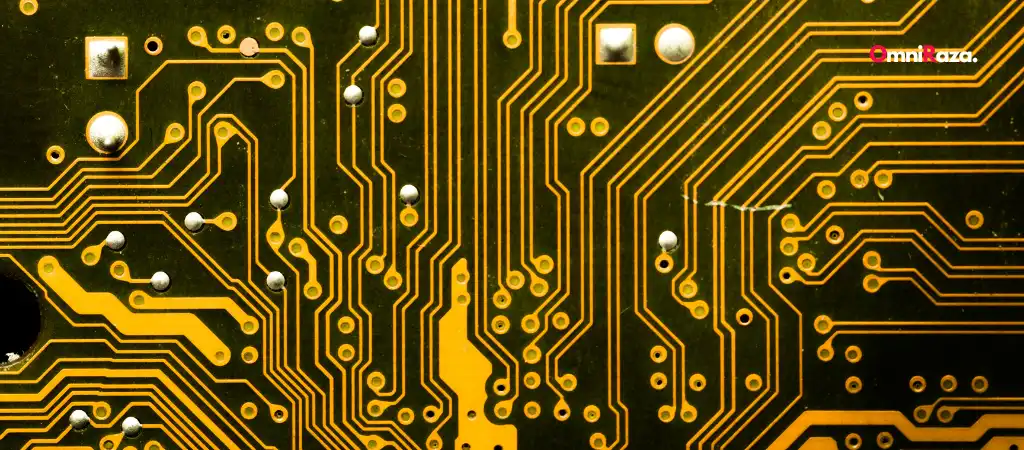
Another aspect that solidifies the motherboard’s classification as hardware is its electrical connections. The motherboard contains numerous electrical pathways, also known as traces, that allow electricity to flow between different components. These traces are essential for transmitting data and power to various parts of the computer system.
Component Integration
The motherboard integrates various hardware components into a cohesive unit. For instance, it provides slots for inserting the CPU, RAM modules, expansion cards, and connectors for peripherals such as USB devices and storage drives. This integration is a characteristic feature of hardware components.
Firmware
While firmware is often considered a hybrid between hardware and software, in the context of the motherboard, it leans more towards the hardware side. The firmware, which includes the BIOS (Basic Input/Output System) or UEFI (Unified Extensible Firmware Interface), is stored on a chip on the motherboard.
It provides low-level control over hardware components and initializes the computer during the boot process. Despite its software-like functionality, firmware is deeply tied to the hardware and is an integral part of the motherboard’s architecture.
Software Aspects of the Motherboard
BIOS/UEFI
As mentioned earlier, the BIOS or UEFI is a piece of firmware stored on the motherboard. However, it also exhibits characteristics of software. The BIOS/UEFI provides a user interface, albeit a basic one, through which users can interact with various settings related to the motherboard and other hardware components. Users can access and modify settings such as boot order, CPU settings, and memory timings.
Drivers
Another software aspect of the motherboard is the drivers. These are software programs that allow the operating system to communicate with and control the hardware components connected to the motherboard. For example, the motherboard requires drivers for components such as the chipset, audio controller, Ethernet controller, and USB ports. These drivers enable the operating system to recognize and utilize the hardware effectively.
BIOS/UEFI Updates
Regular updates to the BIOS/UEFI are released by motherboard manufacturers to provide bug fixes, performance improvements, and support for new hardware. Updating the BIOS/UEFI involves flashing the firmware, which is essentially writing new data onto the BIOS/UEFI chip. This process is akin to installing software updates, further blurring the line between hardware and software.
Motherboard Utilities
Many motherboard manufacturers provide utilities or software applications that allow users to monitor and manage various aspects of the motherboard. These utilities often provide features such as system monitoring, overclocking, and fan control. While these utilities are software-based, they are tightly integrated with the hardware and serve to enhance the functionality of the motherboard.
You Might Be Interested In
- UHURU Wireless Gaming Mouse Review
- How Do I Get 400 Dpi On My Corsair Harpoon?
- What Is The Dpi Of The G203 Prodigy?
- What Is a DPI Mouse?
- Does Steelseries Rival 3 Have Dpi?
Conclusion
In conclusion, the motherboard is a complex component that exhibits characteristics of both hardware and software. From a hardware perspective, the motherboard is a physical circuit board that provides the foundation for connecting and integrating various hardware components. It facilitates electrical connections, houses firmware, and enables the integration of components.
However, the motherboard also incorporates software elements such as the BIOS/UEFI, drivers, and utilities. These software components play crucial roles in controlling and managing the hardware connected to the motherboard.
So, is the motherboard a software or hardware component? The answer lies in its dual nature. While primarily a hardware component due to its physical structure and electrical functions, the motherboard also incorporates software elements that enhance its functionality and usability.
In essence, the motherboard is both hardware and software, making it a unique and essential component in any computer system.
FAQs About Is The Motherboard A Software Or Hardware?
Is the motherboard considered hardware or software?
The motherboard is primarily considered hardware. It is a physical circuit board that integrates various electronic components and provides the foundation for connecting other hardware components. However, it also contains firmware and interfaces that exhibit software-like characteristics.
What is the role of firmware on the motherboard?
Firmware, such as the BIOS or UEFI, is stored on a chip on the motherboard and provides low-level control over hardware components. It initializes the computer during the boot process and allows users to access and modify basic settings. While firmware is closely tied to the hardware, it also has software-like functionalities.
Are drivers part of the motherboard?
No, drivers are not physically part of the motherboard itself. However, they are essential software programs that allow the operating system to communicate with and control the hardware components connected to the motherboard. Without drivers, the operating system would not be able to utilize the hardware effectively.
How do BIOS/UEFI updates affect the motherboard?
BIOS/UEFI updates provide bug fixes, performance improvements, and support for new hardware. These updates are released by motherboard manufacturers and can be flashed onto the motherboard’s firmware chip. Updating the BIOS/UEFI is crucial for maintaining system stability and compatibility with newer hardware and software.
Can software utilities enhance the functionality of the motherboard?
Yes, many motherboard manufacturers provide software utilities that allow users to monitor and manage various aspects of the motherboard. These utilities often include features such as system monitoring, overclocking, and fan control. While these utilities are software-based, they are tightly integrated with the hardware and can significantly enhance the motherboard’s functionality.
