

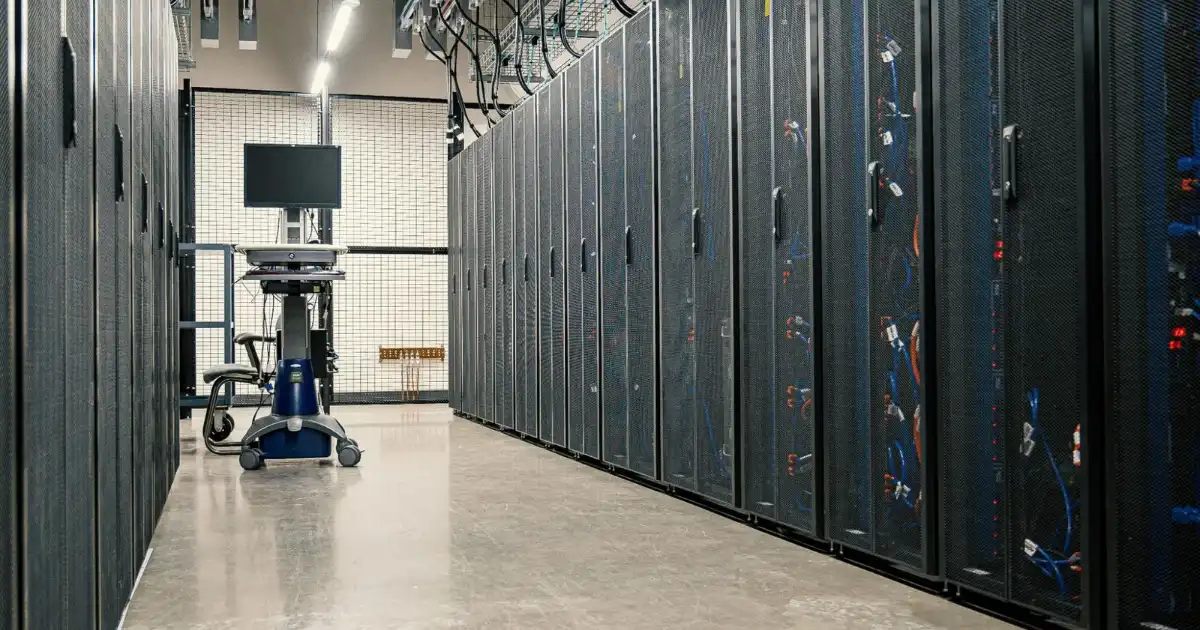
In my experience, data center scaling doesn’t fail because of bad technology choices. It fails because someone assumed growth would be “smooth” and predictable. It never is. Capacity planning is the difference between a data center that scales calmly and one that lurches from fire drill to fire drill.
On paper, scaling looks simple: add more servers, increase power, expand cooling. In the real world, every one of those decisions collides with hard limits utility feeds that can’t be upgraded quickly, cooling systems that don’t behave the way the vendor promised, and racks that hit density ceilings long before floor space runs out. I’ve seen facilities with plenty of empty white space but no usable power to fill it. I’ve also seen data halls packed with gear that technically fits, but runs so hot that uptime becomes a gamble.
Capacity planning forces you to confront those constraints early, when you still have options. It’s not a spreadsheet exercise or a once-a-year review. It’s an ongoing discipline that connects IT growth with physical reality. When it’s done right, scaling feels boring and boring is good. When it’s done wrong, every new workload becomes a risk, and every outage feels inevitable.
What Is Data Center Capacity Planning?
At its core, data center capacity planning is the practice of understanding how much load your data center can support today, how fast that load is growing, and what will break first as demand increases. That sounds straightforward, but what most people misunderstand is that “capacity” is never just one thing.
Compute, power, cooling, space, network, and storage all scale at different rates. You can have spare CPU but no power headroom. You can have power available but insufficient cooling at the rack level. You can have both and still hit network bottlenecks. Capacity planning is about seeing those interactions clearly instead of discovering them during an incident.
In real environments, planning also means accepting imperfect data. Nameplate power ratings don’t match real draw. Cooling efficiency changes with seasons. Virtualized environments hide usage spikes until they suddenly don’t. Good planners account for that messiness instead of pretending everything is linear.
Most importantly, capacity planning is continuous. The moment you stop reviewing assumptions, they become wrong. New application patterns, denser hardware, AI workloads, or changes in redundancy requirements can invalidate plans overnight. Capacity planning isn’t about predicting the future perfectly it’s about reducing surprise and giving yourself time to respond when reality inevitably deviates from the plan.
Core Components of Data Center Capacity Planning
Compute and server capacity
Compute planning starts with understanding actual workload behavior, not vendor benchmarks. Average CPU utilization is almost meaningless without knowing peak patterns, burst behavior, and consolidation ratios. I’ve seen environments that looked underutilized until one patch window or analytics job brought everything to its knees. You need to model not just growth in server count, but growth in workload intensity and variability.
Power and electrical infrastructure
Power is usually the first real limiter. Utility feeds, transformers, switchgear, UPS systems, and PDUs all impose ceilings that aren’t easy or fast to change. Nameplate capacity is rarely usable capacity once redundancy is factored in. N+1 designs reduce risk but also reduce available power for IT load. Capacity planning means knowing your true usable kilowatts per room, per row, and per rack and tracking how close you are to those limits.
Cooling and thermal management
Cooling fails quietly until it fails loudly. Average room temperature doesn’t tell you what’s happening at the top of a high-density rack. Airflow, containment quality, and return paths matter as much as chiller capacity. I’ve seen facilities with “enough cooling” on paper that still had hot spots no one could fix without reworking layouts. Capacity planning here means measuring inlet temperatures, understanding delta-T, and knowing how higher rack densities change airflow dynamics.
Physical space and rack density
Floor space is deceptive. You can have hundreds of square meters free and still be unable to deploy new racks because power and cooling are already maxed out in that area. Rack density planning connects physical layout with electrical and thermal realities. If your average rack was 4 kW five years ago and is now pushing 12–15 kW, your old spacing assumptions are obsolete.
Network and storage capacity
Network and storage are often treated as afterthoughts, which is a mistake. East-west traffic grows faster than most people expect, especially in virtualized and containerized environments. Storage capacity planning must consider not just raw terabytes, but IOPS, throughput, and replication overhead. Running out of performance hurts just as much as running out of space.
Capacity Planning Process: How It Works Step by Step
The first step is establishing a reliable baseline. That means collecting real measurements: power draw, cooling performance, rack utilization, network throughput, and storage usage. If you’re relying solely on design specs or outdated documentation, you’re guessing.
Next comes understanding growth drivers. Is growth coming from more users, heavier workloads, higher availability requirements, or new technologies like GPUs? Different drivers stress different parts of the infrastructure. Treating all growth as “more servers” is how blind spots form.
Then you model scenarios. Not just the expected case, but uncomfortable ones. What happens if power usage per rack jumps 30%? What if a cooling unit goes offline during peak load? What if a new application doubles east-west traffic? These models don’t need to be perfect they need to reveal where margins are thin.
After that, you identify constraints and timelines. Some fixes take weeks. Others take years. Utility upgrades, generator expansions, and major cooling changes are not quick wins. Capacity planning is as much about lead time as it is about capacity numbers.
Finally, you review and adjust regularly. Monthly for fast-growing environments. Quarterly at a minimum for stable ones. Every review should challenge old assumptions. If nothing has changed, that’s usually a sign you’re not looking closely enough.
Data Center Scaling Strategies
Scale up vs scale out
Scaling up using denser, more powerful hardware can be efficient but brutal on power and cooling. Scaling out adding more nodes often stresses space and network capacity. In practice, most data centers end up doing both, whether they planned to or not. Capacity planning helps you understand which path stresses your weakest link least.
Modular and hybrid scaling
Modular approaches, like adding prefabricated power or cooling blocks, can reduce risk and improve predictability. Hybrid strategies combining on-prem growth with colocation or cloud are often driven by capacity limits rather than strategy. There’s nothing wrong with that, as long as it’s intentional and not a panic response.
Automation and virtualization
Virtualization and automation can delay physical scaling by improving utilization, but they also make capacity planning harder. Overcommitment hides problems until contention appears suddenly. Planning needs to account for that elasticity and set clear thresholds for when “logical capacity” turns into physical risk.
Tools and Technologies for Capacity Planning
DCIM tools are the backbone of modern capacity planning, but only if they’re fed accurate data and actually used. Good DCIM platforms correlate power, cooling, space, and IT load instead of treating them separately. That said, tools don’t replace judgment. I’ve seen excellent dashboards ignored until an outage made them relevant.
Monitoring systems, asset management databases, and workload analytics all play a role. Spreadsheets still show up and sometimes that’s fine but they shouldn’t be the single source of truth. The real value of tools is trend visibility and early warning, not pretty reports.
Key Metrics and KPIs to Track
Useful metrics are boring and consistent. Power utilization effectiveness (PUE) matters, but so do rack-level power draw trends. Track peak versus average load, not just one or the other. Monitor inlet temperatures, not just room averages. Watch network saturation points and storage latency alongside capacity consumption.
The goal isn’t metric collection it’s decision support. If a metric doesn’t inform an action, it’s noise. Good capacity planning focuses on indicators that show how close you are to real limits and how fast you’re moving toward them.
Best Practices for Effective Capacity Planning
The best practice I trust most is pessimism. Assume growth will be uneven and workloads will behave badly. Build buffers intentionally and know exactly where they are. Document assumptions and revisit them often.
Involve both IT and facilities teams early and continuously. Silos kill capacity planning. Make lead times visible so business decisions reflect physical reality. And don’t chase perfect accuracy chase early awareness. Knowing you’ll hit a limit in 12 months is far better than discovering it at 2 a.m. during an outage.
Common Challenges in Data Center Capacity Planning
The biggest challenge is false confidence. Dashboards that look green until they suddenly don’t. Another is underestimating change new hardware generations, new software architectures, and new business demands rarely behave like the old ones.
Data quality is a constant struggle. Sensors drift, inventories go stale, and assumptions linger long past their expiration date. Capacity planning fails when it becomes a paperwork exercise instead of an operational habit.
Conclusion
Capacity planning isn’t glamorous, but it’s foundational. In every data center I’ve worked with, the ones that scale smoothly are the ones that respect constraints and revisit plans relentlessly. Scaling is never just about adding more it’s about knowing what breaks first and preparing before it does. When capacity planning is treated as a living process, growth becomes manageable instead of dangerous.
Involve both IT and facilities teams early and continuously. Silos kill capacity planning. Make lead times visible so business decisions reflect physical reality. And don’t chase perfect accuracy chase early awareness. Knowing you’ll hit a limit in 12 months is far better than discovering it at 2 a.m. during an outage.
FAQs
What is data center capacity planning?
Data center capacity planning is the discipline of understanding how much usable capacity your infrastructure actually has today and how that capacity will change as demand grows. It looks beyond server counts and includes power availability, cooling performance, rack density, network throughput, and storage limits. The goal is to know not just what you can run now, but what will become a constraint first as workloads increase.
In real environments, capacity planning also accounts for inefficiencies, redundancy designs, and imperfect data. Nameplate ratings, theoretical limits, and vendor specs rarely match reality. Good capacity planning accepts that gap and plans with buffers, trends, and real measurements rather than optimistic assumptions.
Why is capacity planning important for data center scaling?
Capacity planning is critical because scaling a data center is never just a technical decision it’s a physical one. Without planning, growth tends to collide with hard limits like power ceilings or cooling shortfalls, often at the worst possible time. When that happens, teams are forced into reactive decisions that are expensive, risky, and disruptive.
With proper capacity planning, scaling becomes intentional instead of chaotic. Teams can align infrastructure upgrades with business growth, avoid last-minute emergencies, and make informed trade-offs between performance, cost, and resilience. It turns scaling into a controlled process rather than a recurring crisis.
What limits data center scaling the most?
In practice, power and cooling constraints are the most common factors that limit data center scaling. Even when floor space is available, there may not be enough usable power or thermal headroom to support additional racks or higher-density hardware. These limits are especially hard to overcome quickly due to long upgrade lead times.
Rack density and network capacity often follow close behind. As workloads become more compute-intensive, especially with GPUs and high-performance systems, traditional layouts and airflow assumptions break down. Scaling fails when these interdependencies aren’t understood early enough.
How often should capacity planning be reviewed?
Capacity planning should be reviewed regularly, not treated as a one-time exercise. In fast-growing or highly dynamic environments, monthly reviews are often necessary to keep assumptions aligned with reality. Even in slower-moving data centers, quarterly reviews are the minimum to catch emerging trends before they become problems.
Reviews should also happen after any major change, such as new application deployments, hardware refreshes, or shifts in redundancy requirements. Capacity plans age quickly, and the longer they go unchecked, the more likely they are to be wrong when you need them most.
What tools are used for data center capacity planning?
Capacity planning typically relies on a combination of DCIM tools, infrastructure monitoring platforms, asset management systems, and workload analytics. DCIM tools are especially valuable because they connect power, cooling, space, and IT load into a single view, making constraints easier to spot.
However, tools alone don’t solve capacity planning. Their value depends on data accuracy, regular use, and human judgment. The best results come from using tools to reveal trends and risks early, then applying real-world experience to interpret what those signals actually mean for future scaling.
