


The Razer DeathAdder Essential Mouse is a staple in the gaming community, known for its blend of precision, durability, and ergonomic design. As a product of Razer, a leading brand in gaming peripherals, this mouse promises a high-performance experience for both gamers and creative professionals.
In this review, we will dive deep into its features, specifications, pros and cons, and provide a detailed conclusion. Additionally, we will answer five frequently asked questions to help you make an informed decision about the best budget gaming mouse.
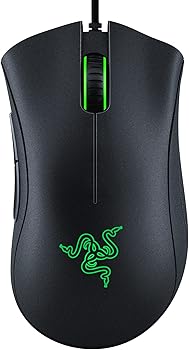
Key Features
-
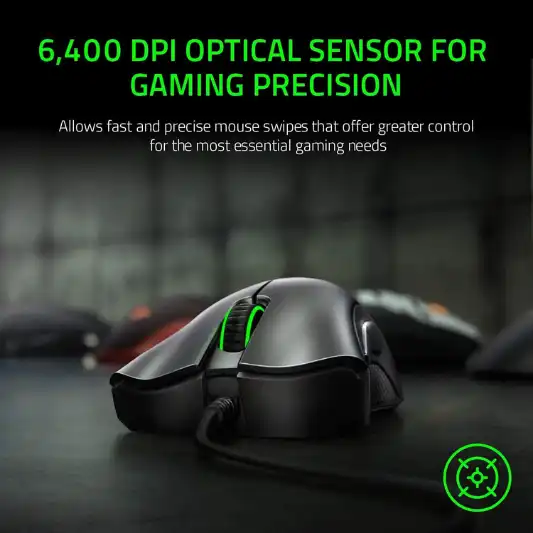
High-Precision 6,400 DPI Optical Sensor
This sensor provides on-the-fly sensitivity adjustment through dedicated DPI buttons, allowing for quick changes in sensitivity during gaming or creative work.
-
Durable Mechanical Switches
Rated for up to 10 million clicks, these switches ensure longevity and reliability, backed by a 2-year warranty.
-
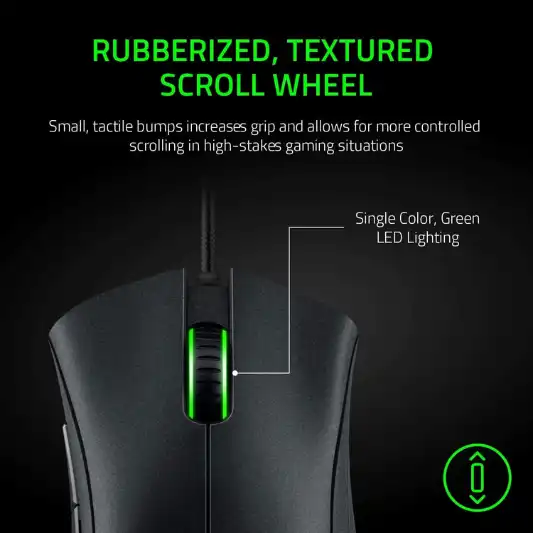
Ridged, Rubberized Scroll Wheel
Designed for maximum accuracy, the scroll wheel has small tactile bumps for better grip and controlled scrolling.
-
5 Programmable Buttons
These buttons can be remapped and assigned complex macro functions through Razer Synapse, offering customization to suit individual needs.
-
Ergonomic Design
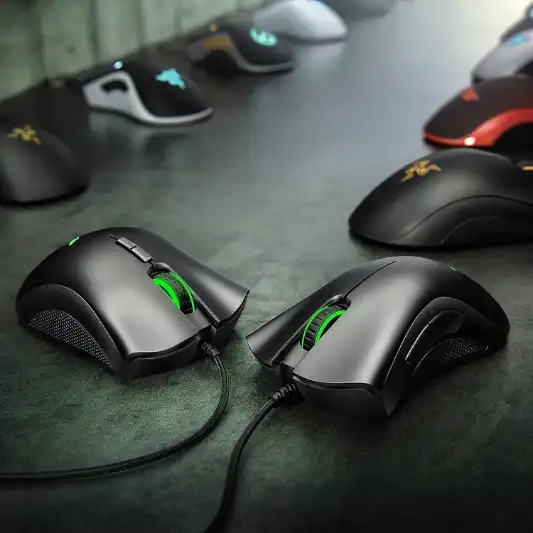
The classic ergonomic form of the DeathAdder series ensures comfort during long gaming sessions.
Specifications
| Feature | Details |
|---|---|
| Brand | Razer |
| Series | Deathadder Essential |
| Item Model Number | RZ01-03850100-R3U1 |
| Hardware Platform | PC |
| Item Weight | 4.6 ounces |
| Product Dimensions | 5.01 x 2.86 x 1.69 inches |
| Item Dimensions LxWxH | 5.01 x 2.86 x 1.69 inches |
| Color | Classic Black |
| Power Source | Corded Electric |
| Connectivity Technology | Wired |
| Movement Detection Technology | Optical |
| Special Features | Programmable Buttons, Optical Sensor, Ergonomic, Lightweight, Durable |
| Date First Available | June 1, 2021 |
| Warranty | 2 years |
| Customer Reviews | 4.4 out of 5 stars (11,611 ratings) |
| Best Sellers Rank | #141 in Video Games, #9 in PC Gaming Mice |
Pros and Cons
Pros
- High precision with 6,400 DPI optical sensor
- Durable mechanical switches with up to 10 million clicks
- Ergonomic design suitable for long gaming sessions
- Customizable with 5 programmable buttons
- Reliable wired connectivity
Cons
- Lack of wireless option
- Limited to 6,400 DPI compared to higher-end models
- Basic aesthetic design, might not appeal to those looking for RGB lighting

Conclusion
The Razer DeathAdder Essential Mouse stands out as a reliable and high-performance gaming mouse that caters to both casual and competitive gamers. Its high-precision 6,400 DPI optical sensor ensures accurate tracking, making it suitable for various gaming genres and even creative work. The sensor’s ability to provide on-the-fly sensitivity adjustment is a notable feature, allowing users to switch DPI settings quickly without interrupting their workflow.
Durability is another significant aspect of this mouse. The mechanical switches are rated for up to 10 million clicks, which translates to years of heavy usage without worrying about switch failure. Backed by a 2-year warranty, Razer guarantees the longevity of the DeathAdder Essential, giving users peace of mind.
The ergonomic design is a hallmark of the DeathAdder series, and this model is no exception. Its classic form factor is designed to fit comfortably in the hand, reducing fatigue during extended gaming sessions. The rubberized side grips and ridged scroll wheel add to the overall comfort and control, making it easier to execute precise movements.
Customization is where the DeathAdder Essential truly shines. With 5 programmable buttons, users can remap functions and assign complex macros through Razer Synapse. This level of customization allows for a tailored gaming experience, as users can set up the mouse to perform specific actions with ease. Whether it’s for gaming shortcuts or productivity tasks, the programmable buttons add a layer of versatility.
While the DeathAdder Essential excels in many areas, it does have a few limitations. The lack of a wireless option might be a dealbreaker for some, as wired connectivity can be restrictive. Additionally, the maximum DPI of 6,400, while sufficient for most users, may not meet the needs of those seeking higher sensitivity settings found in more premium models. The basic aesthetic design, devoid of RGB lighting, might also be a turn-off for users who prefer flashy, customizable lighting effects.
Overall, the Razer DeathAdder Essential Mouse offers exceptional value for its price. It combines precision, durability, and ergonomic comfort, making it a top choice for gamers and professionals alike. Its high level of customization and reliable performance make it a worthy investment for anyone seeking a dependable gaming mouse.
You Might Be Interested In
- Logitech G915 TKL Review
- Logitech G213 Prodigy Review
- 10 Best Nintendo Switch ROMs
- Steelseries Rival 3 Mouse Review
- Logitech G815 Review
Highly Recommended – ⭐⭐⭐⭐⭐
Considering its features, performance, and value for money, the Razer DeathAdder Essential Mouse receives an overall score of 8.5 out of 10. It excels in providing precise control, durability, and customization options, making it a solid choice for gamers and professionals. The main drawbacks are its lack of a wireless option and limited DPI range compared to higher-end models. Nonetheless, it offers exceptional value for its price, earning it a high recommendation.
If you’re looking for a reliable, high-performance gaming mouse that won’t break the bank, the Razer DeathAdder Essential Mouse is a fantastic option. With its precise optical sensor, durable switches, and ergonomic design, it delivers an outstanding gaming experience. Don’t miss out on this excellent peripheral—upgrade your setup with the Razer DeathAdder Essential Mouse today and elevate your gaming and productivity to the next level.
Razer DeathAdder Essential Mouse Comparison
In this section, we will compare the Razer DeathAdder Essential Mouse with three similar products in the gaming mouse market: the Logitech G203 Prodigy, the SteelSeries Rival 3, and the Corsair Harpoon RGB Wireless. This comparison will help you understand how the DeathAdder Essential stacks up against its competitors in terms of features, specifications, and overall value.
Comparison Table
| Feature | Razer DeathAdder Essential | Logitech G203 Prodigy | SteelSeries Rival 3 | Corsair Harpoon RGB Wireless |
|---|---|---|---|---|
| Brand | Razer | Logitech | SteelSeries | Corsair |
| Model | DeathAdder Essential | G203 Prodigy | Rival 3 | Harpoon RGB Wireless |
| DPI Range | Up to 6,400 DPI | Up to 8,000 DPI | Up to 8,500 DPI | Up to 10,000 DPI |
| Sensor Type | Optical | Optical | Optical | Optical |
| Programmable Buttons | 5 | 6 | 6 | 6 |
| Weight | 4.6 ounces | 2.68 ounces | 2.7 ounces | 3.52 ounces |
| Dimensions (LxWxH) | 5.01 x 2.86 x 1.69 inches | 4.59 x 2.45 x 1.5 inches | 4.75 x 2.64 x 1.49 inches | 4.55 x 2.7 x 1.59 inches |
| Connectivity | Wired | Wired | Wired | Wired/Wireless |
| Lighting | No | RGB | RGB | RGB |
| Special Features | Ergonomic, Durable, Programmable Buttons | Customizable RGB Lighting, Lightweight | Customizable RGB Lighting, Lightweight | Wireless, RGB Lighting, Ergonomic |
| Price | $24.99 | $39.99 | $29.99 | $49.99 |
| Customer Reviews | 4.4 out of 5 stars (11,611 ratings) | 4.6 out of 5 stars (15,000+ ratings) | 4.5 out of 5 stars (10,000+ ratings) | 4.5 out of 5 stars (8,000+ ratings) |
Comparison Analysis
Razer DeathAdder Essential vs. Logitech G203 Prodigy
- DPI and Sensor: The Logitech G203 Prodigy offers a higher DPI range (up to 8,000 DPI) compared to the Razer DeathAdder Essential’s 6,400 DPI. Both mice use optical sensors, providing precise tracking for gaming.
- Weight and Size: The G203 Prodigy is lighter and more compact, which might appeal to users who prefer a lighter mouse.
- Buttons and Customization: Both mice feature programmable buttons, but the G203 Prodigy has an extra button, making it slightly more versatile in terms of customization.
- Lighting: The G203 Prodigy includes customizable RGB lighting, whereas the DeathAdder Essential does not have lighting options.
- Price: The Razer DeathAdder Essential is more affordable, making it a better option for budget-conscious users.
Razer DeathAdder Essential vs. SteelSeries Rival 3
- DPI and Sensor: The SteelSeries Rival 3 offers a higher DPI range (up to 8,500 DPI) than the DeathAdder Essential. Both utilize optical sensors for accurate performance.
- Weight and Size: The Rival 3 is lighter, which may be preferable for gamers who favor quick movements and less resistance.
- Buttons and Customization: Both mice have 5 programmable buttons. The Rival 3 also features customizable RGB lighting, adding an aesthetic appeal.
- Durability and Design: The DeathAdder Essential is known for its ergonomic design and durability, whereas the Rival 3 focuses more on lightweight construction and aesthetics.
- Price: The Rival 3 is slightly more expensive, but it offers additional features like RGB lighting.
Razer DeathAdder Essential vs. Corsair Harpoon RGB Wireless
- DPI and Sensor: The Corsair Harpoon RGB Wireless has the highest DPI range (up to 10,000 DPI) among the compared mice, providing a broader sensitivity adjustment.
- Connectivity: The Harpoon offers both wired and wireless options, providing greater flexibility. The DeathAdder Essential is limited to wired connectivity.
- Weight and Size: The Harpoon is slightly heavier than the DeathAdder Essential, but it remains lightweight enough for comfortable use.
- Buttons and Customization: Both mice have 5 programmable buttons. The Harpoon also includes customizable RGB lighting and wireless functionality, which can be a significant advantage for some users.
- Price: The Harpoon RGB Wireless is the most expensive, but it justifies the price with its advanced features like wireless connectivity and RGB lighting.
FAQs
How does the Razer DeathAdder Essential Mouse compare to other models in the DeathAdder series?
The Razer DeathAdder Essential Mouse is positioned as an entry-level model in the DeathAdder series. While it shares the same ergonomic design and basic features as its higher-end counterparts, it lacks some advanced features such as higher DPI settings and customizable RGB lighting. The DeathAdder Elite and V2 models, for example, offer up to 20,000 DPI and additional programmable buttons. However, the Essential model is significantly more affordable, making it an excellent choice for budget-conscious gamers.
Can the Razer DeathAdder Essential Mouse be used for non-gaming purposes?
Absolutely. The high-precision optical sensor and ergonomic design make the DeathAdder Essential suitable for a variety of tasks beyond gaming. It performs well in creative applications such as graphic design and video editing, where precise cursor control is essential. The programmable buttons can be customized for productivity tasks, such as launching applications or executing complex commands, enhancing overall efficiency.
How easy is it to set up and customize the Razer DeathAdder Essential Mouse?
Setting up the Razer DeathAdder Essential Mouse is straightforward. Simply connect the mouse to your PC via the USB cable, and it will be recognized automatically. To customize the mouse, you’ll need to download and install Razer Synapse, Razer’s configuration software. Through Synapse, you can remap buttons, adjust DPI settings, and create macros. The interface is user-friendly, making it easy for both beginners and advanced users to personalize their mouse settings.
Is the Razer DeathAdder Essential Mouse suitable for left-handed users?
The Razer DeathAdder Essential Mouse is designed primarily for right-handed users, with its ergonomic shape tailored to fit the natural contours of the right hand. This makes it less suitable for left-handed users, as the button placement and shape may not provide the same level of comfort and usability. Left-handed users might want to consider ambidextrous mice or models specifically designed for left-hand use.
How does the Razer DeathAdder Essential Mouse perform in terms of durability and longevity?
The Razer DeathAdder Essential Mouse is built to last, with durable mechanical switches rated for up to 10 million clicks. This ensures that the mouse can withstand extensive use, even in intense gaming sessions. The quality construction and materials used also contribute to its longevity. Additionally, Razer offers a 2-year warranty, providing further assurance of the mouse’s durability and performance over time.
